Metro by T-Mobile does not offer a way to get unlimited hotspot data on its standard phone plans. Instead, each plan comes with a fixed amount of metro PCs hotspot data that you can use before speeds are slowed for the rest of the billing cycle.
Does Metro offer unlimited hotspot data?
No. Every phone plan includes a specific hotspot allotment, and once that allotment is used, tethering is slowed for the remainder of the service cycle.
Metro PCs hotspot data limits by plan
Metro's current phone plans show the following hotspot data allowances: the $50/mo. plan includes 8GB of hotspot data, and the $60/mo. plan includes 25GB of hotspot data. For connected-device plans, separate hotspot-only plans, Metro offers options with 2GB, 5GB, or 8GB of mobile hotspot data. A separate broadband label also lists hotspot allowances of 10GB, 15GB, 20GB, and 30GB for certain mobile hotspot offerings, indicating variation by device and plan.
What happens after you use your hotspot allotment?
Once you use your plan's full hotspot allowance, tethering speeds are slowed for the rest of the billing cycle. Metro's Open Internet terms state that smartphone hotspot data counts toward the plan's data calculation, and that unlimited high-speed smartphone plans include a separate hotspot allotment; after that allotment is exhausted, tethering is slowed. There is no option to purchase additional high-speed hotspot data mid-cycle under standard terms.
How many devices can connect to a Metro hotspot?
Metro permits tethering to up to 10 devices, depending on your device's capability and the terms, conditions, and allotments of your plan. The actual number of devices that can connect may vary based on your phone's hardware and software limitations.
Methods to Bypass MetroPCS Hotspot Data Limitations
Use a VPN service to hide hotspot tethering. Utilize third-party hotspot applications. Modify APN settings to bypass data limitations.
Tips for optimizing your Metro hotspot data
Because your hotspot data is a fixed amount each month, using it efficiently helps you avoid hitting the cap early. Here are practical, terms-of-service-compliant ways to stretch your allotment:
- Limit connected devices. Every device sharing your hotspot consumes data. Disconnect any device that is not actively in use to reduce overall consumption and keep the connection faster for the devices that need it.
- Manage background data. Many apps and operating systems download updates, sync files, or refresh content automatically. On devices connected to your hotspot, disable automatic updates and background data for apps you do not need to run constantly.
- Use Wi-Fi when available. Whenever you are at home, work, or a public location with a trusted Wi-Fi network, connect to that network instead of your hotspot. This preserves your hotspot data for times when no Wi-Fi is accessible.
These strategies help you make the most of your fixed hotspot data allowances without violating Metro's terms.
Potential Consequences and Risks of Unlimited Hotspot Data
Violation of MetroPCS terms of service. Disconnecting or termination of service. Legal consequences for bypassing data limitations.
Frequently Asked Questions
Is unlimited hotspot data available on Metro?
No.
How do I turn on the hotspot on my iPhone or Android?
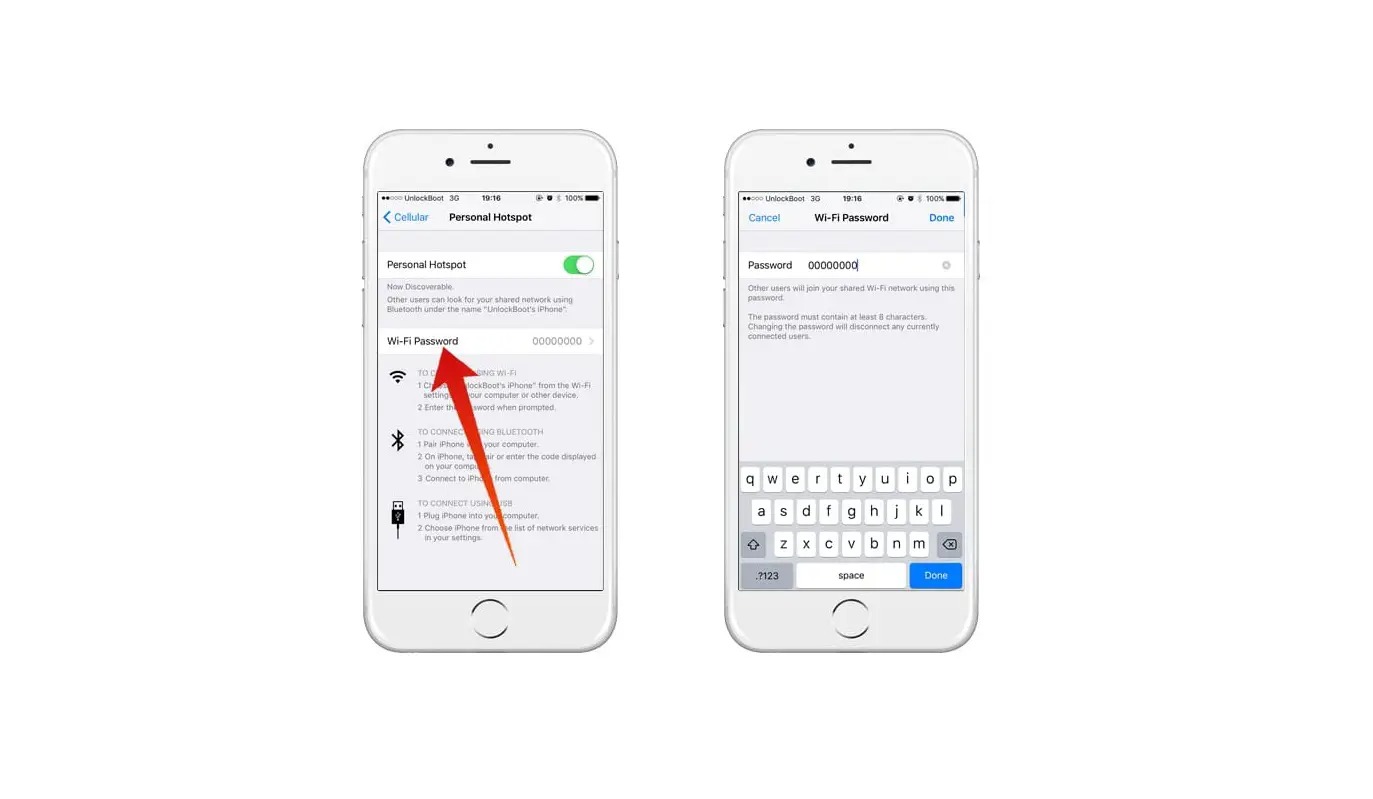
Metro's published terms do not provide device-menu instructions. On most iPhones, the hotspot option is in Settings under Personal Hotspot. On most Android devices, it is in Settings under Network & Internet or Connections, then Hotspot & Tethering. Exact menu paths vary by device model and software version.
What happens if I try to bypass the hotspot limit?
Any method to evade tethering limits conflicts with Metro's published terms. Metro's terms say hotspot use is governed by the plan's terms, conditions, and allotments, and that tethering is slowed after the hotspot allotment is used.
Does hotspot data count toward my regular data?
Yes. Metro's Open Internet terms say smartphone hotspot data counts toward the plan's data calculation. On unlimited plans, the hotspot allotment is a separate allowance, but once that allowance is used, tethering is slowed.
Does using hotspot data on MetroPCS consume my regular data?
Yes, hotspot data usage draws from your plan's regular data allowance or separate hotspot allotment, depending on your plan.
Can I share my MetroPCS hotspot data with multiple devices simultaneously?
Yes, Metro permits tethering to multiple devices simultaneously, up to the device and plan limit, typically 10 devices.
Related reading: What Happens When I Use All My Hotspot Data.