Understanding your hotspot data plans and limits
Before comparing hotspot data plans or adding a booster, open your carrier's app to find the exact usage meter for your hotspot, which is almost never the same number as your general phone data. On the network, the quickest path is the My Verizon app: tap the "Mobile" tab, then "Usage" to see a breakdown that separates hotspot consumption from on-device activity. To know if my hotspot is unlimited, look at your plan details rather than the network indicator on your screen, because some unlimited phone plans include a fixed high-speed hotspot bucket that slows to a crawl afterward.
That slowdown is what you will feel when exhausting your mobile hotspot data cap, as the carrier reduces your speed for the rest of the cycle instead of charging overage fees. The specific throttle speed when exceeding a Verizon hotspot data limit depends entirely on which plan you subscribe to, turning video calls and large file uploads into a slideshow. Checking the fine print for your exact tier tells you whether you can still load basic web pages or if the connection will essentially stop working for anything beyond text messages.
Because the penalty lasts until your next billing date, the most practical number to find on that usage screen is the countdown until your hotspot data reset. The meter simply zeroes out when your new billing period begins, restoring full speeds immediately.
Checking your usage across carriers
When you are actively tethering a laptop and need to know if you have enough data left for a video call, you can check how much hotspot you have left directly inside your carrier account instead of relying on your phone’s general data counter, because your plan likely separates on-phone data from the portable bucket. A T-Mobile hotspot data usage check inside the T Life app shows the exact amount drawn from that specific allowance: open the Account tab, choose your line under People, and select Data used to see the current breakdown for the billing cycle.
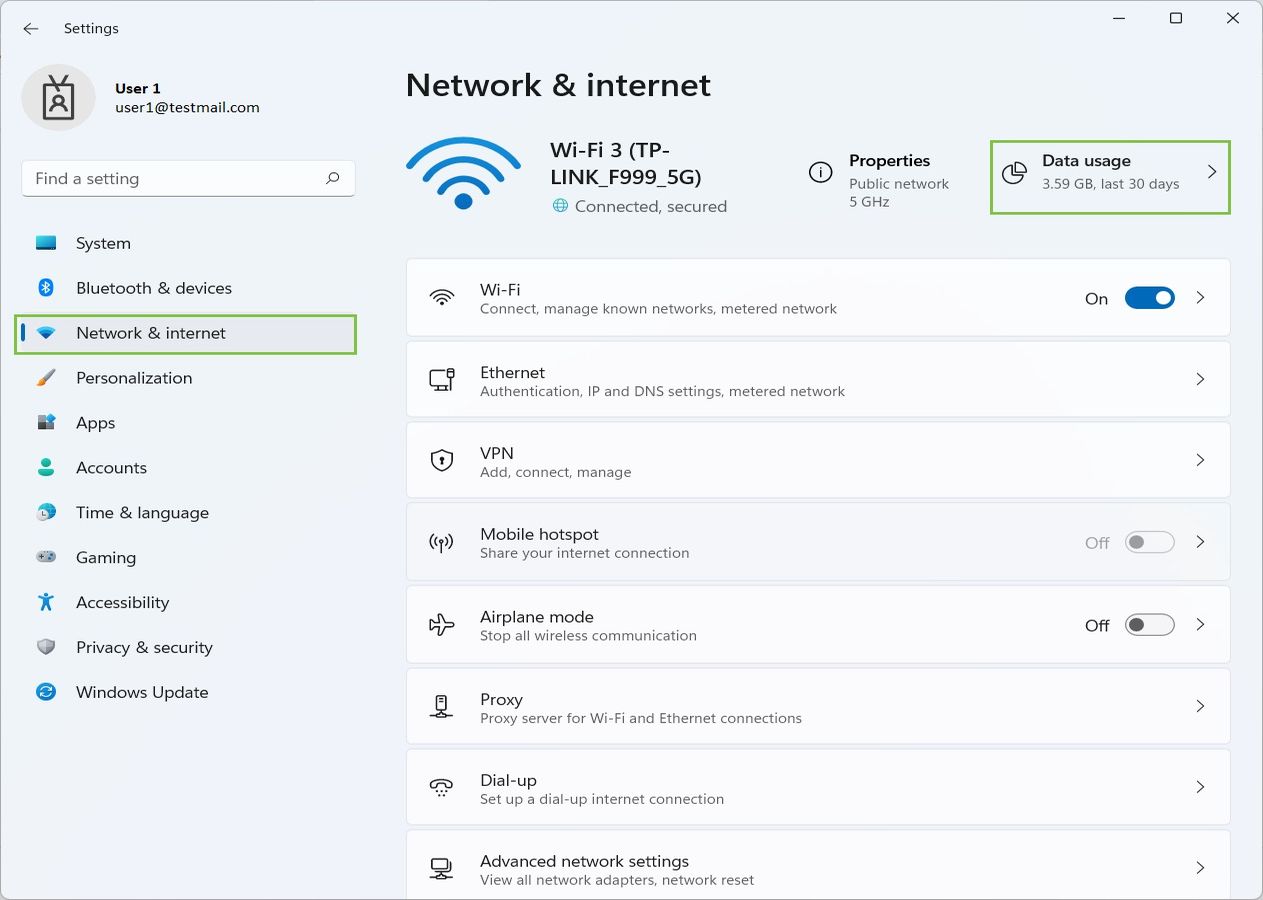
One way to check mobile hotspot usage Verizon provides is through the My Verizon app by navigating to the Mobile tab and Usage, or by visiting the My Verizon website's Usage page, which pulls up a usage summary that separates hotspot consumption from the rest of your activity. For AT&T customers, the official path to check hotspot usage AT&T requires is signing into the wireless usage center, selecting your number, and opening the Data tab where a dedicated Hotspot row reveals how much cellular data has been used for tethering. If you are on a prepaid provider, the method to check my hotspot usage on Straight Talk would be inside the carrier’s account portal or app, though the exact location varies by device and plan. On most phones, the built-in Android or iOS data settings do not reflect the carrier’s remaining high-speed cap, so always rely on the carrier’s meter rather than the phone’s local tally.
Monitoring who is on your connection
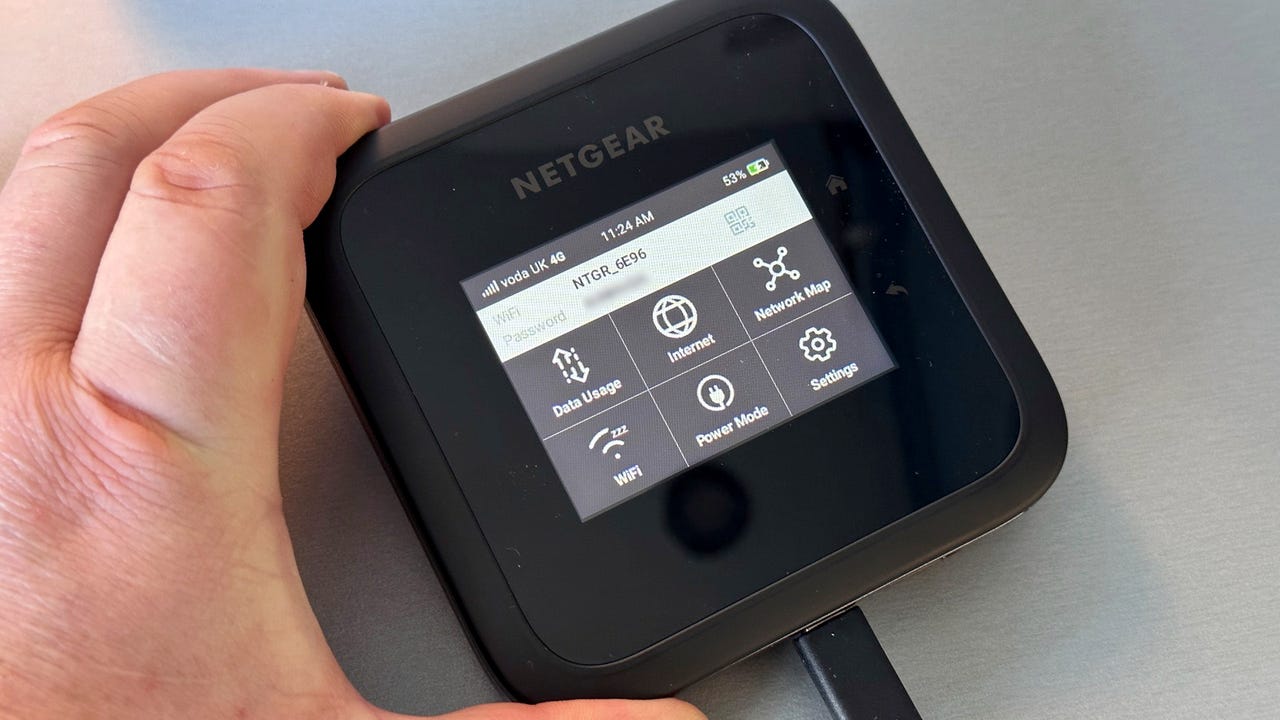
Before your data runs out, an equally immediate problem is someone you do not recognize quietly burning through your allowance. On a dedicated T-Mobile hotspot device, you can open the web interface and load the client list page to see who is connected to your hotspot, then block any device that should not be there by changing the Wi‑Fi password inside the same manager. If you are sharing a connection from a phone, the tools are more blunt; Android lets you share with up to ten devices but does not show a live connected-device roster, so you are left counting heads manually.
To limit hotspot usage before a single streaming stick drains your entire high-speed bucket, iPhone owners can turn on Low Data Mode for the phone’s own connection, though Apple’s official guidance does not extend that setting to the gadgets piggybacking on your Personal Hotspot. When a tethered laptop suddenly refuses to load pages and you are stuck in hotspot low data mode troubleshooting, the first thing to check is your carrier’s separate link meter rather than the phone’s indicator, because the throttle almost always applies only to sharing. If you need to cut off access entirely on a T-Mobile line, you can turn off T-Mobile hotspot, which stops all sharing immediately without touching your phone’s data.
Estimating how long your data will last
Because no two activities consume data at the same rate, thinking in hours instead of gigabytes makes it easier to plan your workday. A laptop can consume a significant amount of data per hour, giving you a practical sense of your 10GB hotspot data duration before you need to switch to audio-only, so you can read the article about how long 10GB of hotspot lasts to see exactly how much video conferencing time that bucket buys. If your plan includes a 30GB bucket, the 30GB hotspot data value depends on your mix of email, document sharing, and light web browsing, yet that same pool may not last long with high-definition streaming, which is why the article on how much 30GB of hotspot is worth helps you weigh cost against your typical usage.
The 50GB hotspot streaming hours you actually get depend entirely on the quality settings of the app you are casting, and forcing a lower resolution on the streaming stick itself can extend the watch time from that same allowance, check the article on how many hours is 50GB of hotspot to match your favorite services to that cap. When budgeting for a road trip where a tablet will be the primary screen, knowing the 60GB hotspot usage time helps you decide whether you can afford to download a few offline maps or should pre-load everything on Wi-Fi beforehand, and the article on how many hours is 60GB of hotspot gives you a concrete timeline for that decision. For remote workers who connect daily, the 100GB hotspot data duration often looks generous until a single operating system update downloads itself in the background, so always set your linked laptop to metered connection mode before you start your session, and read the article on how long does 100GB of hotspot last to anticipate those background bursts.
- 50GB hotspot streaming hours
- 100GB hotspot data duration
- 10GB hotspot data duration
- 30GB hotspot data value
- 60GB hotspot usage time
Calculating duration for smaller plans
When you are working with a very limited data bucket, it helps to think in terms of specific tasks rather than abstract gigabytes. For light email and text-based chat, 1GB hotspot duration may stretch across several days of steady work. However, opening a single image-heavy website or letting a cloud sync run in the background can erase that cushion quickly. Stepping up slightly, the duration of a 2 GB hotspot plan might let you submit a few small work files and handle a brief video call before the buffer is gone. This assumes every background app on your linked laptop is set to pause. With a bit more room, the duration of a 3 GB hotspot plan may be enough for an afternoon of research and document editing. You will still need to avoid autoplay video during that session. If your package includes a mid-range allowance, the duration of a 5 GB hotspot plan may give you enough headroom to stream music during a work session while keeping a close eye on larger downloads. For a longer remote-work day, 20GB hotspot data duration may cover a full presentation with screen sharing and follow-up file transfers. It lets you avoid switching to audio-only halfway through your meeting. When the bucket grows, 30GB hotspot data duration may become practical for a short business trip. You can rely on steady mobile connectivity for daily stand-ups and collaborative editing, so long as the streaming stick stays in your bag.
Data use for specific apps and games
Streaming a film over a tethered connection is the quickest way to burn through a capped allowance. Movie data usage on a mobile hotspot can vary significantly based on resolution and app settings. Forcing the app to a lower resolution can help stretch a small bucket.
Live service titles tend to sip rather than gulp bandwidth during a match. Yet online gaming data usage on a mobile hotspot is only part of the story. The real danger is a pending patch or a full game download queued silently in the background the moment you connect.
Before you join a session, you should know that Fortnite hotspot usage spikes most dramatically during initial loading and map updates, not during the actual firefight. Pre-loading assets on Wi-Fi keeps your tethering intact. You can play Minecraft on cellular data once the world is loaded. Joining a busy multiplayer server with constant chunk updates will consume more.
When you switch from playing to watching, Netflix data consumption on a hotspot is controlled entirely by the playback setting inside your account profile. Adjusting playback settings in your account profile can help manage Netflix data consumption on a hotspot.
Buying a hotspot device or plan
Before you commit to a carrier contract, it is worth comparing standalone hardware against service fees, because the upfront cost of a dedicated puck is only half the equation. When you research mobile hotspot device pricing, hardware options range from budget travel routers to full 5G workhorses, but none of them function without a data plan behind them. The monthly commitment is where the real expense hides. You need to examine a T-Mobile hotspot plan cost alongside the prepaid options that include tethering at reduced speeds once you exceed the high-speed bucket. Similarly, you cannot evaluate a Verizon hotspot plan cost without checking your current phone line, which might already include hotspot data that makes a separate device redundant. An AT&T hotspot plan cost often depends on whether you are adding a line to an existing account or starting fresh, and the fine print may throttle speeds after the cap rather than cutting you off. Understanding AT&T mobile hotspot pricing means knowing the advertised rate usually requires a specific unlimited phone plan as a prerequisite, locking you into a higher overall bill.
Adding more data to your current plan
When your laptop stops loading pages because the hotspot bucket is empty, the fix is usually a carrier add-on rather than a different phone setting. On AT&T, you can add more hotspot data AT&T through the wireless add-ons section of your online portal, where a one-time or recurring 10GB block is available for specific unlimited plans. If you are on a Go5G or Experience plan, the path to add more hotspot T-Mobile runs via the T-Life app under the line’s manage add-ons screen, and you can buy the same 10GB pass multiple times in a single billing cycle. The option to add more hotspot data Verizon is called Data Boost, with shared data arrangements and specific unlimited plans each receiving a data bump. For prepaid customers, the steps to add more hotspot data Boost Mobile require checking the Boost Mobile app or your subscriber dashboard for current eligibility and purchase flows.
Whichever service provider you use, the fastest way to get more hotspot data is to open your management app while still connected to the phone’s own cellular signal. The add-on typically takes effect within minutes, sparing you from hunting for Wi-Fi just to complete the purchase and letting you resume your laptop session almost immediately without a complicated settings reset. Always verify the new allowance appears on your line before disconnecting from the mobile network.
- add more hotspot data Boost Mobile
- add more hotspot data Verizon
- add more hotspot data AT&T
- add more hotspot T-Mobile
- get more hotspot data
Free and unlimited data strategies
Because your phone plan’s hotspot bucket is almost always a separate, smaller pool than your general data, the first real strategy is to stop treating them as the same thing. On an iPhone, the switch lives at Settings > Personal Hotspot. Flipping it on only works if your carrier has already provisioned the feature on your account. Apple’s own documentation confirms there is no settings-only trick to bypass a carrier cap. The search for a way to get unlimited hotspot data MetroPCS leads straight to the carrier’s fine print. Prepaid plans document a specific 2GB, 5GB, 8GB, or 10GB mobile hotspot allowance. That allowance cuts off tethering entirely once exhausted unless you purchase a data pass. This hard stop is the norm, not the exception. If you want to bypass these limits entirely, you can learn how to get unlimited hotspot for free by leveraging certain plan features and workarounds that keep your connection alive without extra charges.
What remains is a set of approaches that differ only in which part of the problem you are trying to solve first. You might need the data itself at zero cost, which is why knowing how to get unlimited data for free is essential for avoiding overage fees while streaming or working on the go. You might need the hardware to share it, so understanding how to get a hotspot for free can save you from buying a dedicated device if your carrier offers one with a qualifying plan. Or you might need a connection that never throttles, which makes it valuable to know how to get cellular data for free through promotional offers or referral credits. The four paths covering these scenarios are distinct enough that your choice hinges on a few key factors. These factors include whether you already own a capable phone and whether your current plan includes an overlooked hotspot allowance. Your decision also depends on whether a carrier’s definition of “unlimited” actually holds up under the specific way you tether.
Bypassing carrier restrictions
If your plan already includes a capped hotspot allowance and you are searching for a way to bypass Verizon hotspot limit restrictions, the carrier’s own support pages document no approved workaround for throttling or data caps. The official path is to use the feature your plan includes or purchase a Data Boost, which adds high-speed data for mobile hotspot devices or connected tablets on eligible plans and can be stacked per billing cycle for mobile hotspot devices. On an iPhone, you turn on the connection via Settings > Personal Hotspot, and that toggle only works if your line is already provisioned for the feature. On Android, you can verify your entitlement in My Verizon, and if Mobile Hotspot is missing, the only documented fix is to add it there.
Understanding carrier-specific hotspot features
When you first set up an AT&T mobile hotspot, the most important detail to check is the separate hotspot allowance listed in the fine print, not your phone plan’s overall data bucket. AT&T provisions this as a distinct pool on many smartphones and tablets, and the moment you exhaust it your connection drops to a maximum speed for the rest of the billing cycle. Before you rely on the feature away from home, open Settings and look under Cellular or Connections to confirm the Personal Hotspot toggle actually appears; if it is missing, your line likely lacks the provisioning. To use AT&T hotspot on an iPhone, navigate to Settings > Cellular > Personal Hotspot and enable Let others join, while Android users head into Connections or Network & Internet to reach Mobile Hotspot and Tethering. The AT&T hotspot connection speed you experience in the field depends on the local cellular signal, but the hard throttle after your plan’s specific cap remains the same across all current boundless offerings. On the T-Mobile side, the carrier brands the identical capability, supporting sharing with multiple devices at once. To turn on T-Mobile WiFi sharing from an iPhone, go to Settings > Cellular > Personal Hotspot and tap the slider for Allow Others to Join; on Android, the path runs via Settings > Network & Internet > Hotspot & Tethering, where you configure and enable the Wi-Fi hotspot. Your specific plan’s terms determine what happens when the bucket runs dry.
Finding the best unlimited plans
Before you commit to a plan, it is worth understanding that the best unlimited data plan you can get in 2022 for your phone line rarely extends that same limitless promise to your laptop. A carrier may advertise premium data with no caps, but the fine print almost always carves out a separate, much smaller bucket for tethering. On an iPhone, you can find Personal Hotspot under Settings > Personal Hotspot, and the Allow Others to Join toggle lets you enable sharing without explaining what happens after you burn through 15 or 50 GB of hotspot use. If you rely on a connection that never throttles to a useless crawl, you will need to dig into the specific terms for unlimited hotspot data plans, where carriers that truly offer them without a hard speed cliff are the exception rather than the rule. When you are sorting through the 12 best mobile WiFi hotspot plans in 2022, the detail that trips people up is that a plan's "unlimited" label almost never applies equally to the phone and the hotspot allowance, and a dedicated hotspot device plan carries a completely different data priority and cap structure than the phone's built-in sharing feature. Always verify the exact throttle point for the device you intend to use.
Understanding hotspot session basics
Most people assume a hotspot stays active until they shut it off, but a mobile hotspot connection typically lasts as long as the device stays on, has signal, and has remaining hotspot data. Your phone must stay powered on and hold a cellular signal, and you must still have data left in your plan’s separate hotspot bucket. The moment any of those runs out, connected devices lose internet access even if your phone still shows a strong signal for its own apps.
If you are comparing plans, the Verizon hotspot data allowance varies sharply by tier. Unlimited Plus includes 30 GB, Unlimited Ultimate bumps that to 200 GB, and Unlimited Welcome gives you nothing at all unless you buy a hotspot add-on. Dedicated hotspot device plans follow an entirely different structure.
When you are trying to gauge how much work you can get done, a 100GB hotspot data hours estimate is not something Verizon publishes as a fixed number, and video streaming chews through data roughly ten times faster than email or document editing. The carrier’s own support documentation confirms only that connected devices draw from your monthly plan while they are active. Once you cross your specific limit, speeds may drop for the remainder of the billing cycle, which defines the typical lifespan of a mobile hotspot session.
Frequently Asked Questions
How do I see connected devices on my iPhone hotspot?
Apple does not provide a built-in list of devices currently connected to your Personal Hotspot. You must manually count the devices using your connection, as the official settings only show how to share the connection, not who is actively using it.
What is the exact throttle speed after hitting my T-Mobile hotspot cap?
The specific reduced speed depends entirely on which T-Mobile plan you subscribe to. You need to check your plan’s fine print in the T Life app or on the T-Mobile website to see whether you can still browse or if the connection becomes essentially unusable.
Does Android’s Data Saver limit hotspot data for tethered devices?
Android’s Data Saver is designed to reduce data usage on the phone itself. The official documentation does not state that this setting extends to devices connected via the phone’s Wi-Fi hotspot, so tethered gadgets can still consume data at full speed.