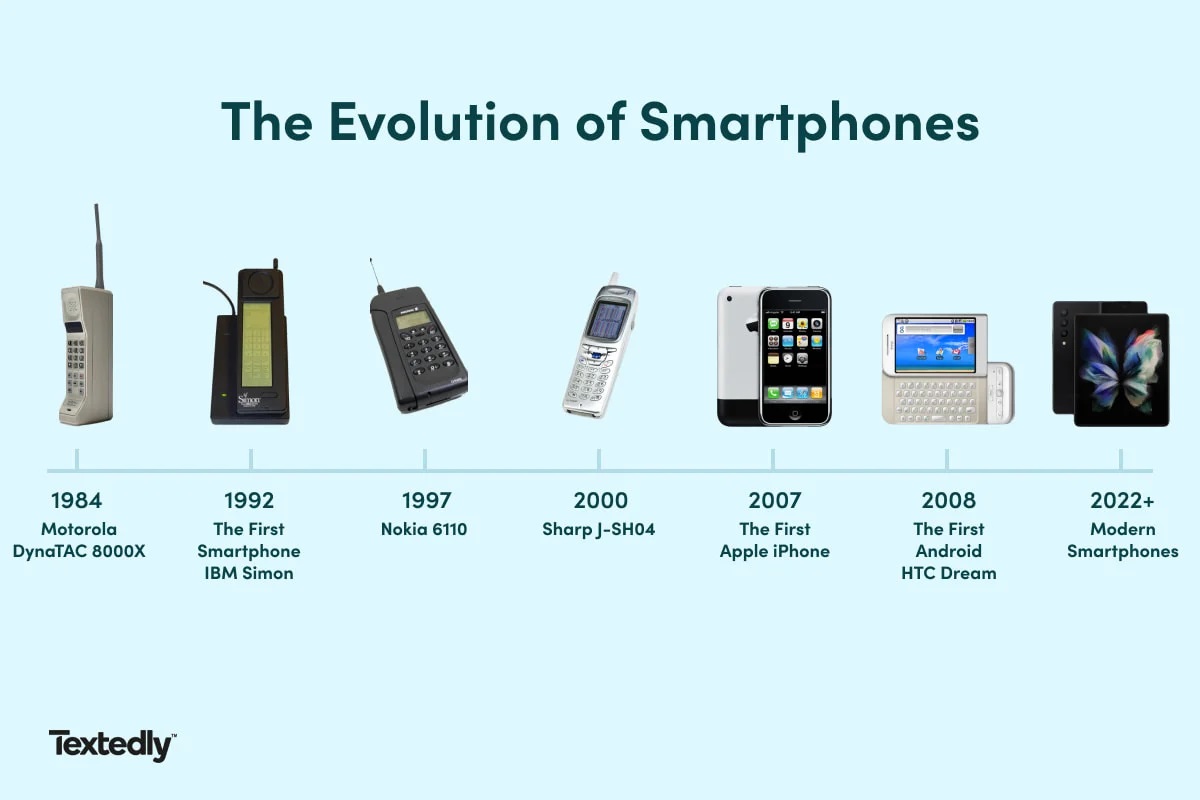
The first touchscreen phone was the IBM Simon Personal Communicator, released for purchase in August 1994. This device combined cellular phone capabilities with Personal Digital Assistant (PDA) functions, making it the first device of its kind to feature a touchscreen interface.
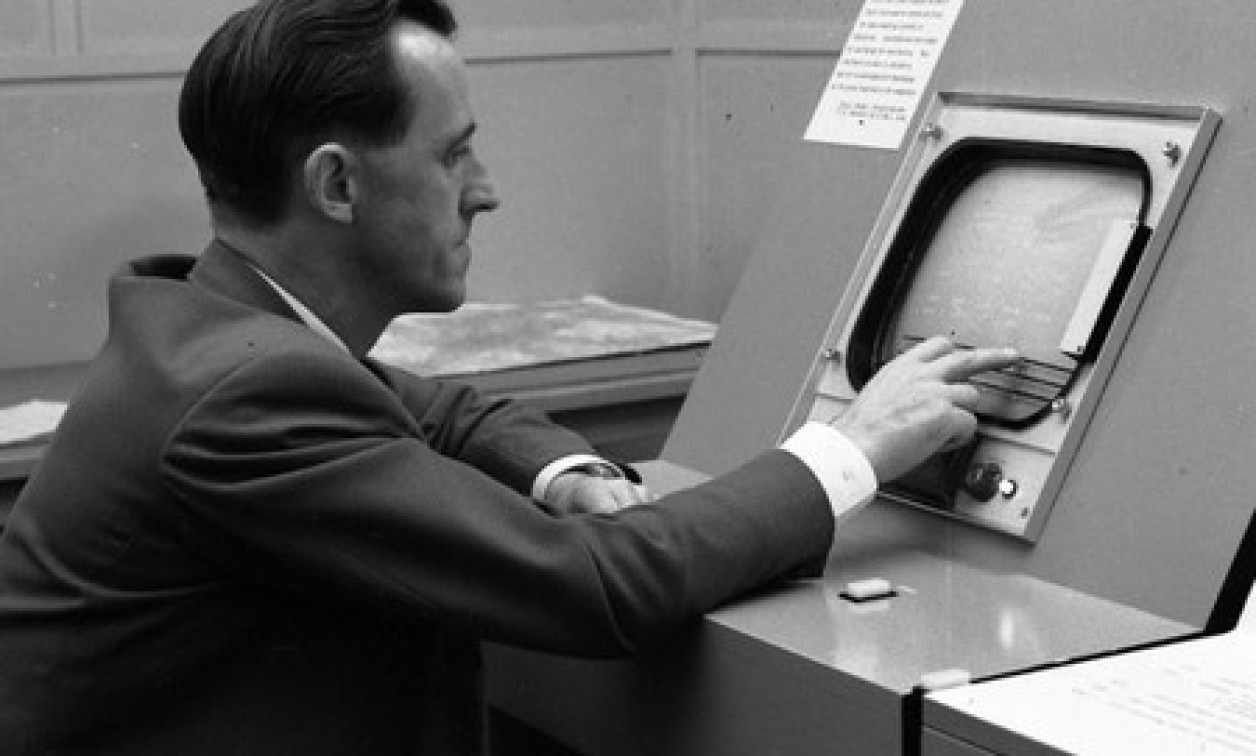
The 1965 finger-driven touchscreen that started it all
The first finger-driven touchscreen technology was developed by E.A. Johnson in 1965, preceding the IBM Simon by decades. Johnson's invention at the Royal Radar Establishment used a grid of wires on a glass panel to detect the position of a finger when it made contact with the screen. This early capacitive touch sensor laid the essential groundwork for all future touchscreen devices, though it would take nearly thirty years before the technology was integrated into a mobile phone.
IBM Simon prototype unveiled at COMDEX 1992
The IBM Simon was first unveiled as a prototype, code-named "Angler" or "Sweetspot," at the COMDEX trade show in 1992. IBM developed the Simon, and it was manufactured by Mitsubishi Electric Corp. The prototype demonstrated the concept of a phone that could also function as a personal digital assistant, generating significant interest despite the device not yet being ready for commercial release.
IBM Simon release date, price, and sales figures
BellSouth Cellular Corp. distributed the IBM Simon in the United States when it was released for purchase in August 1994. The device was sold for $899 with a two-year service contract or $1099 without a contract. Approximately 50,000 units of the IBM Simon were sold between August 1994 and February 1995, making it a niche product rather than a mainstream success.
IBM Simon features and technical specifications
The IBM Simon features a pen-based resistive touchscreen. The device ran on an MS-DOS-compatible operating system with a unique touch-screen user interface called Navigator. The Simon's user interface software layer was known as the "Navigator," a custom application built specifically for the touchscreen, with no DOS prompt. The Simon included built-in applications such as a cellular phone, fax, E-mail, pager, paperless notepad, address book, calendar, calculator, world time clock, file manager, and sketch pad. The device supported standard and predictive stylus input screen keyboards. A "predictive keyboard" function displayed only a portion of the keyboard, and upon selecting a letter, the Simon would predict and display the next most likely letters. The Simon could be upgraded to run third-party applications by inserting a PCMCIA card or by downloading an application to the phone's internal memory. "DispatchIt" was the only aftermarket, third-party application developed for Simon, functioning as an early predecessor to "Remote Desktop" software. The Simon featured a 4.5-inch monochrome LCD with 160 x 293 pixels. The talk time limit for the battery was approximately 1 hour, with a standby time of 12 hours. The device weighed 510 g (1.12 lbs). The dimensions of the Simon were 200 x 64 x 38 mm (7.8 x 2.5 x 1.5 inches).
It had a short battery life: the talk time limit was approximately 1 hour, with a standby time of 12 hours. The Simon could send and receive faxes using built-in fax software, requiring a compatible fax line. Optional accessories included a PCMCIA pager card, an RS-232 adapter cable for PC-Link file access, and an RJ11 adapter cable for voice and data calls over POTS landlines.
For readers interested in broader cell phone facts and usage, the Simon's basic operation provides a fascinating contrast to modern devices. To turn on the IBM Simon, press and hold the power button located on the top of the device for a few seconds until the startup screen appears. To use the touchscreen, tap icons with the stylus to select, and write directly on the screen using the included stylus. To save a new contact: Tap the "Address Book" icon, then select 'New Entry'. Use the touchscreen keyboard to enter the name and phone number, then tap 'Save'. To perform a soft reset if the device freezes, insert the tip of the stylus into the small reset hole on the back of the device. To charge the device, connect the supplied A/C adapter to the charging port on the bottom of the device. The Simon automatically charges when connected to a power outlet. Only Simon battery chargers should be used to charge Simon's batteries; other chargers might cause damage. Using the Simon within 10 to 40°C (50 to 104°F) will prolong battery life. Do not recharge fully charged batteries to "top off" the battery, as it can shorten battery life. To clean the screen, use a soft, dry, lint-free cloth and gently wipe the screen. Avoid liquids and abrasive cleaners, which can damage the touchscreen. The battery is not user-replaceable; contact an authorized IBM service center for battery replacement to avoid damage.
How the iPhone changed touchscreen phones in 2007
The iPhone, released in 2007, popularized capacitive multi-touch touchscreen technology, which is different from the resistive technology used in the IBM Simon. While the Simon's resistive screen required pressure and was primarily designed for stylus input, the iPhone's capacitive screen responded to the electrical properties of the human skin, enabling finger-based gestures like pinch-to-zoom and swipe. The iPhone also introduced a virtual keyboard that replaced physical buttons, along with the App Store in 2008 that turned smartphones into versatile computing platforms. This combination of intuitive touch interaction and a robust app ecosystem made touchscreen phones mainstream, setting a new standard that the Simon's resistive single-touch screen could not match.
Why the IBM Simon is considered the first smartphone
Although the term "smartphone" wasn't widely used until 1995, the IBM Simon is retrospectively considered the world's first true smartphone due to its integrated features. It combined cellular phone capabilities with PDA functions in a single device, offering an address book, calendar, email, fax, and notepad, all accessible through its touchscreen interface. For those exploring 15 impressive phone brands you must know, IBM's pioneering role in creating the first smartphone demonstrates how innovation often comes from unexpected sources, long before the industry leaders we recognize today.
Frequently Asked Questions
Did the IBM Simon have multi-touch capabilities?
No. While some sources conflict on this point, the verified facts confirm the IBM Simon featured a resistive single-touch screen. Multi-touch technology, which allows the screen to detect two or more simultaneous touch points, was a later development popularized by the iPhone in 2007.
Could the IBM Simon connect to the internet?
The Simon could send and receive emails and faxes, but it did not have the capability for web browsing as we understand it today. Its data functions were limited to these communication features, requiring a compatible fax line for fax operations.
What operating system did the IBM Simon use?
This interface was built specifically for the touchscreen and did not display a traditional DOS prompt, making it a unique software layer for its time.
How does the IBM Simon compare to modern smartphones?
The Simon was significantly larger and heavier than modern smartphones, weighing 18 ounces with a 4.5-inch monochrome display. Its 1 MB of RAM and 1 MB of ROM are minuscule compared to today's devices, and its 1-hour talk time battery is far shorter than any modern smartphone's battery life.
Why is the IBM Simon not more widely known?
The Simon was not a commercial success, with only about 50,000 units sold. Its high price, bulky design, and limited battery life made it a niche product. It was also released before the term "smartphone" was widely used, so it did not benefit from the marketing and cultural impact that later devices like the iPhone enjoyed.
For the wider topic, see cell phone facts and usage.
Related reading: When Was The First Touchscreen Invented.