To get an American phone number, you activate a US carrier plan, typically an eSIM, on a supported phone with an internet connection. This is a carrier-activation guide, not a virtual-number workaround, so you will need a device that can accept a US carrier’s eSIM profile and a data or Wi-Fi connection to complete setup.
Get a US number on iPhone
Apple documents several official paths to add a US cellular plan. The exact menu labels depend on your carrier and whether you are adding a new line, transferring a number, or activating a travel eSIM.
- Open Settings > Cellular, then tap Set Up Cellular or Add eSIM.
- If your carrier supports transferring from another iPhone, tap Transfer From Nearby iPhone or choose a phone number from the list that appears. Apple documents eSIM Quick Transfer requires iOS 16 or later on both devices.
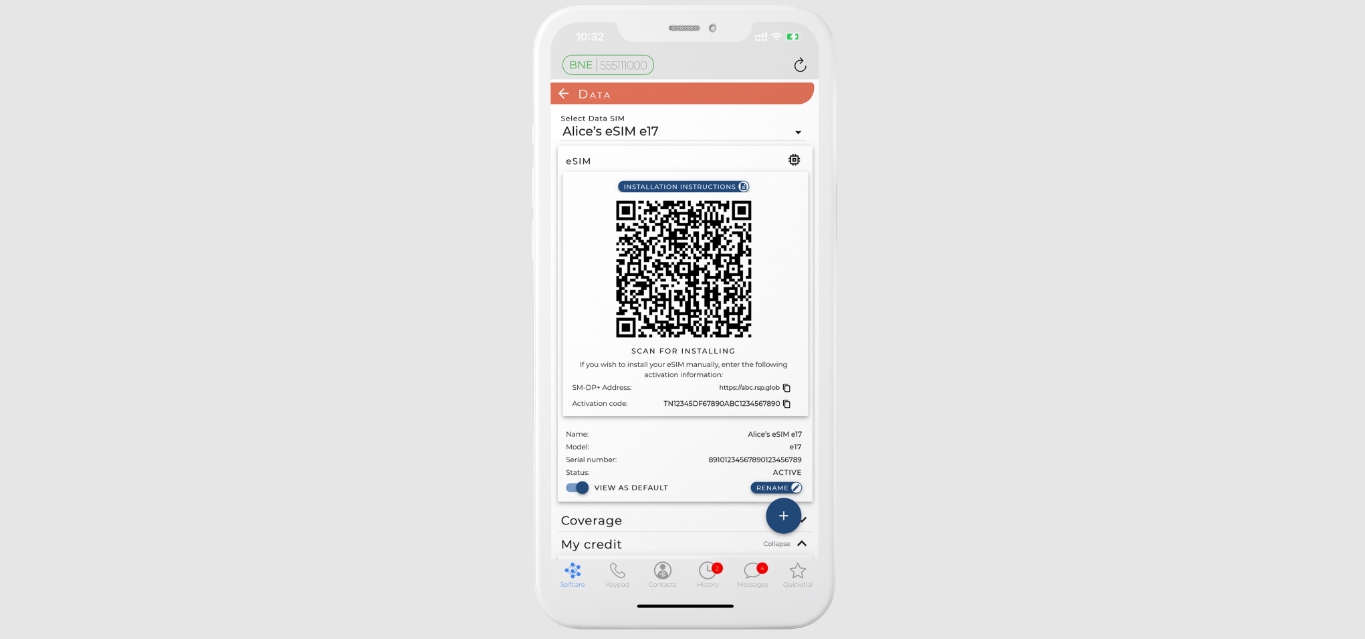
- If your carrier provided a QR code, go to Settings > Cellular > Set Up Cellular or Add eSIM > Use QR Code. You may need to tap Other Options first.
- If your carrier sent a setup banner, tap Finish Setting Up Your Carrier’s Cellular Plan.
- If you receive a notification that says Carrier Cellular Plan Ready to Be Installed, open it from the notification or in Settings, then tap Continue.
- On iPhone with iOS 17.4 or later, you can tap and hold a QR code in Mail or a browser and then tap Add eSIM. Apple documents this shortcut only on iPhone with iOS 17.4 or later.
- For transfer from a different smartphone (not an iPhone), contact your carrier to move the number. Some carriers also support activation through a participating carrier app downloaded from the App Store.
Get a US number on Android
Google Fi documents the only direct carrier-managed Android activation path available in the verified sources. Other carriers may have their own app-based flows, but the documented Android method is through the Google Fi app. Google Fi's activation page does not list specific Android models or Android version minimums in the excerpt.
- Sign in to the Google Fi app to activate service on a supported Android device.
- Important: Do not scan a QR code at activation. It is for iPhone users only.
What happens to your old SIM or number
When you activate a new eSIM on an iPhone via the iPhone-to-iPhone transfer method, the cellular plan on the new device deactivates the previous SIM. Apple says the cellular plan on the new iPhone deactivates the previous SIM when it activates during iPhone-to-iPhone transfer. eSIM setup always requires an internet connection. If your previous phone is not an Apple iPhone, you must contact your carrier to transfer the phone number, the process is not self-service.
Virtual phone numbers as an alternative
If you cannot use a carrier eSIM, for example, because your phone is not supported or you lack a US billing address, virtual phone numbers (VoIP services) and other non-carrier options exist. These services provide a US number that routes over the internet rather than through a carrier network. For a deeper comparison of VoIP providers, virtual number apps, and online number marketplaces, see the related content on obtaining a US number without a carrier plan.
Frequently Asked Questions
Can I get an American phone number from outside the US?
Yes, but you need a supported phone (eSIM-capable) and a way to receive the carrier’s activation details, typically a QR code, a carrier app, or an email. You will also need an internet connection to complete the eSIM setup.
Can I use an American phone number for business?
Yes. A US carrier number gives you a local presence for calls and texts, and it works with most business tools. For features like auto-attendants or call routing, a virtual number service may offer more flexibility.
Do I need a physical SIM card to get a US number?
No. The primary method documented here uses an eSIM, which is a digital SIM that does not require a physical card. Some carriers still offer physical SIMs, but the eSIM path is the standard for new activations on recent phones.
How do I dial calls with my new US number?
For calls to other countries, you will need international calling codes and dialing formats, see the guide on how to dial international phone numbers and country codes.
Can I keep my old number when I get a US number?
If your old number is on an iPhone, you can transfer it during the eSIM setup using the Quick Transfer feature (requires iOS 16 or later on both devices). For non-iPhone transfers, you must contact your carrier to port the number.
Will my US number work for two-factor authentication and app verification?
In most cases, yes. A carrier-based US number can receive SMS and voice calls, which is what most US services require for verification. Virtual numbers sometimes have limitations with certain banks or platforms, so a carrier eSIM is the more reliable option.
Readers comparing a separate eSIM can browse uPhone eSIM plans and verify destination coverage, data allowance, and validity before buying.
More eSIM resources: Browse our eSIM guides and troubleshooting resources for compatibility, setup, travel-data and account-safety advice.
Related reading: How To Switch To A Flip Phone and How To Activate Unlocked Samsung Phone.