To connect Roku TV to Xfinity hotspot, you must use the Roku's Hotel and Dorm Connect feature because Roku TVs lack a full web browser and cannot display the captive portal login page required by Xfinity hotspots. This method lets you authenticate on a separate device, then automatically connects your Roku to the network.
Why connecting a Roku TV to an Xfinity hotspot is different
Xfinity hotspots use a captive portal, a web-based login page that appears when you first connect. Roku TVs do not have a full web browser, so they cannot display or interact with this page. Attempting a standard wireless connection will fail because the Roku cannot complete the sign-in process. The solution is the Roku's built-in Hotel and Dorm Connect feature, which offloads the authentication to a smartphone, tablet, or computer.
Before you start: compatibility and requirements
Not all Roku devices support Hotel and Dorm Connect. Check your Roku TV's compatibility before proceeding. Not all older Roku devices support the 'Hotel and Dorm Connect' feature; check your device's compatibility. For access to Xfinity hotspots, Xfinity Internet, Comcast Business Internet, and Xfinity Mobile customers have free access. Non-Xfinity customers can purchase a NOW WiFi pass to connect to Xfinity hotspots. You will need an Xfinity ID and password to authenticate.
How to connect your Roku TV to an Xfinity hotspot
- Press the Home button on your Roku remote.
- Navigate to Settings > Network > Set up new wireless connection.
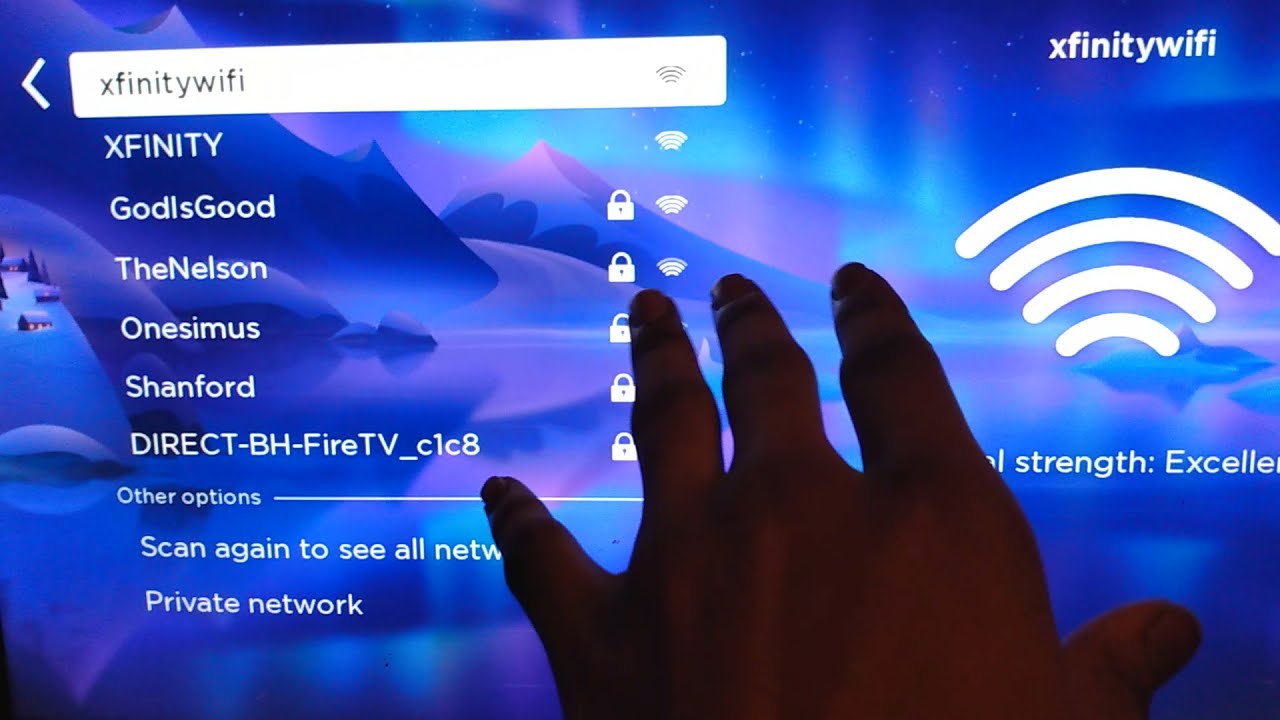
- Select "Wireless" and choose the Xfinity hotspot network (e.g., "xfinitywifi" or "XFINITY") from the list.
- When prompted, select "I am at a hotel or college dorm."
- Your Roku TV will display instructions to use a separate device to complete sign-in.
- On your smartphone, tablet, or computer, connect to the same Xfinity hotspot network.
- Open a web browser on that device. The Xfinity login page should appear automatically.
- Enter your Xfinity ID and password to authenticate.
- Once authenticated, your Roku TV should automatically connect to the hotspot.
Troubleshooting common Xfinity hotspot connection issues
Session timeout
The authentication session typically has a time limit, so the process may need to be restarted if it times out. If the connection drops or times out, restart the entire process from the beginning on your Roku TV.
Weak signal
Move your Roku TV closer to the hotspot source or reduce interference from other devices. A weak signal can prevent successful authentication or cause intermittent disconnections.
Companion device browser doesn't show the login page
If the Xfinity login page does not appear automatically on your companion device, try closing and reopening the browser, or manually navigate to any website to trigger the captive portal. Ensure the companion device is connected to the exact same Xfinity hotspot network.
Frequently Asked Questions
How many devices can I connect to my Xfinity hotspot account?
Xfinity accounts allow up to 10 devices to be registered for hotspot access, while a NOW WiFi Pass allows up to two devices.
Can I use a NOW WiFi Pass to connect my Roku TV?
Yes, non-Xfinity customers can purchase a NOW WiFi Pass to access Xfinity hotspots and use the same Hotel and Dorm Connect process to connect a Roku TV.
Does this method work on all Roku models?
No. Only Roku devices that support the Hotel and Dorm Connect feature can use this method. Check your device's compatibility before attempting to connect.
Do I need to adjust any Xfinity Mobile services and settings?
No special adjustments to Xfinity Mobile services and settings are required. The standard Xfinity ID and password used for your account will work for hotspot authentication.
Related reading: How To Connect Wii To Xfinity Wi-Fi Hotspot and How To Connect Smart TV To Xfinity Hotspot.