To connect Xbox One to Xfinity Wi-Fi hotspot, you need to use the console's built-in browser to complete the sign-in process after selecting the network. Xfinity Internet customers can connect using their existing account credentials at no extra cost, while non-customers can purchase a NOW WiFi Pass for temporary access.
How to connect Xbox One to Xfinity Wi-Fi hotspot
Check Wi-Fi compatibility
Before starting, confirm your Xbox One has Wi-Fi enabled. Go to the Network settings on your console and verify that the wireless adapter is turned on. All Xbox One models include built-in Wi-Fi, so this step is just a quick check.
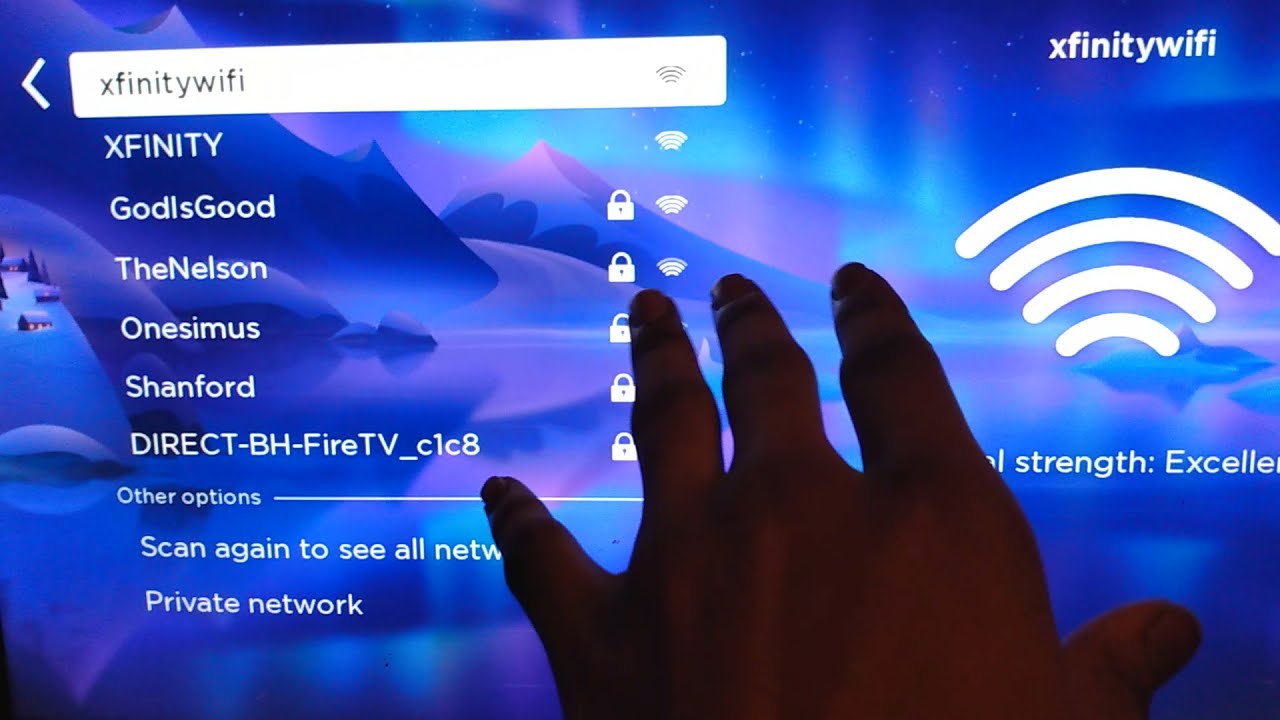
Select the Xfinity network
- Press the Xbox button on your controller to open the guide.
- Navigate to Profile & system, then select Settings.
- Go to General, then Network settings.
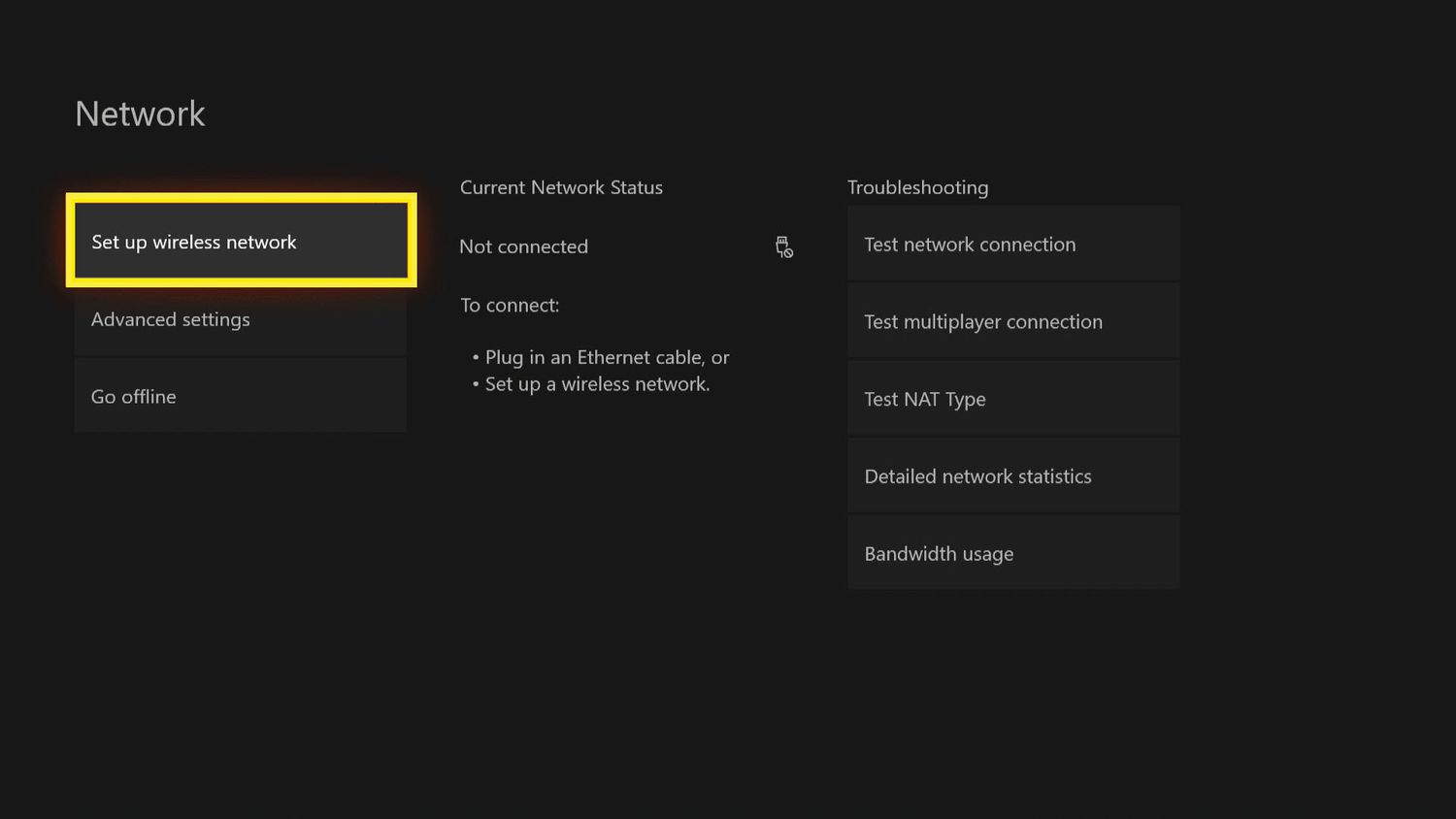
- Choose Set up wireless network.
Complete the captive portal sign-in using the Xbox browser
After connecting to the network, the Xbox One may not automatically open the sign-in page. To trigger the captive portal, open the Microsoft Edge browser on your Xbox One and navigate to any website. The browser should redirect you to the Xfinity login page where you can enter your Xfinity ID and password or purchase a NOW WiFi Pass.
If you are an Xfinity Internet customer, enter your Xfinity username and password to connect. Non-customers can select the option to purchase a NOW WiFi Pass for 30-day access to the NOW WiFi hotspot network for $10. Once signed in, return to the Network settings, select the Xfinity Wi-Fi network, and choose Connect. Your Xbox One will establish the connection, and you can begin online gaming and streaming.
If you need to connect hotspot on PS4, the process is similar: select the Xfinity network and use the PS4 browser to complete the captive portal sign-in. For those wondering how to connect Xbox series X to Xfinity Wi-Fi hotspot, the steps are identical to the Xbox One method outlined above. And if you need to connect hotspot to Xbox in general, the same browser-based sign-in approach applies across Xbox One and Xbox Series X consoles.
Xfinity hotspot requirements for Xbox One
Account requirements
Xfinity Internet customers can use Xfinity WiFi hotspots nationwide at no extra cost. You can register up to 10 devices on your account for Xfinity WiFi hotspot access. Some community discussions suggest a limit of 4 devices per login for both residential and business accounts, but official Xfinity documentation states a limit of 10 registered devices for Internet customers.
The NOW WiFi Pass allows connection for up to two devices simultaneously.
Troubleshooting Xbox One Xfinity hotspot connection issues
Captive portal not appearing
If the Xfinity login page does not open automatically after connecting to the network, manually trigger the redirect. Open the Microsoft Edge browser on your Xbox One and type any web address. This should force the captive portal to load. If the page still does not appear, clear the browser cache in Edge settings and try again. Manually entering the network SSID (name) and password if automatic connection does not work.
Weak signal solutions
A weak Wi-Fi signal can cause slow speeds and disconnections. Move your Xbox One closer to the hotspot location. If you are in a public area, look for a spot with fewer obstructions between the console and the hotspot source. Repositioning the console or using a Wi-Fi range extender can also improve signal strength.
Sign-in page timeouts
If the sign-in page times out before you finish entering your credentials, restart the browser and navigate to a website again. Make sure you are entering your Xfinity ID and password correctly. For non-customers, ensure the NOW WiFi Pass purchase completes before the session expires.
Verifying device registration on the Xfinity account
If your Xbox One connects but then gets disconnected, check your Xfinity account to see if the device is registered. Xfinity Internet customers can manage their registered devices through their account settings. If you have reached the device limit, remove an old device to free up a slot for your Xbox One.
Additional troubleshooting steps
Restarting your console and router as a troubleshooting step. Ensure your Xbox system software is up to date as a troubleshooting step. Enabling UPnP (Universal Plug and Play) on your router can help facilitate a smoother connection. Access your router's settings to make sure the required ports and protocols for Xbox Live are open.
Frequently Asked Questions
Can I play multiplayer games on Xbox One using an Xfinity Wi-Fi hotspot?
Yes, you can play multiplayer games, but the experience depends on the hotspot's signal strength and network congestion. For competitive online gaming, a stronger signal and lower latency provide better results.
Is the connection stable enough for streaming and downloads?
Connection stability varies by location and the number of users on the same hotspot. For streaming and game downloads, a stable connection with a strong signal is recommended.
How many devices can I use with a NOW WiFi Pass?
If you need to connect more than two devices, you will need additional passes or an Xfinity Internet subscription.
Do I need an Xfinity account to use an Xfinity Wi-Fi hotspot?
Xfinity Internet customers need their existing Xfinity ID and password. Non-customers do not need an account but must purchase a NOW WiFi Pass to access the network.
Can I connect my Xbox One to an Xfinity hotspot if I am not an Xfinity customer?
The pass costs $10 and allows up to two simultaneous device connections.
Are there any limitations or restrictions when using an Xfinity Wi-Fi hotspot with Xbox One?
Yes, you may experience potentially slower internet speeds and restrictions on certain online gaming features depending on network bandwidth and usage policies.