You can play Mahjong Solitaire right now in your phone’s browser at Mahjong.now. No app install, no storage taken up, and no account to create. Just open the link, and the tiles are on your screen.
How the Game Actually Works
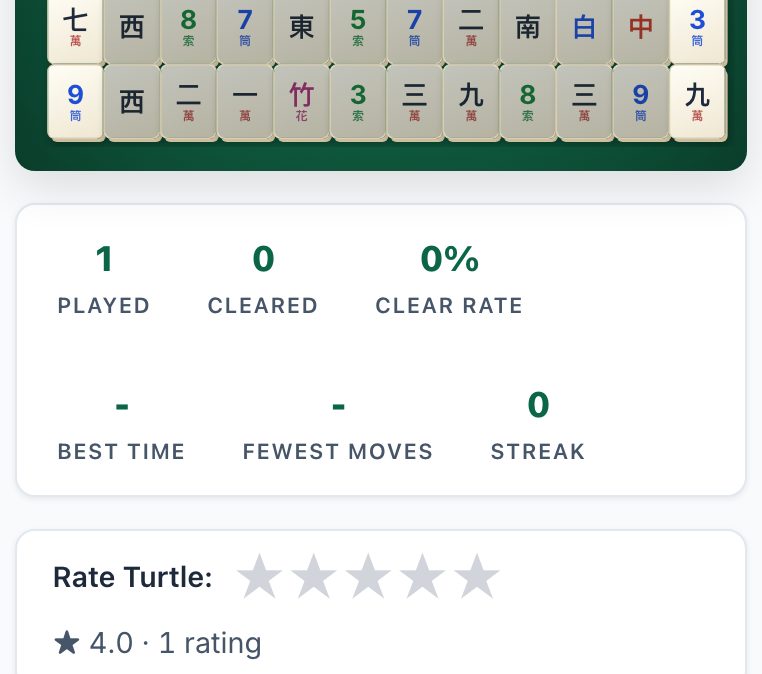
If you haven’t played in years, here is the refresher. The game uses a set of tiles, usually 144, but that can vary by layout. The tiles are stacked in layers, and you can only match two identical tiles that are “free.” A tile is free if it has no tile on top of it and no tile covering its left or right side. You tap a free tile to select it, then tap its matching pair. The pair disappears. You keep doing this until the board is clear.
That’s the whole core loop. But the “solitaire” part means you are not racing anyone, you are solving a puzzle. The layout (the shape the tiles are arranged in) is the real challenge. Some layouts are easier than others. The classic “Turtle” layout is a common starting point because it is symmetrical and has a clear structure.
On a phone, you tap tiles with your thumb. The touch targets are large enough for most fingers, but if you have a very small screen, you might need to zoom in slightly. Most browsers let you pinch-zoom, and the game will respond to that. If you find yourself mis-tapping frequently, rotate your phone to landscape, the tiles get bigger.
The Decisions That Separate a Good Player from a Bad One
Anyone can match pairs. The skill is in which pairs you match and when. A bad player matches the first pair they see. A good player looks at the whole board first.
Here is the key rule: never clear a tile just because you can. Clear it because it unlocks something else. A tile that is buried under two others is more valuable to remove than a tile sitting on top. The most important tiles are the ones that are completely free on both sides, those are your “keys.” If you have two identical tiles that are both free, that’s an easy match. But if one of them is blocking a tile you need, you might want to leave it.
Another decision: when you have a choice between two identical tiles, pick the one that is more exposed. That reduces your risk later. Also, count the number of each tile type. If you see three identical tiles on the board, and you can only match two, you have to be careful, the third one will be stuck until you free its match. That can end the game.
Finally, don’t be afraid to use the “shuffle” or “hint” feature if the site offers it. The description of mahjong.now mentions a daily challenge and live multiplayer races, but it does not list a shuffle or hint button. So do not assume they exist. Play as if they do not. That means you have to plan ahead.
What to Look For in a Place to Play
Not all browser games are equal. Since you are on a phone, you want a few specific things.
- No sign-up: The site you are on now (mahjong.now) says “no signup” right in its description. That is the biggest one. An account is a barrier. You want to tap and play.
- No storage: A browser game should not download large files. It should load tiles and let you go. If a site asks for permission to store files locally, that is a red flag.
- Touch responsiveness: The tiles should highlight when you tap them. If there is a delay, or if the tap registers on the wrong tile, that is a bad experience. You cannot test this until you try, but a good sign is that the site works on a phone at all, many older browser games are desktop-only.
- Layout variety: The description of mahjong.now mentions “Turtle plus 10 layouts.” That is a good sign. A single layout gets boring. You want options.
- No notifications: You are playing in a browser to avoid notifications. If a site asks to send you push notifications, close it. The site you are on does not mention notifications, so it likely does not ask.
One honest caveat: a phone screen is small. The game will work, but it will be easier on a tablet or a computer. If you have a large phone (6 inches or more), you will be fine. On a smaller phone, you might find yourself squinting. That is not the site’s fault, it is the nature of the device. If you have a choice, play on a bigger screen for comfort.
Variants and Modes Worth Knowing
Mahjong Solitaire is not one game. The rules are the same, but the layout changes everything. The description of mahjong.now mentions “Turtle” as the main layout, plus 10 others. The Turtle is a good starting point because it is a closed shape, the tiles are packed tightly, and the challenge is in the layering.
There is also a “daily challenge” mentioned. That is a mode where you get one puzzle per day, usually with a fixed seed. This is good for a quick break, you know it will not take more than a few minutes. The “live multiplayer races” are different. That is a timed mode where you compete against other players to clear the board first. That is a different skill, speed. If you are a casual player, the daily challenge is more your pace. If you like pressure, try the race.
One thing to note: the site description says “match free tiles to clear the Turtle.” That is the core. It does not mention power-ups, boosters, or in-game purchases. That is a good thing. You are playing pure solitaire, not a freemium trap.
Frequently Asked Questions
Do I need to create an account to save my progress?
No. The site description says “no signup.” Your progress is not saved to a server, but that is fine, each game is a fresh puzzle. If you want to track your wins, use a piece of paper or a note app on your phone.
Can I play this offline?
No. A browser game needs an internet connection to load. Once the tiles are loaded, it might work for a while, but the site is not designed for offline play. If you are on a train with no signal, you are out of luck.
What happens if I tap the wrong tile?
Nothing bad. The tile just deselects. You can tap another tile to replace your selection. There is no penalty for changing your mind.
Is there a time limit?
Not in the standard game. The daily challenge might have a timer, but the description does not say so. The multiplayer race definitely has a timer, that is the point of a race. But the regular solitaire mode is untimed. You can think as long as you want.
Why do I lose even though I have matches left?
Because you cleared the wrong pairs earlier. You might have left a tile buried that has no matching free tile. This is the classic “deadlock.” The only way to avoid it is to plan ahead, always free the bottom tiles first. If you get stuck, you can restart the game. There is no penalty for restarting.
More like this: Free Games You Can Play in Your Phone's Browser · Browser Games That Work on a Phone: The Directory
Related reading: Play Dominoes on Your Phone Browser - No App Needed.