You can play Sudoku right now in your phone’s browser by heading to Sudoku.by, no install, no account, no storage warning. The site loads directly in your mobile browser, so you can start a puzzle in the time it takes to type the address. It works with touch controls, and you can close the tab whenever you’re done without leaving an app behind.
How Sudoku Actually Works (If You’re Rusty)
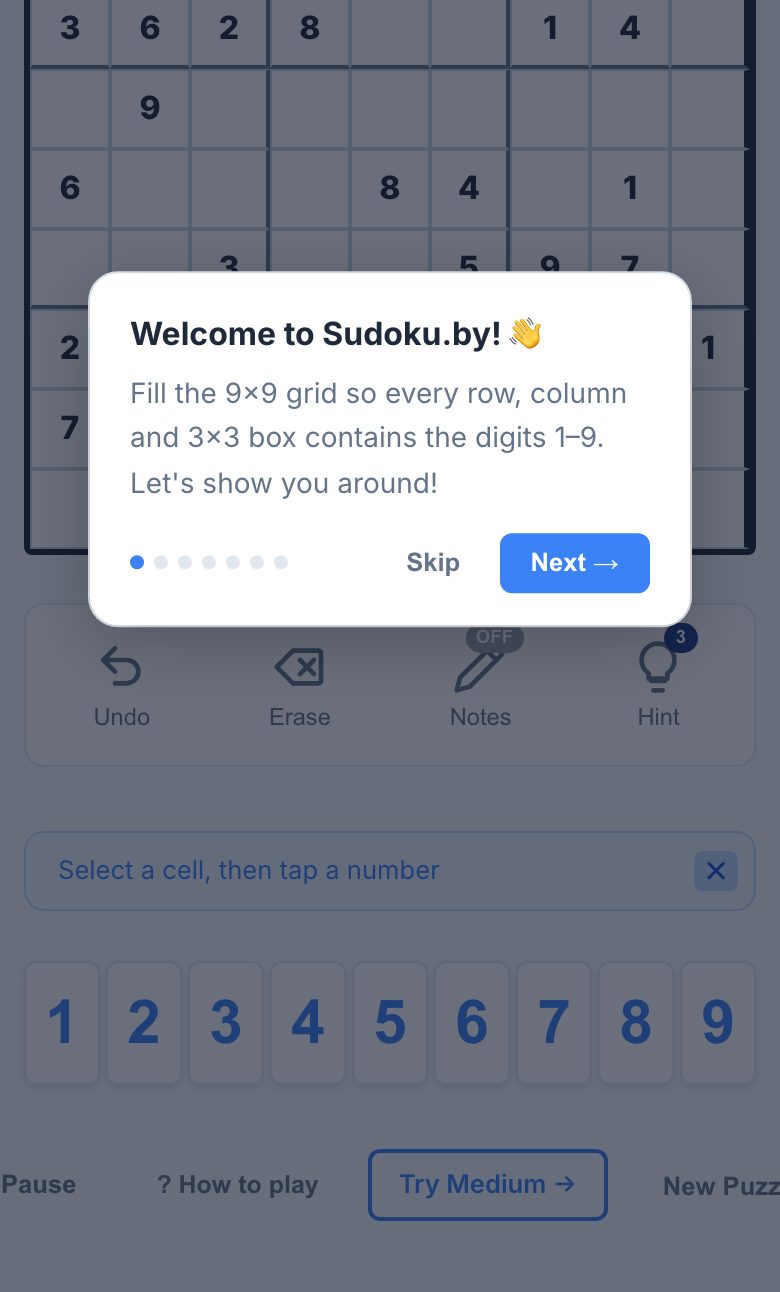
If you haven’t played in years, here’s the whole game: you get a 9×9 grid, split into nine 3×3 boxes. Some cells are pre-filled. Your job is to fill every empty cell with a number from 1 to 9. The catch is that each row, each column, and each 3×3 box must contain the digits 1 through 9 exactly once, no repeats.
You never need to guess. Every puzzle has a logical path, and a well-designed one will give you just enough clues to start. On a phone, you’ll tap a cell to select it, then tap a number from the keypad that appears. If you make a mistake, most browser versions let you undo or erase, but the core rule stays the same: you’re not doing arithmetic, you’re doing elimination.
Start with “Easy” if you’re out of practice. You’ll quickly see rows or boxes where only one number can fit. That’s your first move. As you fill in more, the grid gets simpler because each filled cell removes that number from its row, column, and box.
The Decisions That Separate a Good Player from a Bad One
Anyone can fill cells randomly. A good player thinks in terms of candidates, the possible numbers for each empty cell. Before you place anything, scan a row, column, or box and ask: “Which numbers are missing, and which of those could go in this specific cell?” If only one number fits, that’s your answer.
Here are the three habits that make the difference:
- Scan before you tap. Look at a row with three or four empty cells. Check which numbers are missing, then check the column and box for each empty cell. If a number appears in the same row or column of a box, it can’t go there.
- Use pencil marks (if available). Many browser versions let you note small candidate numbers in a cell. On a phone, this is a bit fiddly, but it’s worth it for hard puzzles. If the site offers it, tap the “notes” or “pencil” toggle before entering candidates.
- Work in passes. First, fill all the “only one option” cells. Then, look for “naked pairs”, two cells in a row or box that share the same two candidates. Those two numbers must go in those two cells, so you can erase them from other cells in that row or box.
Bad players jump around randomly. Good players work systematically, row by row, box by box. On a phone, that’s easier if you zoom in (pinch to zoom) or rotate to landscape for a bigger grid. If the grid feels too small, that’s normal; a larger screen helps, but you can still play on a phone if you’re patient.
What to Look for in a Place to Play Sudoku
Not all browser Sudoku is equal. Since you’re avoiding apps, you want a site that loads fast and doesn’t nag you to install anything. Here’s what matters:
- No sign-up wall. You should be able to start a puzzle immediately. If a site demands an email or account before you see a grid, leave.
- Touch-friendly controls. The numbers should be big enough to tap without mis-hitting. The selected cell should be clearly highlighted. If you have to zoom in every time you want to change a number, that’s a bad experience.
- Difficulty levels that match your skill. A good site offers easy through extreme. If you’re new, “Easy” should actually be easy, not a hidden hard puzzle.
- No forced notifications. You’re playing in a browser to avoid that. A good site won’t ask for permission to send you alerts.
- Progress saving (optional). Some sites save your game in the browser’s local storage, that’s not an app, just a small file. It’s a nice bonus, but don’t rely on it if you clear your browser history often.
On a phone, the biggest issue is screen size. If you’re on a small phone (under 6 inches), a 9×9 grid will be cramped. Rotate to landscape or zoom in on the grid. For “Expert” and above, you’ll likely want a tablet or desktop, not because the site is bad, but because you’ll be squinting at pencil marks.
Variants and Modes Worth Knowing
Once you’ve mastered classic Sudoku, the site you’re on offers more than the standard grid. According to the page, there are 30+ variants. That’s a lot, but here are the ones that change the game the most:
- Killer Sudoku. Instead of pre-filled numbers, you get cages with a sum in the corner. You have to make the numbers in each cage add up to that sum, while still following normal Sudoku rules. It’s a great next step if you like arithmetic.
- Diagonal Sudoku. The two main diagonals also have to contain 1-9 once each. That adds two extra constraints, which sounds harder but actually gives you more clues.
- Odd/Even Sudoku. Some cells are marked as odd or even. That’s a huge hint, if a cell is marked “odd,” you can immediately rule out 2, 4, 6, and 8.
- Daily challenges. If you want a quick game without choosing a difficulty, a daily puzzle is a good habit. You get one shot, and it’s usually a unique layout.
For a phone, stick to classic or easy variants. The more complex variants (like “Sandwich” or “Skyscraper”) require you to track extra rules, and that’s much easier on a bigger screen. But if you’re curious, try one on a day when you have time to spare.
Frequently Asked Questions
Do I need to create an account to play on Sudoku.by?
No. The site description lists daily challenges, leaderboards, and weekly competitions, but none of that requires an account to play a basic puzzle. You can start an easy or medium puzzle immediately. Leaderboards and competitions might ask for a name, but that’s optional, you can play anonymously.
Will the game save my progress if I close the browser?
That depends on the site’s implementation. Many browser games use local storage, which saves your grid on your device. But this is not guaranteed, it’s a small file, not a cloud save. If you close the tab and come back later, you might lose your puzzle. For a long game, finish it in one sitting or write down the givens.
Is it better to play on a phone or a computer?
For easy and medium puzzles, a phone is fine, just tap and go. For hard and expert levels, you’ll be doing a lot of candidate elimination, and that’s much easier with a mouse and a big screen. On a phone, rotate to landscape and zoom in. If you find yourself constantly pinching, switch to a tablet or desktop.
What does “pencil marks” mean on a phone?
Pencil marks are small numbers you write in a cell to remember which candidates are possible. On a phone, you usually tap a “notes” or “pencil” icon to toggle this mode. Then tapping a number enters it as a small note instead of a final answer. It’s essential for hard puzzles, but it’s also the hardest thing to do on a small screen, so use it sparingly on a phone.
Are there any tricks to get faster at Sudoku?
Yes. First, always look for “only one candidate” cells, that’s a free win. Second, learn to spot “naked pairs” (two cells in a row or box with the same two candidates). Third, practice the “cross-hatching” technique: pick a number (say, 5) and scan each row and column to see where it can’t go. That will eliminate most of the grid. Speed comes from pattern recognition, not from tapping faster.
More like this: Free Games You Can Play in Your Phone's Browser · Browser Games That Work on a Phone: The Directory
Related reading: Play 2048 on Your Phone Browser - No App Needed.