You can play Checkers right now in your phone’s browser at Checkers.now. No app install, no storage taken up, and no account to create, just open the page and start moving pieces. It works with touch controls on a small screen, though a tablet or desktop makes seeing the whole board easier at a glance.
How the Game Actually Works (If You’re Rusty)
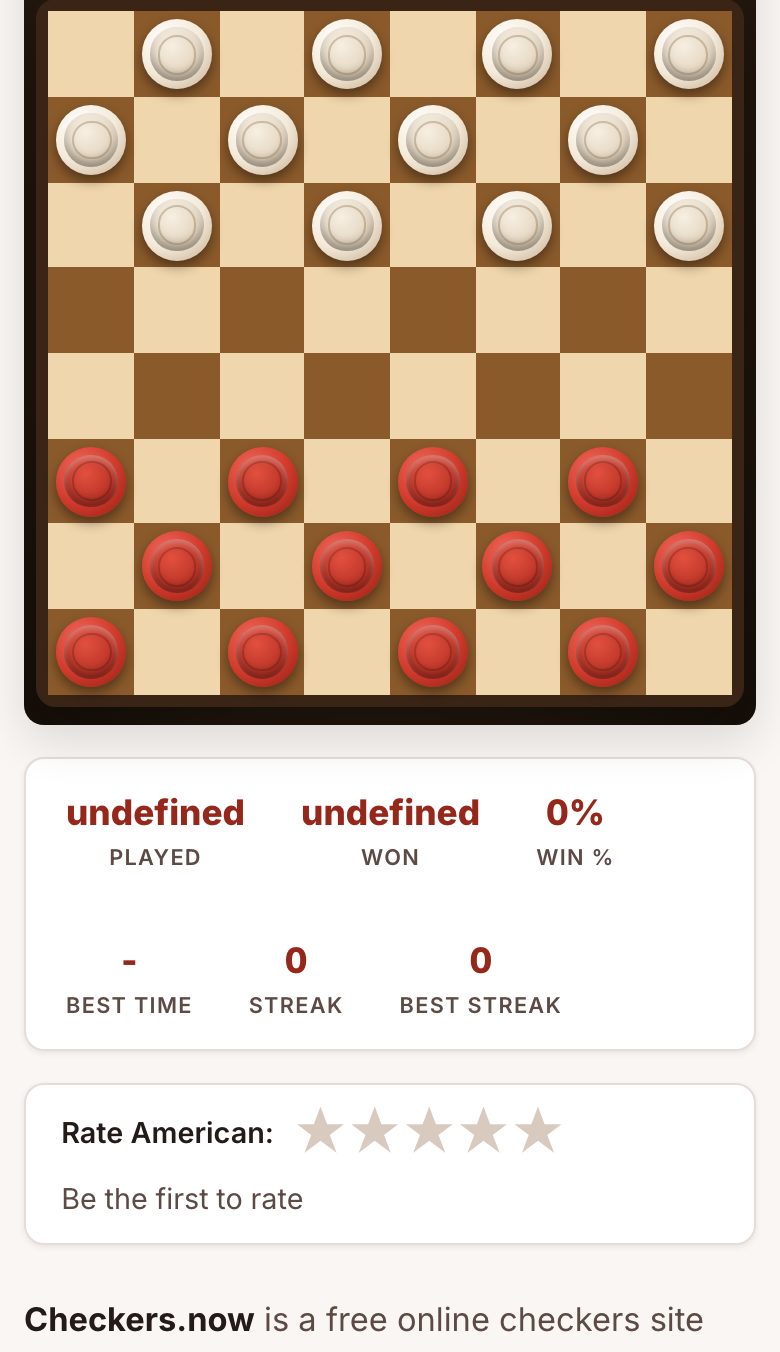
Checkers is a two-player game on an 8x8 board with 12 pieces per side, placed on the dark squares. The goal is simple: capture all of your opponent’s pieces or block them so they have no legal moves. Pieces move diagonally forward one square at a time. If an opponent’s piece is diagonally adjacent and the square beyond it is empty, you must jump over it to capture, and you can do multiple jumps in one turn if the path keeps opening up.
When a piece reaches the far row, it becomes a “king”, usually marked by stacking a second piece on top. Kings move diagonally in any direction (forward or backward) one square at a time, and they can also jump in both directions. That’s the whole rule set. If you haven’t played in years, that’s all you need to remember to start a game.
On a phone, you tap a piece to select it, then tap the destination square. The site’s touch targets are big enough for a finger, but if you have large hands or a small screen, you might mis-tap occasionally. Rotating your phone to landscape helps fit more of the board on screen.
The Decisions That Separate a Good Player from a Bad One
Checkers looks simple, but the difference between winning and losing comes down to a few key habits. First, control the center of the board. Pieces in the middle have more mobility and more chances to force jumps. A bad player pushes pieces up the sides; a good player builds a strong center.
Second, think two moves ahead. Before you make a jump, ask: “If I take that piece, what can my opponent do next?” A forced jump might look good, but if it leaves your back row exposed, you’ll lose a piece on the next turn. The best players sacrifice a piece only if they see a clear path to a king or a double capture later.
Third, keep your back row intact for as long as possible. Those pieces are your last line of defense, they block your opponent from getting a king. Move them only when you have to, and never break them up early to chase a single capture.
Fourth, learn to force jumps. If you can place a piece where your opponent has to jump it (because that’s their only legal move), you can set up a multi-jump in your favor. This is called a “shot” or a “combination.” It’s the most satisfying way to win, and it’s what separates a casual player from someone who actually knows the game.
Finally, don’t rush. On a phone, it’s tempting to tap quickly, but the game doesn’t time you. Slow down, count the pieces on the board, and look for undefended pieces on your opponent’s side. Most blunders come from playing too fast.
What to Look for in a Place to Play Checkers
Not every browser game is worth your time. Here’s what matters when you’re playing on a phone:
- No install, no sign-up: The whole point is to play immediately. If a site asks for an email or a download, move on. Checkers.now works straight from the browser, you tap a link and you’re in.
- Touch-friendly controls: You should be able to tap a piece and then tap a square without zooming in or squinting. If the board is too small, it’s not the right site for your phone.
- Multiple rule sets: American checkers is the standard, but you might want to try International (on a 10x10 board) or Russian draughts (where pieces can fly across the board). A good site offers those options without forcing you to create an account.
- Play against a computer or a friend: If you’re practicing, a computer opponent is fine. If you want a real challenge, you need live multiplayer. Checkers.now has both, no waiting for a matchmaking queue if you just want to play the AI.
- No notifications: You’re playing in a browser to avoid app clutter. The site shouldn’t ask for permission to send you alerts. If it does, close the tab.
One thing to note: on a small phone screen, the board will be smaller than on a tablet or desktop. That’s fine for a quick game, but if you’re playing a serious match with lots of pieces left, you might find yourself zooming in and out. That’s normal, just know that a bigger screen makes it easier to see the whole board at once.
Variants and Modes Worth Knowing
American checkers (also called English draughts) is the version most people learned as kids. But the site offers several other rule sets that change the strategy completely:
- International draughts: Played on a 10x10 board with 20 pieces per side. Pieces move the same way, but the board is bigger and the game is slower. Kings are more powerful, they can move multiple squares diagonally.
- Russian draughts: Similar to American, but pieces can “fly” over empty squares when jumping, and kings can move any distance along a diagonal. This makes the game more aggressive and faster-paced.
- Pool checkers: Played on an 8x8 board but with a different starting setup, pieces are on the light squares instead of dark. This changes which diagonals are open and forces you to rethink your opening moves.
- Italian checkers: This is the version where pieces cannot jump backwards unless they are kings, and kings are limited to one square at a time. It’s a more restrictive game, good for players who like positional play.
If you’re new to variants, start with American. It’s the easiest to learn and the most familiar. Once you’ve got the hang of it, try Russian draughts, the flying kings add a whole new layer of tactics. The daily challenge on the site is also a good way to practice a specific position without committing to a full game.
Frequently Asked Questions
Do I need to create an account to play?
No. You can play against the computer or a friend without signing up for anything. The site works entirely in your browser, just open the link and start a game.
Can I play against a friend on a different device?
Yes, the site supports live multiplayer. You share a link or a game code, and your friend joins from their own phone or computer. No account is needed for either of you.
What if I make a mistake and tap the wrong square?
On a phone, it’s easy to mis-tap. The site lets you select a piece first, then choose a destination, so if you tap the wrong piece, just tap another one. If you’ve already moved, the game follows the rules, so you can’t undo a legal move. Take your time before tapping.
Is it better to play on a bigger screen?
For a quick game, a phone is fine. But if you’re playing a long match or a variant with a bigger board (like International), a tablet or desktop makes it easier to see all the pieces without scrolling. The game works on any screen, but the experience is smoother with more space.
Are there ads or pop-ups that will slow down my phone?
The site is designed to be lightweight, so it won’t eat your battery or data. That said, browser games can sometimes have ads. If you see a pop-up, just close it and continue, you don’t need to download anything or provide personal information to keep playing.
More like this: Free Games You Can Play in Your Phone's Browser · Browser Games That Work on a Phone: The Directory