You can play Ludo right now in your phone’s browser at Ludo.now, no app install, no storage space taken up, and no account to create. It runs directly on the page, so you can open it, choose your game, and start rolling within seconds. Whether you have a few minutes or a long commute, this is the quickest way to get a game going without hunting through your home screen.
How the Game Actually Works (If You Haven’t Played in Years)
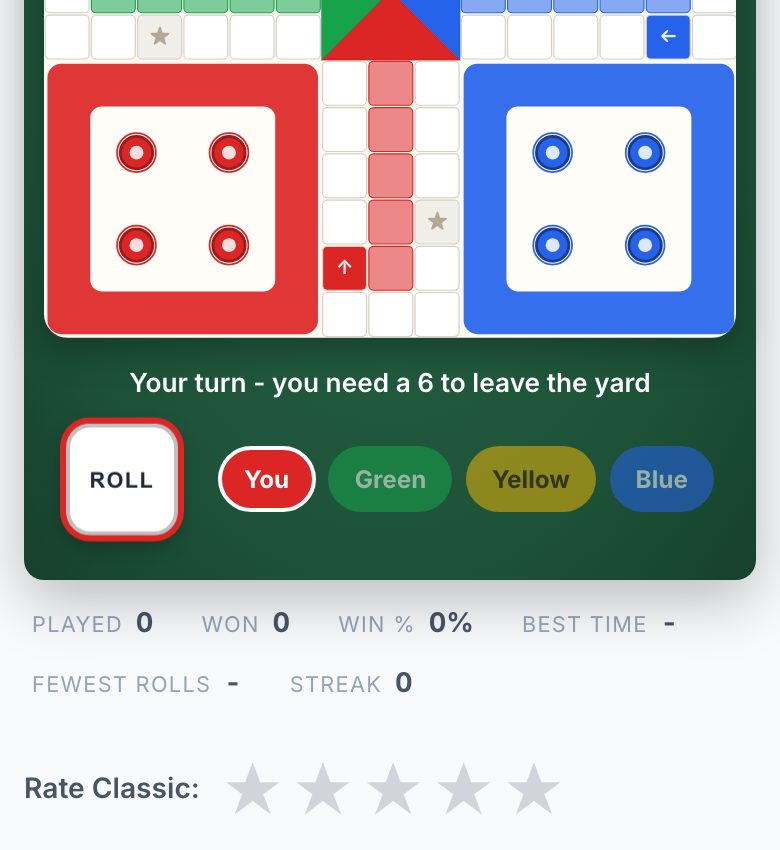
Ludo is a classic race game for 2 to 4 players. Each player has four tokens of the same colour, and the goal is to move all four from your starting area around the board and into the home column before anyone else does. You roll a single die (or use the on-screen roll button) to determine how many spaces you move. A roll of 6 lets you move a token out of the starting yard and onto the board, and it also gives you an extra turn. If you land on an opponent’s token, that token is sent back to its yard, and you get to move forward again.
The board is a cross-shaped path with a central home area. Each player’s path goes around the outside of the cross, then up the middle to the home column. You can only enter the home column by rolling the exact number needed to land on the final space. If you roll higher, you can’t move that token, you have to try again next turn.
For someone who hasn’t played in years, the key thing to remember is that Ludo is a mix of luck and planning. The die decides how far you go, but you decide which token to move and when to take risks. You can move any of your tokens on each turn, so you’re always making a choice. The first player to get all four tokens home wins.
The Decisions That Separate a Good Player from a Bad One
Many people think Ludo is pure chance, but that’s not true. The best players think a few moves ahead and manage their tokens carefully. Here are the decisions that make a real difference:
- When to leave the yard: A token sitting in the yard is safe, but it’s also useless. You need to get it out early, but not at the cost of leaving your other tokens exposed. A common mistake is to rush all four tokens out immediately, only to have them sent back one by one.
- Which token to move: You should always consider the board position. If you have a token near your home, it might be worth moving it the final few spaces. If you have a token that can knock an opponent back, that’s often the better play, even if it means moving a shorter distance.
- When to use a 6: A 6 gives you an extra turn, but it also forces you to move a token out of the yard if you have none on the board. If you already have tokens out, you can choose to move a token that’s already in play. Good players use 6s to escape danger or to set up a double-token block.
- Blocking: If you have two tokens on the same square, they form a block that opponents can’t pass. This is a powerful defensive move, but it also means you’re concentrating your pieces in one place. A smart opponent will try to force you to split them up.
- Risk vs. safety: Sometimes you have to leave a token in a dangerous spot to make progress elsewhere. Other times, it’s better to keep a token safe and wait for a better roll. The best players know when to take a chance and when to play it safe.
On a phone screen, these decisions are easy to make because you can see the whole board at once. The touch controls are simple, tap a token to select it, then tap the roll button. You don’t need to zoom or scroll, which makes it comfortable to play one-handed during a coffee break.
What to Look for in a Place to Play Ludo
Not all browser games are created equal, especially on a phone. Here’s what you should check before you commit to playing on any site:
- No install required: The whole point of playing in the browser is to avoid using up your phone’s storage. A good site loads quickly and doesn’t push you toward an app download.
- No sign-up: You shouldn’t need an email address or a username to play a quick game. If a site forces you to create an account, it’s not worth your time.
- Works on a small screen: The board should be visible without pinching or rotating your phone. Buttons should be big enough to tap with your thumb, and the text should be readable without zooming.
- Game options: Look for a site that lets you choose 2, 3, or 4 players, and that offers different modes like playing against AI or racing against friends. This gives you variety without needing to switch apps.
- No notifications: The last thing you want is a pop-up asking for permission to send alerts. A good browser game stays quiet and lets you play in peace.
On a phone, you also want to consider battery life. A well-designed browser game won’t drain your battery as fast as a heavy app, and it won’t run in the background when you’re done. Just close the tab and you’re done, no need to force-quit anything.
Variants and Modes Worth Knowing
Classic Ludo is the standard, but there are a few variations that change the strategy. If you’re playing on a site that offers different modes, here’s what to look for:
- 2-player mode: With only two players, each person controls two colours. This gives you more tokens on the board and more decisions to make. It’s a good way to practice your strategy without the chaos of four players.
- 3-player mode: This is a bit unusual because the board is designed for four. Some sites handle this by having one player control two colours, or by leaving one colour empty. It changes the dynamics because you have more space to move.
- 4-player mode: This is the classic setup. Everyone is on their own, and it’s the most chaotic and fun. The luck factor is higher, but so is the satisfaction of a well-timed knock-out.
- AI opponents: If you don’t have friends online, you can play against the computer. AI opponents are predictable in some ways, but they also make mistakes, which gives you a chance to practice your strategy. The site you’re on might offer different difficulty levels, so you can start easy and work your way up.
- Daily challenges: Some sites offer daily puzzles or challenges that give you a specific board setup to solve. This is a great way to improve your skills without committing to a full game. It’s also a good way to learn the finer points of strategy.
- Online multiplayer races: If you want to play against real people, look for a mode that lets you race against friends. This usually works by sharing a link, so you don’t need to create an account or add anyone as a friend. You just send the link and play.
On a phone, the best mode is the one you can finish in the time you have. A 2-player game against AI can be over in 10 minutes, while a 4-player match might take 20 or more. Choose accordingly.
Frequently Asked Questions
Do I need to download anything to play?
No. The game runs entirely in your phone’s browser. You don’t need to install an app, and you don’t need to free up storage space. Just open the link and play.
Can I play with friends without them signing up?
Yes, if the site offers online multiplayer races, you can usually share a link with your friends. They click the link and join the game, no account needed. This is much easier than coordinating app downloads.
What if I lose my internet connection mid-game?
That depends on the site. Some games will pause and wait for you to reconnect, while others might end the match. It’s best to play on a stable connection, especially if you’re in a multiplayer game. For single-player against AI, a brief disconnect usually just means you have to refresh the page.
Is it better to play on a phone or a computer?
For quick games, a phone is perfect because you can play anywhere. However, if you’re playing a long 4-player match, a bigger screen makes it easier to see all the tokens and plan your moves. The game works fine on a phone, but if you have a tablet or computer nearby, you might find it more comfortable for extended play.
Are there any hidden costs or in-app purchases?
No. The site you’re using is free to play, and there are no purchases to make. You don’t need to buy anything to unlock features, everything is available from the start. Just be wary of any site that asks for payment or credit card details, as that’s not normal for a simple browser game.
More like this: Free Games You Can Play in Your Phone's Browser · Browser Games That Work on a Phone: The Directory
Related reading: Play Checkers on Your Phone Browser - No App Needed.