Voice changer apps let you transform your voice for pranks, content creation, or fun by applying effects like robot, helium, or celebrity impersonations to recordings or live calls. The best voice changer apps for Android and iOS vary by use case, so choosing between real-time call changers, recording editors, and multimedia apps depends on whether you want to prank a friend live, edit a video, or just record and share funny audio clips.
What to look for in voice changer apps
Before picking an app, decide how you plan to use it. Real-time call changers modify your voice during a live phone call, making them ideal for pranks. Voice Changer Sound Effects+ allows real-time voice changing during a call and chat sound changes on social media platforms like Facebook and Twitter. Recording editors let you record audio, apply effects, and save or share the result, which works well for content creation like voiceovers or greetings. VoiceFX allows users to change their voices live or stream the microphone on any web browser or media player and saves audio in MP3 format. Multimedia apps combine voice changing with video filters and face masks, perfect for social media posts. Also check platform compatibility, some apps are iOS-only or require specific iOS versions, and whether the app is free, offers in-app purchases, or requires a subscription.
1. Voice Changer Sound Effects+
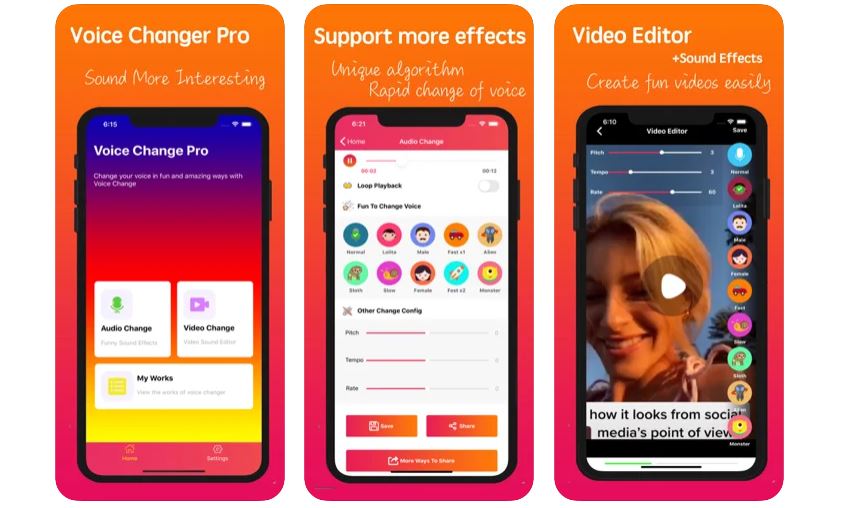
Voice Changer Sound Effects+ is a comprehensive audio processing app that integrates video sound and voice changer features. The app lets you change your voice in a straightforward way, adding voice effects such as a funny, alien, robot, child, female and male voices, and Lori. Through Voice Changer Sound Effects+, you can create any change on your voice through its user-defined sound modification feature. Hence, you can easily change the tone, frequency, and tempo of the voice according to your preference. This voice changer app also allows you to change your voice in real-time. For instance, you can enable the voice changer feature on the app and call someone directly. As a result, you can speak through the call using a different voice through Voice Changer Sound Effects+. Aside from the voice changer feature, the app is integrated with a unique technology and audio algorithm to allow chat sound changes on social media platforms, such as Facebook and Twitter. If you’re bored with the usual sound alerts on your social media apps, you can download and install Voice Changer Sound Effects+ and make the necessary chat sound changes. Download Voice Changer Sound Effects+ from the App Store
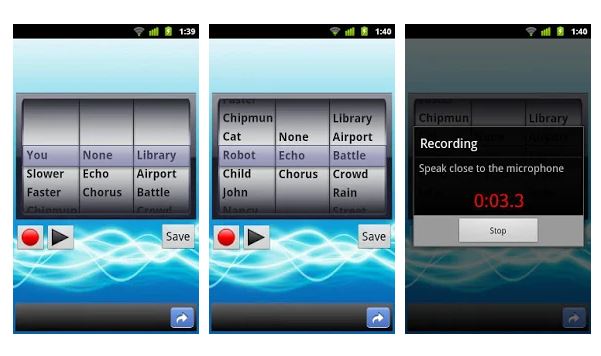
2. AndroidRock, Voice Changer
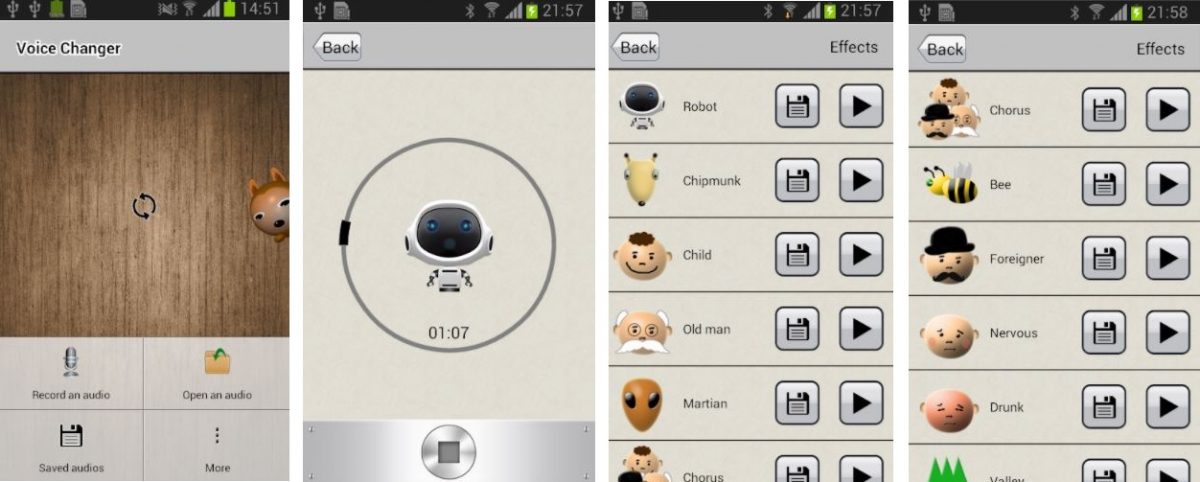
AndroidRock's Voice Changer app may look a little outdated when it comes to its user interface; however, it’s one of the best voice changer apps that works wonders. All you have to do is open the app, record audio, and apply your preferred effects. With Voice Changer, you can choose from over 45 voice effects to apply to your audio. Some of the voice selections you can apply to include chipmunk, Martian, foreigner, drunk, robot, and child. Through the audio recording feature, you can save any audio without applying any effects. Besides that, you can listen to different voice effects before applying them to your recorded voice. One of the unique aspects of AndroidRock’s Voice Changer app is that you can combine voice effects. For instance, you can apply a combination of a duck+robot or Martian+accelerate. Although the app is free to download, AndroidRock’s Voice Changer includes video ads for unlocking more voice effect combos. Download AndroidRock, Voice Changer from Google Play Store
3. VoiceTooner
VoiceTooner is one of the interactive voice changer apps that lets you change voices in a simple and comical way. Unlike other voice changer apps, VoiceTooner is available both on the App Store and Google Play Store. It’s incredibly straightforward to use VoiceTooner. As its name implies, the app exclusively offers cartoons for voice changing features. Simply, record your voice and choose any animated cartoon character you prefer. Once you’ve selected, the chosen cartoon will repeat what you’ve said. Each cartoon character features a unique voice. VoiceTooner offers a variety of cartoon character voice effects, such as a hamster, squirrel, monkey with microphone, super robot, and dark cyborg. All cartoon characters can be used for free; however, some premium characters cost $0.99 each. Also, you can obtain new ones within 24 hours. VoiceTooner also lets you create funny videos and share them on any social media platform. Although the video feature comes with a minimum requirement, i.e., an iOS device with ReplayKit compatibility, VoiceTooner is one of the best voice changer apps that you can download for its purpose. Download VoiceTooner from Google Play Store Download VoiceTooner from the App Store
4. Voice Changer With Effects
Like VoiceTooner, Voice Changer With Effects is developed by Baviux. Hence, you can expect another reliable voice changer app that offers comprehensive features. Through Voice Changer with Effects, you can choose from over 40 voice effects to apply to your recorded audio. Simple, record your voice and apply a Darth Vader, squirrel, extraterrestrial, robot, helium, or drunk voice effect. Once you've completed the process, you can share on different social media accounts. Aside from recording your voice, Voice Changer with Effect allows importing prerecorded audio and creating voice from texts. This voice changer app also allows you to create an image integrated with a voice effect. Another integration of Baviux’s Voice Changer with Effects app is that it lets you use your newly created audio as a notification sound on an app or as a ringtone. If you want to save your recordings or upload images from your smartphone, the app will request external storage access permission. The app also comes with a privacy policy on its website if you’re mindful about how the app utilizes the information you’ve provided. Download Voice Changer With Effects from Google Play Store
5. Call Voice Changer, IntCall
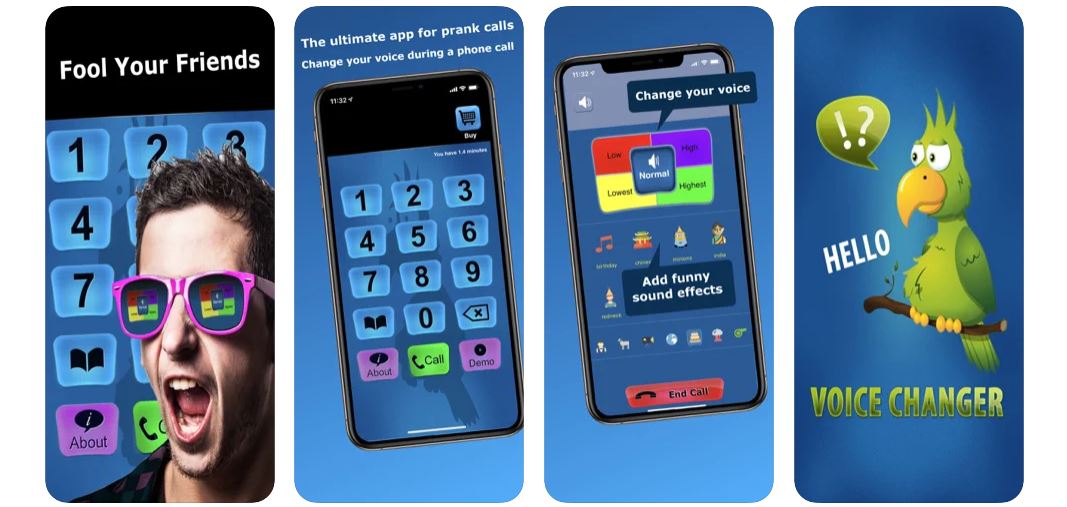
Call Voice Changer, IntCall is one of the best voice changer apps that lets you call directly from the app itself. Unlike other voice changer apps, IntCall lets you change your voice as soon as you’re calling someone. You can start a funny phone call with someone by directly changing the tone of your voice while the call is already active. IntCall’s voice changing features also allow you to apply real-time sound effects, such as birthday songs, cartoon characters, and foreign language greetings. Hence, you can modify audio effects during the phone call. IntCall’s service requires a stable internet connection since you’re calling someone using VOIP. The app has a Pay As You Go payment basis; however, you can purchase a subscription if you’re living in a country covered by IntCall’s subscription basis. Users can pay between $0.99 to $19.99, depending on the call duration. If you’re on a subscription basis, the subscription duration has a one-week auto-renewal feature. If you want to have an overview of IntCall, you can subscribe to its three-day free trial and see for yourself if the app is suitable for your preference. Download Call Voice Changer, IntCall from the App Store
6. Voice Changer Plus
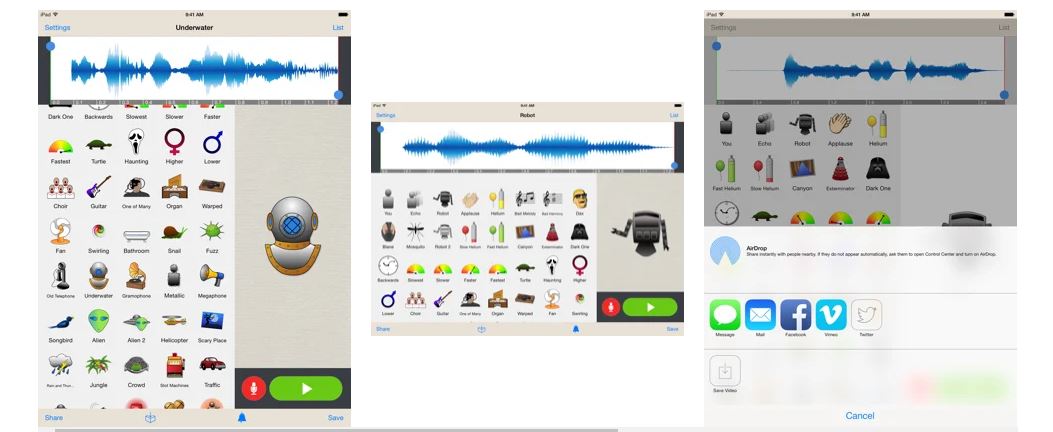
Voice Changer Plus is another comprehensive voice changer app for transforming your voice using interactive and unique features. The app is integrated with a simple user interface, letting you easily play around with different voice effects. All you need to do is tap the Record icon, say anything you want, and hit the Record icon again. To hear your recording in a different voice, choose from more than 55 voice effects and background songs. Voice Changer Plus doesn’t limit talking only; thus, you can also sing with the app’s Bad Harmony or Bad Melody feature. Aside from the built-in recording feature, you can import your pre-recorded audio and modify how they sound on the app. Voice Changer Plus also lets you trim recorded audio and apply a voice effect on your preferred clip. Once you’re done editing the recordings, you can save them on your smartphone and access them anytime. This voice changer initially offers a free Starter Pack subscription. If you want a premium subscription with Voice Changer Plus, you can purchase either the Mega Pack or VIP Pass, costing $1.99 each. Download Voice Changer Plus from the App Store
7. Voice Changer, Audio Effects
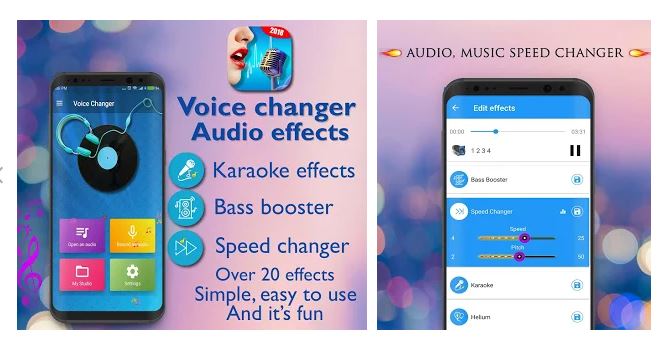
Voice Changer, Audio Effects is the perfect voice changer app for karaoke lovers and singers. If your voice is a little out of tune or has a mundane tone, you can enhance the voice quality through the app. This voice changer app is a powerful and comprehensive app that is integrated with high-quality sound effects. Unlike other voice changer apps on this list, Voice Changer, Audio Effects offers more advanced voice editing features, such as a Speed Changer and Bass Booster. Aside from that, you can add karaoke effects. Hence, if you want to record and add a karaoke vibe to your recordings, this app is a suitable voice-changer app for you. For instance, you can integrate either higher or lower frequencies during the recording process. Aside from that, you can add different voice effects on numerous recordings. Hence, you can improve the quality of your recorded audio, letting you enjoy the crisp and clearer sound quality. Download Voice Changer - Audio Effects from Google Play Store
8. Celebrity Voice Changer
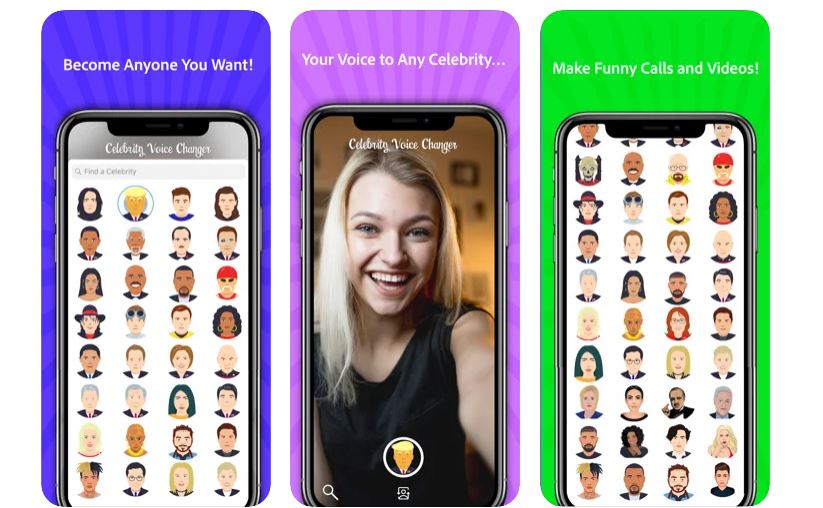
Celebrity Voice Changer is probably the first and the best voice changer app of its kind. It has garnered over one million downloads and counting. As the name suggests, Celebrity Voice Changer allows you to transform your voice into any famous icon. Simply, record audio and transform into the voice of Donald Trump, Steve Harvey, Oprah, Ellen DeGeneres, or Drake. The app requires an active internet connection; hence, offline mode isn’t available. Also, the app automatically deletes the silent parts when recording is in progress. With Celebrity Voice Changer, you can access different voice effects of A-listers ready to be applied on your recordings. Hence, it’s one of the best voice changer apps for creating birthday greetings for your friends and family. If your friend is a fan of Michael Jackson, simply record your voice and tap the Michael Jackson voice effect on the app. Unlike voice changer apps that dry out recordings, HatsOffApps’ Celebrity Voice Changer app is guaranteed to change your voice like the real deal. Speaking of subscription, you can purchase the app’s Unlimited Usage plan or switch to the Full Version instead. Download Celebrity Voice Changer from Google Play Store Download Celebrity Voice Changer - Face from the App Store
9. Banuba
Banuba’s platform is similar to Instagram and Snapchat mobile apps. Hence, Banuba offers more than just a basic voice changer app. The app offers gender switching and voice changing features, letting you apply a variety of filters, masks, and voice effects. If you want to be rocking a cute puppy’s face or apply rabbit ears on your selfie, Banuba can do it for you. It’s definitely not the common voice changer app that only focuses on recordings and audio effects. With Banuba, you can share and surprise your friends on different social media platforms and Messenger using funny faces and voices. Aside from video, image, and voice editing features, Banuba lets you access AR games and unique avatars. That said, Banuba is an all-in-one app for all your editing needs. The app has auto-renewing subscription plans, such as a $7.99 weekly Premium Selfie Filters plan, a $24.99 monthly Premium Selfie Filters plan, and a $79.99 yearly Premium Selfie Filters plan. Download Banuba from Google Play Store Download Banuba from the App Store
10. VoiceFX
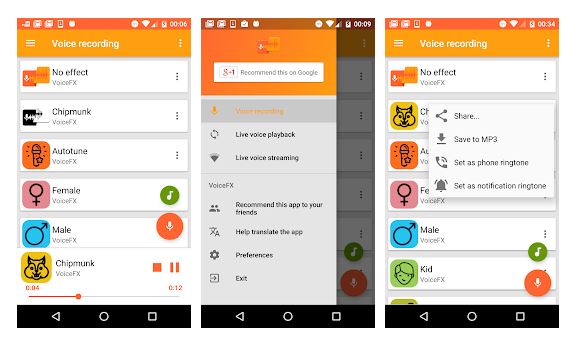
VoiceFX is a popular voice changer app for Android devices. The app offers some of the common audio effects, such as drunk, alien, robot, chipmunk, and gender-specific voices. Through VoiceFX, you can record your voice easily on the app or upload audio with unique sound effects. Aside from that, users can hear the audio effect before the recording starts. The user interface has a simple and straightforward design, making every button or function easy to use and navigate. With a few taps, you can set the newly created voice effect as a notification or phone ringtone. VoiceFX also allows you to save your audio in MP3 format on your smartphones. Although it’s free to download and install VoiceFX, unlocking more advanced or premium audio effects requires a $3.99 payment for each item. Download VoiceFX from Google Play Store
11. Voice Changer, Funny SoundBoard Effects
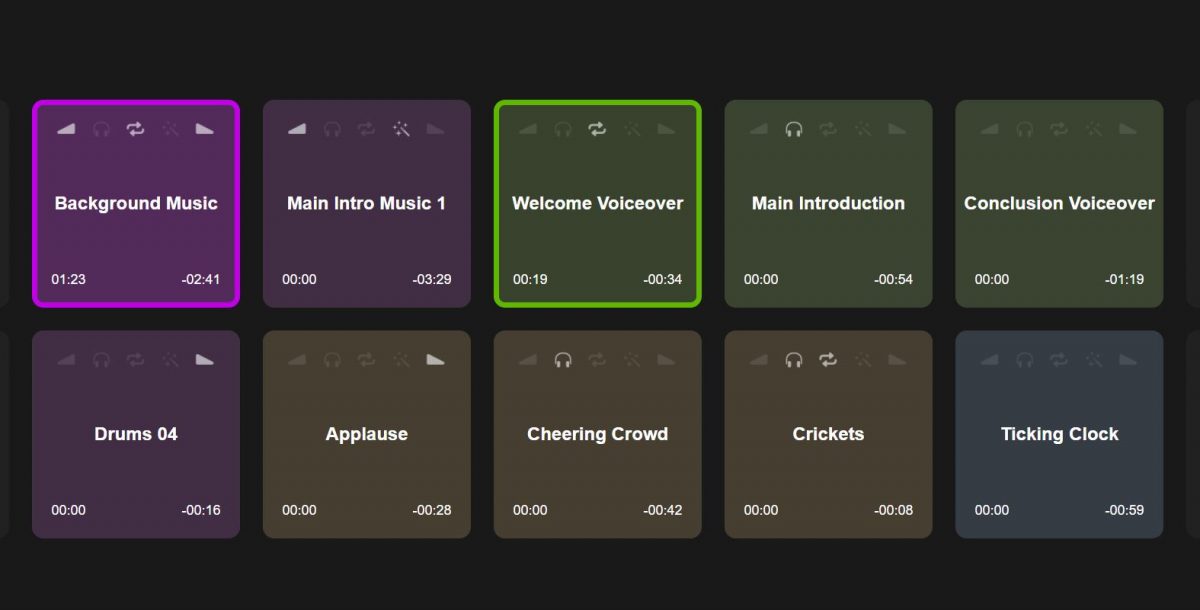
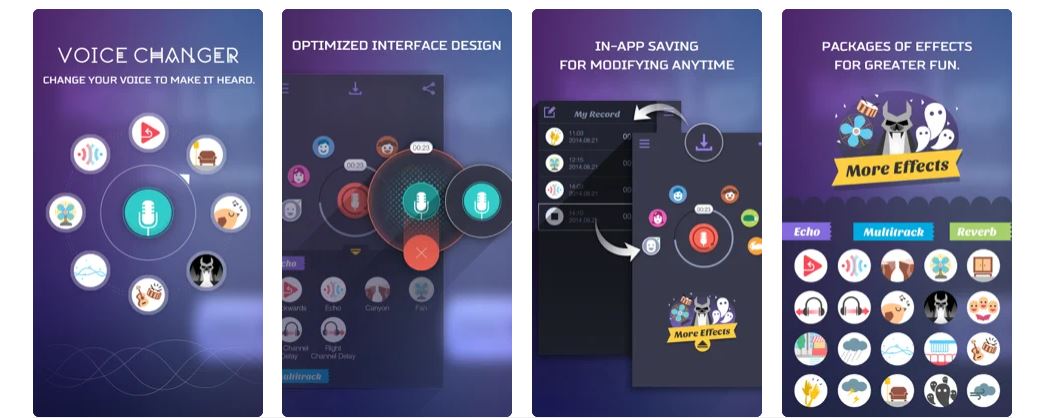
Voice Changer, Funny SoundBoard Effects offers a beautiful user experience and design. Unlike traditional voice changer apps, this app has a cool and sleek interface. Users can easily change their voices, choosing from a diverse range of audio effects. Also, the app can save any recordings you’ve created. As a result, you can modify past recordings or use them as a base template for new ones. Some of the cool sound effects you can access include raindrops, birds chirping, thunder, wind, and hands clapping. With Voice Changer, Funny SoundBoard Effects, you can share all your recordings on multiple platforms, such as Twitter, Facebook, YouTube, and Instagram. The app also offers four unique subscriptions, such as Echo, Multitrack, Reverb, and Ultimate Packages. Each package costs $0.99, $0.99, $1.99, and $2.99 respectively. Download Voice Changer App, Funny SoundBoard Effects from the App Store
12. Best Voice Changer
If you’re searching for a voice changer app for passing the time away, Best Voice Changer is a suitable app for you. We’ve mentioned passing the time or merely playing around with different voices since the app won’t change voices during an active call. Hence, it’s not the best option for pranking someone. Through Best Voice Changer, you can record audio and easily modify its quality with a few taps. The app has numerous voice effects and background sound. Hence, you can apply ambient sounds, such as you’re inside an airplane or on the battlefield. The app lets you adjust the audio frequency, apply a chorus or echo and a background sound. Once you’re done with audio recording and editing, you can save the finished product on your smartphone and set it as a ringtone. Best Voice Changer is definitely the best app for the purpose if you want to listen to different foreign accents. Download Best Voice Changer from Google Play Store
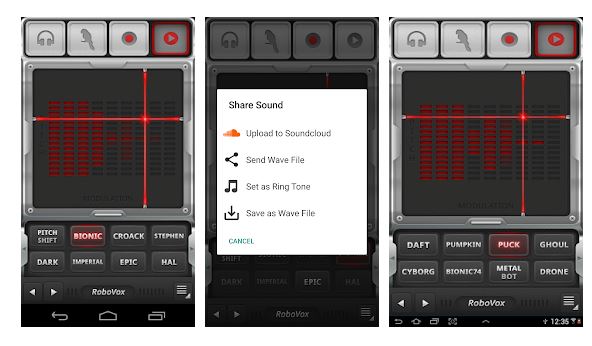
13. RoboVox Voice Changer Pro
RoboVox Voice Changer Pro offers 48 voice models to choose from for transforming your voice into a unique one. The app offers a simple way of converting original voices into comical, robotic, and scary voices. Aside from that, you can also alienate your voice by sliding your finger across the control field. Other voice effects include DiscoBot, Singing Robot, Chipmunk, and Helium voices. Through RoboVox’s X-Y control field, you can modify your recorded audio’s modulation and pitch. The app also offers three modes; namely, recording audio with a playback feature, parrot mode for repeating modified voices like a parrot, and live recording using headphones. For high-quality audio recordings, use RoboVox with an external microphone. This voice changer app allows you to share your finished product via email as WAV files or upload them to the SoundCloud platform. Download RoboVox Voice Changer Pro from Google Play Store Download RoboVox - Voice Changer from the App Store
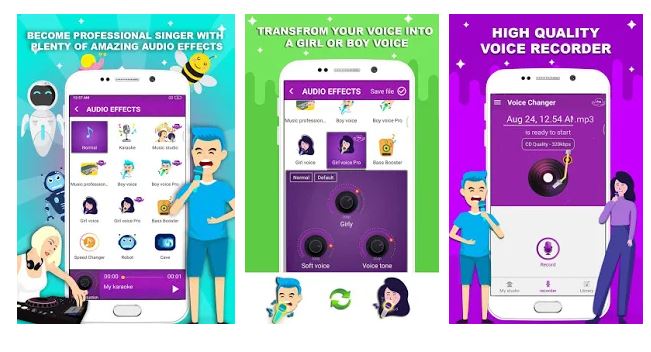
14. Voice Changer, Music Recorder With Effects
Another voice changer app for karaoke lovers and singers is Voice Changer, Music Recorder with Effects. The app is integrated with a comprehensive package for editing your voice. You can access more than 25 audio effects for transforming your voice according to your preference through this app. One of its noteworthy integrations is the advanced voice changing features, such as Bass Booster, Speed Changer, and other professional audio-editing tools. Aside from that, you can record high-quality audio. Speaking of recording features, the app provides you with the option to record while singing karaoke in HD, record in the background, and access a diverse range of in-app recording features. Voice Changer, Music Recorder with Effects is similar to a music-recording studio. That said, you can set up your own studio, browse songs by folder or by album in an attractive and sleek user interface, and stream your own recording to evaluate and edit them like a professional audio recorder. Download Voice Changer, Music Recorder With Effects from Google Play Store
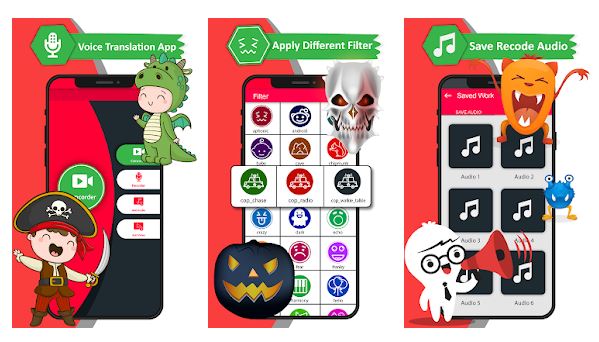
15. Video Voice Changer for Video Sound Changer
If you’re a big fan of creating short video content for Instagram and TikTok, Video Voice Changer for Video Sound Changer is the best app for you. It offers quick, convenient, and easy access to create short videos with unique audio effects. Video Voice Changer is the opposite of Voice Changer With Effects. Instead of converting texts into audio, this app lets you convert audio into texts. Hence, it’s one of the rare voice changer apps that offer this type of feature. Aside from high-quality voice effects, the app offers numerous filters, accent changing tools, and celebrity voice changer features. Download Video Voice Changer for Video, sound changer from Google Play Store
Voice changer audio effects: best for soundboards
Voice Changer Audio Effects is the top choice if you want a built-in soundboard for quick, one-tap sounds during calls or recordings. On iPhone, you can record or import audio, then try effects such as Robot, Monster, Helium, and Ghost. After applying an effect, you can save, share, make a ringtone, or turn a clip into a video. The app also lets you star up to 6 Soundboard favorites for one-tap access to sounds such as Airhorn, Siren, Laser, Buzzer, Ta-da, Spooky, Glitch, Applause, Drumroll, Boing, Meow, and Bark. This app requires iPhone with iOS 26.0 or later and iPad with iPadOS 26.0 or later.
Voice changer plus: best for quick recordings
Voice Changer Plus is ideal for fast, no-fuss recordings with a wide variety of effects. Just tap record, say something, and tap again. To hear the same recording in a different voice, choose a new voice and tap play. The app offers 55 voice effects and background sounds, plus free saving and sharing of recordings. AndroidRock, Voice Changer offers over 45 voice effects and allows combining voice effects (e.g., duck+robot or Martian+accelerate). Voice Changer With Effects can create audio from text and create an image integrated with a voice effect. RoboVox Voice Changer Pro offers an X-Y control field for modifying modulation and pitch, and three modes: recording with playback, parrot mode, and live recording using headphones. Video Voice Changer for Video Sound Changer can convert audio into texts. It requires iOS 12.0 or later, making it accessible on most modern iPhones and iPads.
Banuba: best for video and face filters
Banuba goes beyond basic voice changing by letting you change your voice in videos to sound like a funny animal, superhero, or space alien, while also applying face filters and masks. You can change your voice to male, female, child, robot, and similar characters. VoiceTooner offers cartoon character voice effects such as hamster, squirrel, monkey with microphone, super robot, and dark cyborg, with some premium characters costing $0.99 each. Celebrity Voice Changer offers voices of Donald Trump, Steve Harvey, Oprah, Ellen DeGeneres, or Drake and automatically deletes silent parts during recording. This makes it a strong choice for creating engaging social media content where both voice and visual effects matter. For support, contact hello@banuba.com.
How to record a conversation on your phone
After you change your voice, you might want to capture the result. If you need to record a conversation on Android phone, dedicated call recording apps can save the modified audio during a live call. Similarly, if you want to record a phone call on iPhone, third-party apps that use VOIP or the phone’s speaker can help. And if you plan to use your new voice while you make video calls on Android, many voice changer apps work in real-time with video calling platforms, letting you prank friends with a transformed voice and face.
Frequently Asked Questions
Can I use these voice changer apps for free?
Most apps offer free basic features, such as recording and applying a limited set of effects. Premium effects, soundboard packs, or ad-free experiences often require a one-time purchase or subscription, as seen with Voice Changer Plus’s Starter Pack and Banuba’s weekly or monthly plans. Call Voice Changer, IntCall operates on a Pay As You Go basis ($0.99 to $19.99 depending on call duration) and offers a three-day free trial.
Do voice changer apps work with all phones?
Compatibility depends on the app. Voice Changer Audio Effects requires iOS 26.0 or later, while Voice Changer Plus works on iOS 12.0 or later. Android apps like Banuba are available on Google Play, but always check the app’s listed requirements before downloading.
Can I use a voice changer during a live call?
Some apps, like Call Voice Changer, IntCall, are designed for real-time call modification using VOIP. Others, like Voice Changer Plus, are recording-only and cannot alter your voice during an active phone call. Check each app’s description to confirm live call support.
Are there voice changer apps that also change my face in videos?
Yes, Banuba is a strong example. It combines voice changing with face filters, masks, and AR effects, allowing you to look and sound like a different character in videos for social media or messaging apps.


![20 Best FREE Photo Collage Maker Apps [EASY Edits]](/wp-content/uploads/2019/11/image8-3.jpg)

![15 Best News Apps of All Time [Android and iOS]](/wp-content/uploads/2020/05/news-app.png)