Where Can I Play Pac-Man Right Now?
You can play Pac-Man immediately in your phone’s browser by heading to Pacman.free. That site offers the classic game without asking you to install anything, create an account, or grant notification permissions. It loads directly in your browser tab, so you can start a round in under ten seconds.
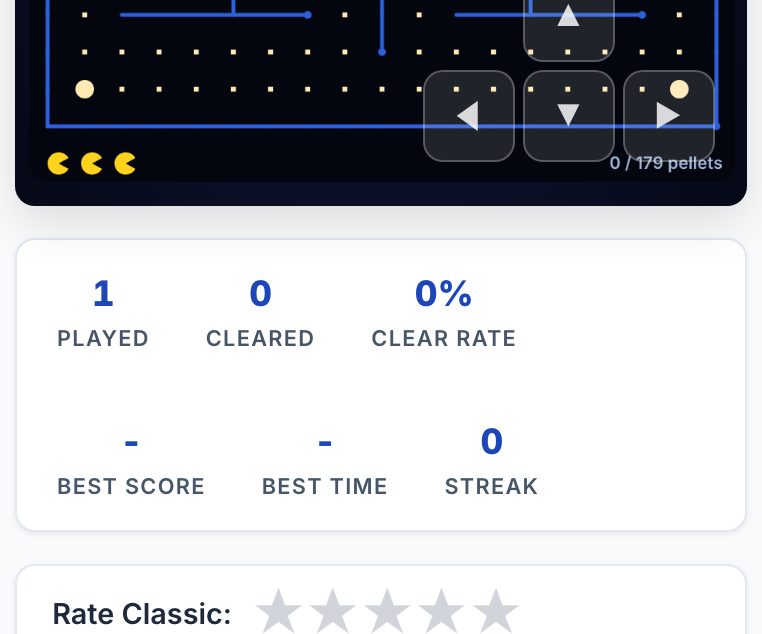
The page itself lists Normal and Fast modes, eight maze variants, daily challenges, and online multiplayer against friends. You do not need to download a separate app or free up storage space, the game runs from the website itself.
How Pac-Man Actually Plays on a Phone
If you have not touched Pac-Man in years, the core loop is simple: you move a yellow circle through a maze, eat every small dot, and avoid four coloured ghosts. When you eat a larger flashing dot (a power pellet), the ghosts turn blue for a few seconds, and you can eat them for bonus points. That is the entire game, but the execution is where it gets interesting.
On a phone, you control Pac-Man with touch. The site’s interface is not described in detail here, but generally you swipe or tap on the direction you want to move. The challenge is that your finger covers part of the screen, and the maze is small. You will need to be deliberate with your swipes, a quick flick often sends Pac-Man into a wall, while a slow drag gives you more control.
The screen size matters. On a typical phone, the maze fits comfortably in portrait mode, but your thumb may obscure the bottom rows. Try holding the phone with two hands and using your thumbs, or rest the device on a table and use one finger. If you find yourself missing turns because your hand blocks the view, that is normal, it happens to everyone.
One thing that works better on a bigger screen is seeing the whole maze at once. On a phone, you will often rely on your memory of the maze layout rather than reacting to what you see. The good news is that the classic maze is fixed, so after a few rounds you will know where the power pellets are and where the ghosts tend to patrol.
The Decisions That Separate a Good Player from a Bad One
Anyone can eat dots. The difference between a player who survives for two minutes and one who survives for ten minutes comes down to a few specific choices.
- When to chase ghosts: After eating a power pellet, you have a limited window to eat blue ghosts. Good players do not chase them blindly. They position themselves near a ghost’s expected path and wait for the ghost to turn a corner. Bad players run straight at the ghost and often run out the power pellet timer before making contact.
- When to avoid the fruit: The bonus fruit appears periodically, but it is often placed in a spot that forces you to cross a ghost’s patrol route. If you are not confident about your timing, skipping the fruit is a valid choice. Dying for an extra 100 points is never worth it.
- How you handle intersections: At every junction, you have to decide whether to turn or continue straight. The ghosts have predictable patterns, but they change behaviour based on your position. A good player does not make random turns, they have a route in mind. A bad player reacts to whatever is in front of them, which usually means running into a ghost.
- Using the tunnel: The side tunnels wrap you to the other side of the screen. This is a great escape tool, but it is also where ghosts move faster. Using the tunnel to escape is smart. Using it to explore is suicide.
- Managing the power pellet timing: You do not have to eat a power pellet the moment you see it. Sometimes it is better to leave it on the board as a threat. Ghosts still avoid you when you have not eaten it? No, they do not. But you can use the pellet as a trap, waiting until a ghost is close before you eat it and turn the tables.
On a phone, these decisions are harder because you cannot see the entire maze at once. You have to develop a mental map. Start by memorising where the four power pellets are in the corners. Then memorise the two tunnel entrances. Once you have those six locations fixed, you can start planning routes that keep you near them.
What to Look for in a Place to Play Pac-Man
Not every Pac-Man website is worth your time. When you are on your phone, you want a few specific things from any browser-based version.
- No install and no sign-up: The whole point of playing in a browser is that you do not have to commit. If a site asks for an email address or tries to push you to an app, leave. The site you are on now (pacman.free) explicitly states no download and no signup, which is exactly what you want.
- Touch controls that respond: The controls should feel immediate. If you swipe and Pac-Man does not turn until half a second later, that is a dealbreaker. Test the controls in the first ten seconds, if they feel laggy, try a different mode or a different site.
- Clear visual feedback: When you eat a ghost, you should see it flash and disappear. When you die, the animation should be obvious. If you cannot tell what is happening on a small screen, the game is not designed well for mobile.
- No battery drain: Some browser games hammer your CPU and drain your battery in minutes. A good Pac-Man game is lightweight. If your phone gets hot after two minutes of play, that is a sign the site is poorly coded.
- Options for speed: The site you are on offers Normal and Fast modes. Fast mode is a different beast, the ghosts move quicker, and your reaction time matters more. If you are just starting, play Normal. If you want a challenge, switch to Fast.
One thing to keep in mind: a bigger screen genuinely helps. If you have a tablet, or if you can rotate your phone to landscape, do that. The maze is wider than it is tall, so landscape mode gives you more visibility. It is not essential, but it makes a noticeable difference in your survival time.
Variants and Modes Worth Knowing
The site you are using lists eight maze variants. These are not just cosmetic changes, different mazes have different wall layouts, which completely changes your strategy. In the classic maze, you have long corridors and a central safe zone. In some variants, the walls are tighter, and the ghosts have fewer places to patrol, which means you have less room to dodge.
Daily challenges are another feature. These give you a specific goal for the day, for example, “score 5,000 points without dying” or “eat 20 ghosts in one round.” These are worth trying because they force you to play differently than you normally would. A daily challenge might require you to be aggressive when you usually play defensively, or vice versa.
Online multiplayer against friends is also available. This is not the same as the single-player game. In multiplayer, you are racing against another person to eat dots and collect points. The ghosts still chase you, but now you also have to watch what the other player is doing. This mode is more chaotic and less about memorisation, which makes it a fun change of pace. However, on a phone screen, you will have a hard time seeing both your position and your opponent’s. If you try multiplayer, do it on a tablet or a computer monitor.
There is also a “Fast” mode, which speeds up the entire game. The ghosts move quicker, Pac-Man moves quicker, and your reaction time has to be sharper. This is not the best mode for a phone because the small screen makes it hard to react quickly. Save Fast mode for when you are on a bigger screen.
Frequently Asked Questions
Do I need to create an account to save my high score?
No. The site does not require an account, and your high score is stored in your browser’s local storage. That means it will stay on your phone as long as you do not clear your browser data. If you switch phones or use a private browsing window, your score will not carry over.
Can I play this offline?
No. Because the game runs in your browser and loads from the internet, you need a data connection or Wi-Fi. If you lose signal, the game will stop. There is no offline mode available on this site.
Why does the game sometimes feel laggy on my phone?
This usually happens if you have many browser tabs open or if your phone is in power-saving mode. Close other tabs, make sure your screen brightness is reasonable, and try again. If it is still laggy, the site might be loading slowly on a weak connection.
Is there a way to change the touch controls?
The site does not list any control options. You get whatever touch controls the developer built. If you find the default controls difficult, try using a stylus or resting your phone on a flat surface. Some people find that using one finger from your non-dominant hand gives you more precision.
What is the best strategy for a beginner on a phone?
Focus on staying alive rather than scoring points. Eat the dots near the edges of the maze first, because those are the safest. Avoid the centre of the maze where the ghosts start. When you see a power pellet, eat it only if you have a clear escape route. Do not chase ghosts until you have played at least ten rounds and memorised the maze layout.
More like this: Free Games You Can Play in Your Phone's Browser · Browser Games That Work on a Phone: The Directory
Related reading: Play Tetris on Your Phone Browser - No App Needed.