You cannot reset your Chime password without a phone number through any self-service flow. Chime's documented password reset process requires a security code sent to the phone number on file, and if you cannot receive that code, the only official path is contacting Member Services at (844) 244-6363.
Can you reset your Chime password without a phone number?
No. Chime's help pages state that you must have access to both the email address and phone number on the account to complete verification. If you do not have access to both, Chime says to contact Member Services at (844) 244-6363.
Why you might need to reset without your phone number
Common scenarios include losing your phone, changing your phone number, or having an inactive line that prevents receiving the SMS verification code. You may still have access to your registered email address but cannot receive the text code required by the standard reset flow. If you have lost access to both the registered email and phone number, you must contact Member Services.
Chime's standard password reset flow explained
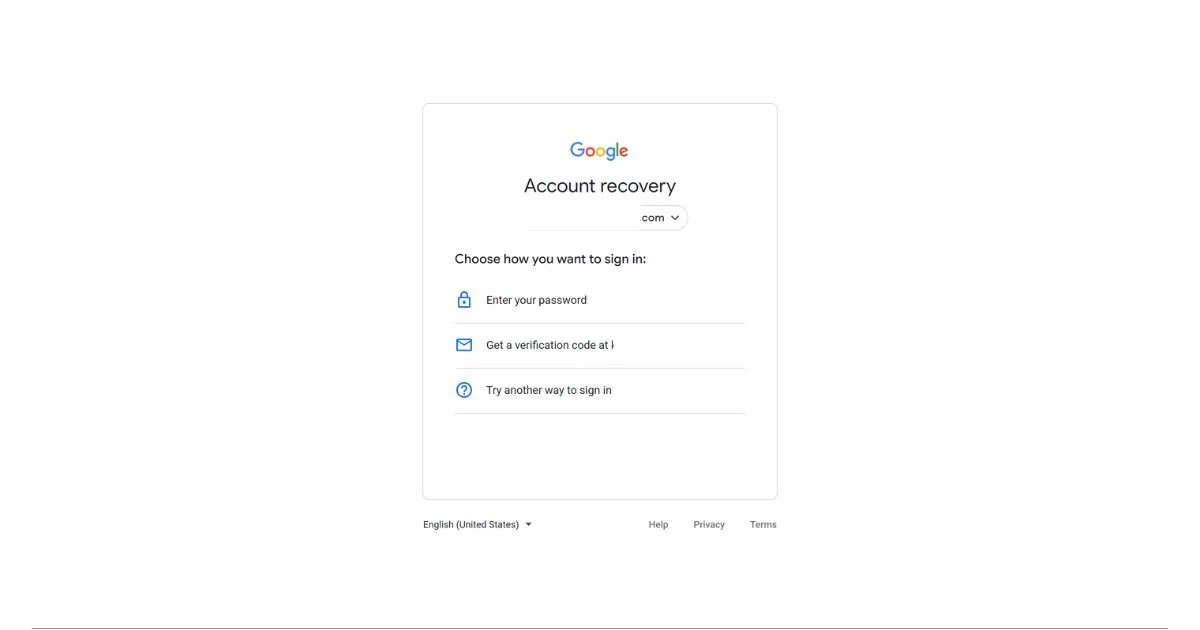
Chime's documented reset flow relies on a security code sent to the phone number on file, then a password recovery link sent by email. On chime.com, you go to the Forgot Password page, enter your email address, click Submit, enter the security code sent to your phone, click Submit, then open the email and click Reset password. In the app, from the login screen you tap Log in, enter your email address, then follow the prompts to reset your password or choose an alternate sign-in method. An older documented app path requires entering the security code sent to the phone number before Chime sends a password recovery link by email. Older app path: On the login screen, tap 'Need help?', select 'I forgot my password', enter email, tap Submit, then enter the security code sent to the phone number. This clarifies why the phone is mandatory, the SMS code is a required verification step before the email link is sent.
Method 1: Contact Chime Member Services for help
If you cannot access both your registered email and phone number, the only solution is to call Chime Member Services at (844) 244-6363. You may be asked to verify your identity with a government-issued photo ID or other account details. This is the only official method when you are locked out and cannot receive the SMS code.
Method 2: Try a one-time login link (if eligible)
Chime documents a one-time login link flow for eligible users. If prompted, tap Email me a link. The link is sent to the email address on file and must be opened on the same device used to request it. After logging in, Chime prompts you to update your password. This method still requires access to your registered email and the same device, bypassing phone lock screens but not the email requirement.
What to do if you can still log in but lost your email access
If you can log in but no longer have access to the email address on file, you can update it in the app. Go to Profile, tap Personal info, tap the pencil icon next to your email address, enter the new email address, and tap Continue.
Frequently Asked Questions
What is a Chime password?
A Chime password is the login credential you create when signing up for a Chime account, used alongside your email address to access the Chime mobile app or website securely.
Why would I need to reset my Chime password?
You might need to reset your Chime password if you have forgotten it, suspect your account has been compromised, or are unable to log in after multiple failed attempts.
Is phone verification always required to reset a Chime password?
Yes. Chime's documented reset flows require a security code sent to the phone number on file before a password recovery link is sent by email. There is no documented email-only reset that bypasses phone verification.
Are there any alternative methods to reset my Chime password without a phone number?
No self-service alternative bypasses the phone number requirement. If you cannot receive the SMS code, the only official alternative is contacting Member Services at (844) 244-6363 for identity verification.
Will resetting my Chime password affect my account or personal information?
Resetting your password only changes your login credentials. It does not affect your account balance, transactions, or personal information on file.
What should I do if I lost access to both my email and phone number?
You must contact Chime Member Services at (844) 244-6363.
Can I reset my Chime password using only my email address?
No. The standard flow requires both the security code sent to your phone and the password recovery link sent to your email.
Does the one-time login link work if I changed my phone number?
Yes, if you are eligible for the one-time login link, it is sent to your email address on file and does not require your phone number. However, you must open the link on the same device used to request it, and after logging in, Chime prompts you to update your password.
Related reading: How To Login To Chime Without A Phone Number.