Where to Play Tic Tac Toe Right Now
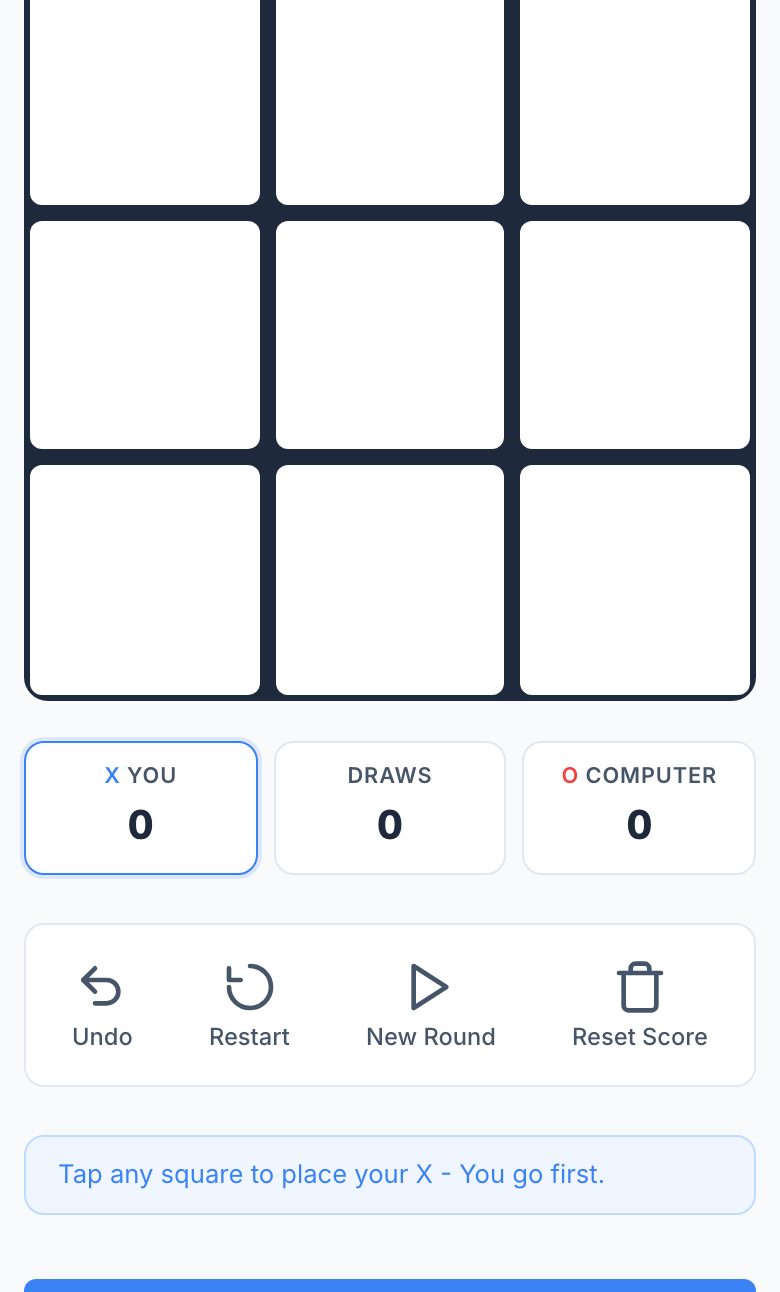
You can play Tic Tac Toe immediately in your phone’s browser at Tictactoe.now. No app install, no storage taken, no account, and no notifications, just open the link and tap the board. The page loads quickly on a mobile connection, and the touch targets are sized for thumbs.
How the Game Actually Works (If You Haven’t Played in Years)
For a 3×3 board, you and your opponent take turns placing X or O in empty squares. The first to get three in a row, horizontally, vertically, or diagonally, wins. If all nine squares fill without a winner, it’s a draw. That’s the whole ruleset.
What surprises most people returning to the game is how fast a round ends. A typical 3×3 game lasts under a minute, even with thinking time. The strategy is deceptively simple: you’re always trying to create two possible winning lines at once, because your opponent can only block one. On a phone screen, the board fits comfortably without zooming, and taps register instantly, no drag-and-drop, just a direct tap on the square.
If you’re playing the computer, the difficulty levels change how the AI reacts. Easy mode makes obvious mistakes, Medium plays a decent casual game, and Hard (often called “unbeatable”) forces you to play perfectly just to draw. For a first-timer, start with Easy to get a feel for the tap response, then move up.
The Decisions That Separate a Good Player from a Bad One
Most beginners play reactively, they block whatever the opponent just did. That works for a few moves, but it loses against anyone who thinks one step ahead. The core skill is forking: placing your mark where it creates two separate threats at once. For example, if you have X in the center and your opponent plays a corner, your next move on the opposite corner creates a fork. They can block one line, but you take the other on your next turn.
Another key decision is controlling the center. The center square is worth more because it’s part of four possible winning lines (row, column, and both diagonals). Corners are the next best, they’re part of three lines. Edges are weakest (two lines). If you’re X, opening in a corner gives you the best chance to force a win if the opponent errs. If you’re O, your best response to a corner opening is usually the center.
Defensively, the difference between a good and bad player is not over-blocking. Novices block every single threat, even when the game is already lost or when they could be building their own win. A good player asks: “If I ignore this threat, can I win next turn?” If yes, you should win instead of block. If no, then block, but block in a way that also creates your own threat.
Finally, the endgame matters. Many players lose from a winning position because they don’t see the “two-in-a-row with an open third” pattern. Always scan for any row, column, or diagonal where you have two marks and the third is empty. That’s a winning move. If you have two such threats simultaneously, you’ve already won, just play one of them.
What to Look for in a Place to Play Tic Tac Toe
Since you’re on a phone, the most important thing is that the board is touch-friendly. The squares should be large enough to tap accurately without zooming, a common failure on mobile sites. The game should also load without requiring you to rotate your screen or switch to landscape mode; portrait is fine for a 3×3 board.
Second, check whether the site works offline or after a poor connection. A good browser game should not need a persistent internet connection once the page is loaded. If it does, that’s a sign the game is unnecessarily heavy. The link above loads the full game in a single page load, so you can play even on a subway or in airplane mode (if you loaded it beforehand).
Third, look for privacy respect. You shouldn’t have to create an account, log in, or give an email. The site should not ask for permissions like location or camera. If it does, close the tab. A good browser game runs entirely in your browser’s memory, it doesn’t need your data.
Fourth, consider game modes. The best mobile Tic Tac Toe sites offer more than just the classic 3×3. A 5×5 board is a great way to stretch your brain, the strategy changes because you need five in a row, and the center control matters even more. Also, a “play a friend” mode is essential if you want to hand the phone to someone next to you. The site described here has Easy, Medium, Hard, 5×5, and 2-player modes, all accessible from the same page without navigating through menus.
Finally, check the page weight. A good mobile game should load in under two seconds on a 4G connection. If you see a loading spinner for more than a few seconds, close it. The best browser games are just a few kilobytes of code, not a bloated web app.
Variants and Modes Worth Knowing
The most common variant is 5×5 Tic Tac Toe (also called Gomoku or Five in a Row). The rules are the same, get five in a row, but the board is larger, so games last longer and require more planning. On a phone screen, a 5×5 board is still perfectly tappable, but you might need to scroll slightly if the squares are large. The site mentioned above includes this mode, and it’s a good way to test your spatial reasoning.
Another mode worth trying is 2-player local. This is the simplest way to play with a friend, you pass the phone back and forth. No AI, no waiting, no online connection. It’s the most honest version of the game, and it’s perfect for a quick break.
For the computer modes, the difficulty levels are not just about making mistakes, they also affect the AI’s foresight. On Hard, the computer plays a perfect game, which means you can never win if you make a single mistake. The best you can do is draw. That’s a great way to learn the game’s deeper tactics, because the AI will punish every error you make.
One variant that’s not on the site but is worth knowing about is “misère” Tic Tac Toe, where the player who gets three in a row loses. It’s a fun twist, but it’s not offered here. Stick to the modes listed on the page, they’re enough to keep you busy for a while.
Frequently Asked Questions
Do I need to create an account to play?
No. You open the link and play immediately. There’s no sign-up, no email, and no password. The game runs entirely in your browser, so your progress (if any) is just in your head, nothing is saved or tracked.
Will this game take up storage on my phone?
No. The game is loaded as a web page, not an app. It uses your browser’s memory temporarily, but it doesn’t install anything. Once you close the tab, it’s gone. You won’t see an icon on your home screen unless you manually add it, and even then it’s just a bookmark.
Can I play against a friend on the same phone?
Yes. The site has a 2-player mode. You hand the phone to your friend after each move. It’s the simplest way to play, no online matchmaking, no lag, just two people sharing a screen.
Is the Hard mode actually unbeatable?
Yes, if you play perfectly, the best you can achieve is a draw. But if you make a mistake, the computer will win. It’s a good way to practice your endgame and see where your strategy fails.
Does the 5×5 board work well on a small phone screen?
It works, but the squares are smaller than the 3×3 board. If you have a very small screen (under 5 inches), you might need to zoom in slightly. For most modern phones, it’s fine, just tap carefully. If you find it too cramped, stick to the 3×3 mode.
More like this: Free Games You Can Play in Your Phone's Browser · Browser Games That Work on a Phone: The Directory
Related reading: Play Checkers on Your Phone Browser - No App Needed.