






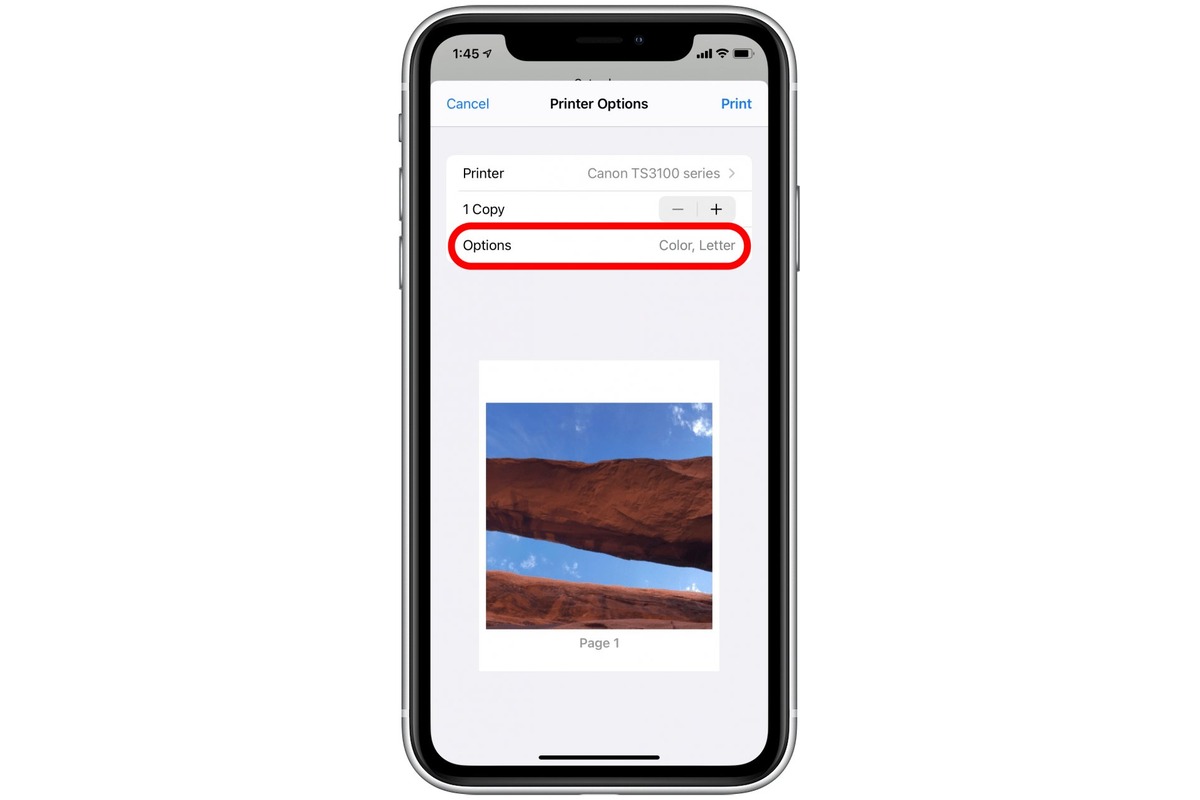
You can print a 5x7 photo from your iPhone using AirPrint, selecting the 5x7 paper size in the printer’s dialog, provided your printer supports that size. For more options, third-party apps like FreePrints and HP Smart also offer 5x7 printing directly from your device.
Print 5x7 from iPhone with AirPrint
Apple’s AirPrint feature lets you print directly from your iPhone to any AirPrint-enabled printer without installing drivers. To print a single 5x7 photo from the Photos app:
- Open the Photos app on your iPhone.
- Open the photo you want to print, then tap the Share button.
- Tap Print.
- Tap No Printer Selected and choose an AirPrint-enabled printer.
- Choose the number of copies and any available print options, including paper size.
- Tap Print in the upper-right corner.
To print multiple photos, go to Library or a collection, tap Select, choose the photos, then tap Print. The 5x7 size is not a separate menu in the iPhone’s printing settings; it appears as a paper-size option in the printer’s AirPrint dialog. The printer must support 5x7 paper for the option to show.
Use third-party apps to print 5x7 photos
If your printer does not support 5x7 via AirPrint, or you want additional features like photo editing and collage apps, several third-party apps advertise 5x7 printing. The general workflow is similar: connect to a compatible printer, choose your photo, select the 5x7 size, and print.
Documented examples include:
- FreePrints, Photo Printer App: Supports standard photo sizes including 4x6, 5x7, and 8x10, with custom borderless options.
- HP Smart Printer - iPrint App: Can print photos in any size, including 4x6, 5x7, and 8x10, with a flow shown as Connect → Choose → Edit → Print.
Another complete alternative workflow is transferring photos to a computer for printing. Connect your iPhone to a Mac or PC, import the photos using the Photos app (Mac) or Windows Photos app, then print from the computer using any printer that supports 5x7 paper, bypassing AirPrint limitations entirely.
Check the app’s settings or help section for specific steps.
Frequently Asked Questions
Can I print 5x7 photos directly from my iPhone without a computer?
Yes. You can print directly from your iPhone using AirPrint if your printer supports 5x7 paper, or by using a third-party app that offers 5x7 printing.
What resolution should my photo be for a 5x7 print?
For optimal print quality, a resolution of at least 300 pixels per inch (ppi) is recommended. This ensures sharp and detailed prints.
What if the 5x7 option doesn’t appear in the AirPrint dialog?
The 5x7 size only appears if your printer supports that paper size. Check your printer’s manual or settings to confirm it can handle 5x7 paper, and make sure the correct paper is loaded.
Can I print 5x7 photos from my iPhone if I don’t have a printer?
Yes. You can use a photo printing service with a mobile app, such as FreePrints, to order 5x7 prints and have them delivered. The Google Photos app also supports ordering photo prints on Android, with size selection before checkout.















