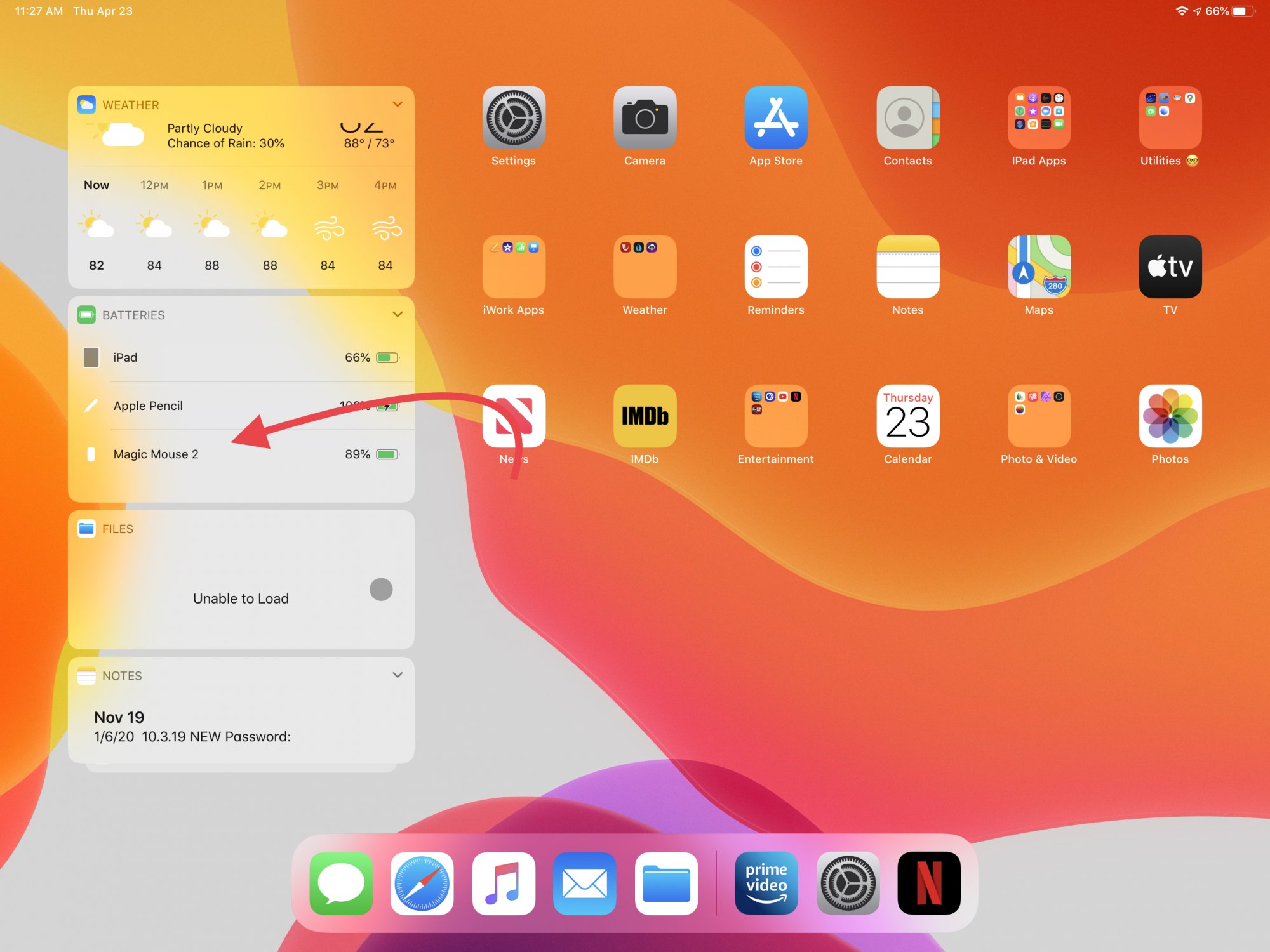
To check battery of wireless mouse, look for the physical LED indicator on the top or bottom of the mouse. A green or steady light means sufficient power, while a red or blinking light means the battery is low and needs replacement or recharging.
Check the battery of your wireless mouse using its LED indicator
The fastest method to check battery of wireless mouse is to locate the physical battery light on the top or bottom of the mouse. Most wireless mice include a built-in LED that changes color or blinks to show remaining power. A green or steady light typically indicates a full or adequately charged battery. A red light or blinking pattern signals that the battery is running low and should be replaced or recharged soon. The exact behavior may vary by manufacturer, so consult the mouse's user manual for specific color meanings.
What if your mouse has an LCD display instead of a light?
Some wireless mice replace the LED with a small LCD screen. In that case, the display shows the battery level as a percentage or a battery icon. Read the screen directly to see how much power remains. This method works the same way as an LED indicator but gives a more precise readout without needing to interpret colors or blink patterns.
Spot a low battery from how your mouse behaves
Even without a visible indicator, you can detect a dying battery by watching how the mouse performs. Cursor lag, where the pointer moves slowly or delays after you move the mouse, is a common sign. Erratic pointer jumps, where the cursor moves unpredictably across the screen, also point to low power. Frequent disconnections, where the mouse drops and reconnects to the computer, often happen when the battery is nearly empty. If you notice any of these behaviors, replace or recharge the battery immediately.
Can you check a wireless mouse battery on iPhone or Android?
According to verified Apple Support, the Batteries widget on iPhone or iPad only shows battery percentage for Apple's own Bluetooth accessories, such as the Apple keyboard, mouse, and trackpad. There is no documented way to check battery of wireless mouse from a third-party manufacturer on iPhone or Android. For generic wireless mice, the only reliable method is to use the mouse's own LED indicator, LCD display, or behavior cues. Apple's support pages do not list any menu path for third-party mouse battery status on iPhone settings, and no official Android documentation exists for this function.
Make your wireless mouse battery last longer
To extend battery life, turn off the mouse when not in use. Lower the DPI setting, as higher sensitivity drains power faster. Use a mouse pad instead of rough surfaces, which reduces the energy needed for tracking. Clean the sensor and buttons regularly to maintain optimal performance and prevent unnecessary power consumption. These steps apply whether you are using disposable or rechargeable batteries, and they work for any wireless mouse regardless of brand. The same principles also help preserve battery life in other devices, such as charging wireless earbuds and headphones, where turning them off and cleaning contacts can improve longevity.
Frequently Asked Questions
How do I know if my wireless mouse battery is completely dead?
If the mouse stops responding entirely and the LED indicator does not light up when you press a button, the battery is likely dead. Replace it with a fresh battery or recharge it before testing again.
Can I use rechargeable batteries in any wireless mouse?
Most wireless mice accept rechargeable AA or AAA batteries, but rechargeable batteries have a slightly lower voltage than alkaline ones. This may reduce performance or battery life slightly. Check the mouse's user manual to confirm compatibility.
Why does my wireless mouse work intermittently even with new batteries?
Intermittent operation can be caused by a dirty sensor, a loose battery connection, or interference from other wireless devices. Clean the sensor and battery contacts, and try moving the USB receiver closer to the mouse.
How often should I replace the batteries in my wireless mouse?
Alkaline batteries typically last several months to a year under normal use. Replace them when you notice performance issues like cursor lag or when the LED indicator shows low battery, rather than waiting for the mouse to stop working.
Does leaving my wireless mouse on drain the battery when the computer is off?
Yes, many wireless mice remain active and continue to drain battery even when the computer is off. Turn off the mouse using its power switch to preserve battery life when not in use.
What should I do if my wireless mouse is not working?
Try switching the USB receiver to a different port on your computer. Also check that the mouse is turned on, the battery is charged, and there is no interference from other wireless devices.
Related reading: How To Charge A Wireless Mouse and How Long To Charge Wireless Mouse.