Before you start: unlocking and activating a new phone
To activate a new phone, first open your iPhone’s Settings, go to General, then About, and look for "No SIM restrictions" next to Carrier Lock. If you see “No SIM restrictions,” the device has no carrier tie. On Android, you can copy the IMEI and run it through the new carrier’s bring-your-own-device compatibility tool. That extra step matters because a phone that powers on with a different SIM can still miss critical network bands, especially for 5G. Many people assume they can simply use a Tmobile SIM card in a Verizon phone, but in most cases the two systems rely on different core technologies, and the device must be both untethered from its original carrier and whitelisted in the destination provider’s IMEI database. If you are holding a secondhand Samsung, you can check Samsung mobile activation date inside the Samsung Members app by tapping Support, then Register, and following the prompts with the IMEI or serial number to see when the device was first brought online. Some prepaid devices add another layer of restriction, and you cannot use Verizon prepaid phone without activation. When in doubt, confirm compatibility before you port your number.
Activating a new phone or SIM on your current carrier
Staying with the same provider doesn’t mean you can skip the compatibility check. A phone that powered on with your old SIM can still fall short on the bands your plan expects, particularly if you are mixing hardware built for different system cores. Once you have confirmed the device is carrier-free and whitelisted, the setup path depends on whether you are holding a physical card or an eSIM. If you need to activate new phone Verizon service on an existing line, one documented route is the Activate or Switch Device page inside My Verizon, while for a supported Android eSIM setup on a Pixel you go to Settings, then Network & Internet, then Mobile Network, and follow the prompts to add a mobile network and scan the QR code the carrier provides. Before you begin, know that a device restricted by another provider can take up to 24 hours to clear even after that provider approves the release. When the task is to activate my new SIM card T mobile on the line you already have, the Un‑carrier requires you to open the T-Life app while connected to the T-Mobile network, go to the Account tab, choose your line, and follow the SIM transfer or setup option, then power off the device, insert the SIM, and power it back on. The general step to activate new SIM card often starts in the customer portal or app, not on the phone itself, so you should have both the IMEI and the ICCID printed on the card holder ready before you start. Because the exact menus shift by provider, the steps differ when you activate my AT&T SIM card, and the same holds true if you activate my SIM card on Vodafone, always keeping the phone connected to Wi‑Fi while the profile downloads.
Switching to a different carrier
Moving your number to a new provider means porting your existing digits, and the process usually begins inside the new carrier’s app or website rather than on the old one. If you want to switch to T-Mobile from Verizon, open the T-Life app and follow the prompts to start your switch and select your current carrier. Sign in to your Big Red profile when prompted so the Un‑carrier can request the transfer, and you will also need your Verizon Transfer PIN, typically available in your online profile settings. For those looking to switch to Consumer Cellular, the online checkout flow asks whether you want to keep your existing phone number, and selecting “Yes” before adding the plan to your cart starts the port-in. Many people hunt for free phones for switching, but the offers found in official materials are usually reimbursement programs rather than outright giveaways; the Un‑carrier’s Keep and Switch, for example, repays your remaining device balance after you submit the claim at the promotions portal within thirty days. A common family-plan move is to switch from my parents phone plan to my own Verizon, which requires the new profile holder to accept the customer agreement and call the company with the wireless number being transferred. If that line is the primary on a Family SharePlan, the remaining lines must be moved to eligible calling plans first. When you need to get out of Verizon phone plan entirely, the same transfer-of-service rules apply, and you should confirm your device is carrier‑free and compatible with the destination system before initiating anything. Once you are ready, you can apply for Verizon wireless service online by reviewing the terms and completing the new line setup through the My Verizon website or My Verizon app.
Setting up prepaid service
Getting prepaid service running usually starts in the carrier’s online portal rather than on the device itself. When you need to set up an AT&T prepaid phone, the phone must be charged with the SIM inserted, and AT&T directs you to its activation site to enter the required information before selecting a rate plan. Once the line is active, you can add minutes to my AT&T prepaid phone by visiting paygoline.com from the phone’s browser, signing in with the wireless number and a temporary or 4-digit password, then following the payment prompts, or by dialing 611 from the handset.
For the magenta carrier, how to reload T-Mobile prepaid balances is not covered. The process to activate Total Wireless service begins with the SIM and IMEI in the provider’s activation portal, and smaller operators follow a similar pattern. Because the exact menus differ, the same general flow applies whether you need to activate new Cricket phone hardware, activate a MetroPCS phone, activate unlocked Samsung phone models, or activate a new phone on the Un-carrier.
Managing eSIMs and digital SIMs
Moving your number to a digital SIM often begins inside your online portal rather than on the device itself. For many iPhone models, you can convert physical SIM to eSIM T-Mobile through Settings > Cellular > Convert to eSIM, and if transferring from a previous iPhone, make sure Bluetooth is on and the device is passcode protected. If that in-phone conversion is not available, you can instead activate eSIM on T-Mobile by scanning a QR code through the same Cellular settings, a method that also works on supported Pixel and Samsung Galaxy models. Before you start, have the phone’s IMEI or EID ready; on Android, you can find it under Settings > About phone. You can get eSIM QR code T-Mobile through the documented QR-code method, and T-Mobile can provision the profile after you provide the IMEI or EID. Once the profile downloads over Wi-Fi, you can use eSIM with T-Mobile alongside a physical card from another carrier.
Replacing or updating your SIM card
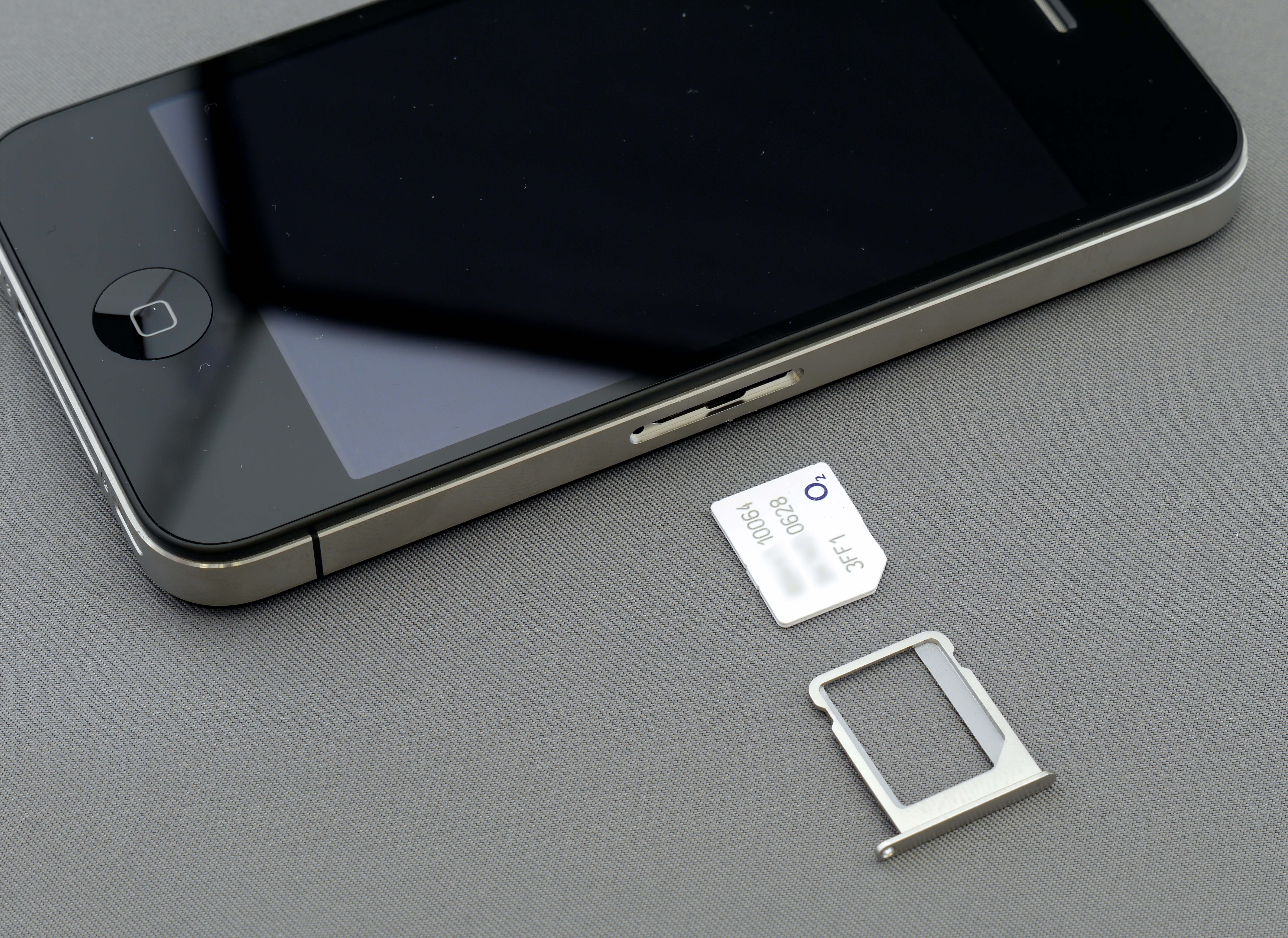
If your SIM is physically damaged or no longer fits a newer phone, you can get a new SIM card from AT&T at a corporate store or have a kit shipped. When you need to update SIM card T mobile on a business line, the documented path lives in Account Hub: go to Manage Accounts, choose the account, open Manage Lines, select the three dots next to the line, choose Change SIM, and enter the new card number after verifying your identity. Personal-plan users should contact support directly for a replacement. For eSIMs, only the plan owner or a retail authorized user can proceed with certain changes. Once the new card or digital profile is active, you will also need to register my phone on a network, which on AT&T Prepaid simply means completing activation at the designated site rather than hunting for a separate settings menu on the handset. Before starting any swap, remember that a phone which passes a basic compatibility check may still miss low-band frequencies that carry signal deeper indoors, and pairing the right SIM with fully compatible hardware determines whether your coverage feels complete.
Swapping phones on an existing account
When you already have an account you like and just need to move your number to a different handset, the first hurdle is making sure the device you want to use is carrier-free and actually built for your provider’s radio bands. A phone that powers on and shows signal bars can still be missing the specific low-band frequencies that reach deep into buildings or deliver full-speed 5G. This mismatch is especially common when mixing hardware originally sold by the big national operators. If you are switching phones on T-Mobile, that company’s own documentation says to first turn off SIM Protection, then follow the step-by-step setup; you can also use the T-Life app to start a number transfer. In a different corner of the wireless world, the steps to switch phones with Assurance Wireless begin by logging into My Account and entering the new phone’s IMEI. If you bought the replacement directly from the carrier’s online store, the phone is automatically compatible with the Assurance Wireless network. Because menus differ by brand, a common point of confusion arises when you want to switch my Metro phone to another Metro phone. In many cases, you can also use a hardware upgrade as a chance to trade in a phone through a carrier reimbursement program. For T-Mobile's Keep and Switch, eligibility requires that your existing device has been financed on a qualifying network for at least 90 days. If your goal is simply to add phone to Verizon plan without disturbing the rest of your relationship, the documented path starts by selecting Activate or switch device in My Verizon. The guided flow there lets you assign a new number or port one in from another carrier.
Replacing or reactivating a specific phone
When a replacement device arrives or a deactivated phone needs service again, the first step is confirming the handset can actually use the new carrier’s network. A phone that powers on and shows bars may still lack the low-band frequencies that carry signal deep indoors, so checking band compatibility before you insert a SIM prevents dropped calls even when the status bar looks fine. If you need to activate replacement phone AT&T, power the old device off, remove the original SIM card from the old device and insert it into the replacement or use the new SIM that came in the box, then complete the process through the carrier’s activation site. AT&T also states that service must be activated within a limited time after shipment to avoid interruption. The window to reactivate my Assurance wireless phone is limited after the line was suspended, and the documented path is calling customer care during their posted hours. You can avoid surprise Verizon activation fees by signing into My Verizon, selecting Activate or switch device, and choosing Activate on an existing line, where the system displays only the devices currently eligible on your profile. While you work through these steps, you might need to open Galaxy S21 to access its SIM tray, though none of the carrier pages document model-specific activation menus beyond the standard setup prompts that appear after powering on.
Frequently Asked Questions
What does "No SIM restrictions" mean on my iPhone?
It means the device has no carrier tie and is unlocked. You can find this under Settings, then General, then About next to Carrier Lock.
How do I get my Verizon Transfer PIN to switch carriers?
Request it from your current carrier, and it is usually found in your online account profile settings. You will need it when the new carrier initiates the port-in.
Can I use a T-Mobile SIM card in a Verizon phone?
In most cases, no, because the two systems rely on different core technologies. The device must be both unlocked and whitelisted in the destination provider's IMEI database.