What a mobile hotspot actually is
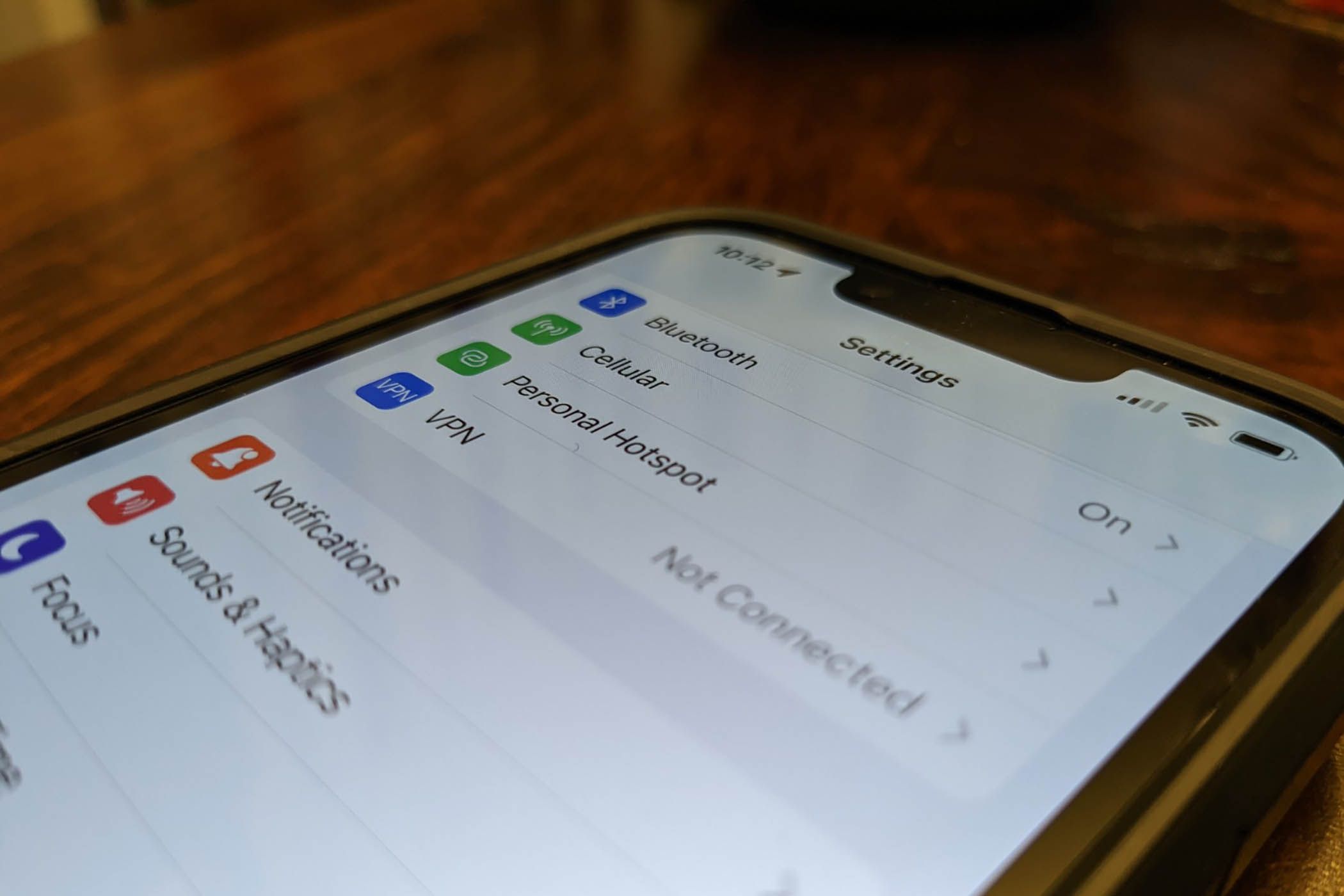
The mobile hotspot basics start with a simple personal hotspot feature definition: a way to share your phone’s mobile data as a temporary Wi‑Fi signal for other devices. On an iPhone, Apple calls this Personal Hotspot. It broadcasts only your cellular internet. On many phones, it broadcasts only your cellular internet, though some Android devices can also share a Wi‑Fi connection. On Android, Google places the feature under Settings > Network & internet or Connections > Hotspot & tethering or Mobile Hotspot and Tethering. You can turn it on from Quick Settings by swiping down and tapping the hotspot tile, or through Settings.
A completely different product is a WiFi hotspot in a car. This uses the vehicle’s own built-in mobile radio rather than piggybacking on your phone. A hotspot on DoorDash is not covered here. It is not a connectivity tool at all. If you use multiple Apple devices, Instant Hotspot lets them share a link automatically. No official source was retrieved that documents a feature literally named Auto hotspot.
The most common snag is that the option simply vanishes from your configuration menus. That usually points to a carrier plan that does not include the service, not a broken phone.
Finding and turning on your hotspot
Before you connect anything, you need to locate the feature and understand what you're looking at. On an iPhone, open Settings and look for Personal Hotspot, which appears either directly in the main Settings list or under Settings > Cellular > Personal Hotspot. If the entire option is missing or dimmed, first turn on Cellular Data under Settings > Cellular, because the phone needs that active data link before it can offer to share it. To actually turn on hotspot, flip the Allow Others to Join switch to make your phone visible. If you still cannot find my hotspot in settings, the most likely cause is your carrier plan, which might not include the service and can prevent the option from appearing or functioning.
On Android, you can generally open Settings and go to Network & internet > Hotspot & tethering, where the main toggle for Wi-Fi hotspot or Mobile Hotspot activates the signal. Before relying on it, tap into the configuration to check the name and security. If you need to find SSID of mobile hotspot Android, that is simply the broadcast name shown on this configuration screen, which is what other devices will see in their Wi‑Fi list. Right below it, you can find mobile hotspot password to see or change the key that guests must enter. It is equally valid to say you want to know my hotspot name, since the SSID is just the technical term for that label. One option that causes confusion is the AP band in hotspot, which lets you choose between the 2.4 GHz or 5 GHz band if your Android phone exposes it.
- find SSID of mobile hotspot Android
- find mobile hotspot password
- know my hotspot name
- AP band in hotspot
- turn on hotspot
- find my hotspot
When the hotspot option is missing or stuck
When you open Settings and see only a grayed-out personal hotspot option that you cannot tap, the most common reason is a restriction from your carrier, because the feature borrows its link from your cellular plan and becomes unavailable if your account does not include hotspot data. The first thing to verify with your provider is that the service is active on your line.
If the switch is present but you are dealing with a mobile hotspot refusing to turn on despite an eligible plan, check that Cellular Data itself is enabled, since the phone cannot share a link it is not using. Some people encounter the opposite problem: an iPhone hotspot turning on automatically when another device signed into the same iCloud account requests a link through Instant Hotspot, which is normal behavior unless you turn off the feature in the system configuration.
More puzzling is a disappearing Personal Hotspot where the entire menu row vanishes after a carrier update or a plan change. The documented path to restore it is contacting your carrier to confirm provisioning. Once the feature is working, you may notice that it times out after a period of inactivity. Apple does not provide a built-in switch to stop iPhone personal hotspot from turning off automatically, but keeping a device actively linked will prevent the idle shutdown.
- stop iPhone personal hotspot from turning off automatically
- iPhone hotspot turning on automatically
- grayed-out personal hotspot option
- mobile hotspot refusing to turn on
Connecting devices and managing access
Once your phone’s hotspot is broadcasting, getting other hardware online follows the same basic routine. Open the device’s Wi‑Fi options, pick your phone’s signal name, and type the password. If you need to connect iPhone hotspot to Xbox One, select the hotspot from the console's Wi‑Fi list and enter the password shown on the iPhone's Personal Hotspot screen. Just select it from the list and enter the password shown on the iPhone’s Personal Hotspot screen.
When a laptop or tablet refuses to see the signal at all, the band configuration is often the culprit. On an iPhone 12 or later, you can turn on a control labeled Maximize Compatibility. What you need to know about maximize compatibility on iPhone hotspot is that on iPhone 12 or later it forces the link down to the 2.4 GHz band. Older Wi‑Fi chips require this band, though the trade‑off is some speed and security.
People sharing access often wonder what does auto join hotspot mean in practical terms. It lets any iPad or Mac signed into the same Apple Account link up without re‑entering the password. This works as long as both devices have Wi‑Fi and Bluetooth turned on. The client’s Auto‑Join Hotspot preference must also be set to Automatic.
To disconnect devices from hotspot when you want to reclaim your data or simply kick off a neighbor, Apple does not provide a per‑device eject button. The cleanest method is to turn off Allow Others to Join, which drops everybody at once. Alternatively, change the Wi‑Fi password so only people you give the new key to can reconnect.
Security, privacy, and network settings
When you turn on your phone’s hotspot, the iPhone hotspot security protocol uses strong Wi‑Fi encryption, which is why you would want to read the article on what type of security your iPhone hotspot uses. If you own an iPhone 12 or later and enable Maximize Compatibility, the system switches to 2.4GHz so older devices can join. The question of using someones hotspot can they see what youre doing is less about screen content and more about visibility on the link, which is exactly the concern addressed in the article about that topic. Apple documents that the hotspot uses randomized MAC addresses for privacy, but what the hotspot owner can see about your activity is not fully documented, which is true on any shared Wi‑Fi system.
On Android, people sometimes hunt for a way to enable UPnP on phone hotspot so a game console or smart-home gadget can open ports automatically, but a universal toggle is typically absent from the built-in phone software, making the guide on how to enable UPnP on phone hotspot a useful resource. If you previously installed a third-party VPN app in hopes of adding such controls and no longer need it, you can uninstall hotspot shield using the documented steps for Mac and Windows, as covered in the article on how to uninstall Hotspot Shield. Because your hotspot borrows its link from your mobile data plan, the configuration options you can adjust are deliberately limited compared to a standalone router.
Range, data limits, and performance
The signal only travels so far, creating a mobile hotspot range limit. Apple describes this only as devices needing to be “within range of each other,” and you should expect the link to fade beyond the same room or an adjacent one, especially through thick walls. If your internet suddenly stops despite a strong signal, you may have exhausted hotspot data allowance on your cellular plan. At that point the carrier, not the phone itself, controls what happens next, and no device restart will override that account-level block. A separate frustration is the mobile hotspot not appearing in your Wi‑Fi list at all, which often traces back to a band mismatch. On an iPhone, enabling Maximize Compatibility in the hotspot settings may help if connection problems continue, since that can switch to a band older laptops and game consoles can actually see.
Carrier-specific hotspot problems
When you run into a T-Mobile hotspot malfunction, the first place to check is your account, not your phone. The feature lives inside your plan as an add-on or included allowance, and if the carrier sees that your line does not have hotspot data enabled, the toggle can disappear or stay stubbornly grayed out no matter how many times you restart.
Assuming the plan is correct, signal strength is the next practical hurdle because a weak mobile link will choke the shared data before it ever reaches your laptop. Moving to a window or stepping outside can restore throughput faster than any configuration change. The carrier also recommends toggling the hotspot feature off and back on, then restarting both the phone and the linking device if the session still stalls.
For supported iPhone models such as iPhone 11 and iPhone 13, the hotspot setting lives under the phone’s settings where a section confirms whether the line is authorized. Metro by T-Mobile hotspot issues follow the same account-first logic, and confirming your plan’s hotspot terms through the carrier’s contact channels is the necessary first move before chasing a phone-setting fix.
Frequently Asked Questions
How do I change my iPhone hotspot password?
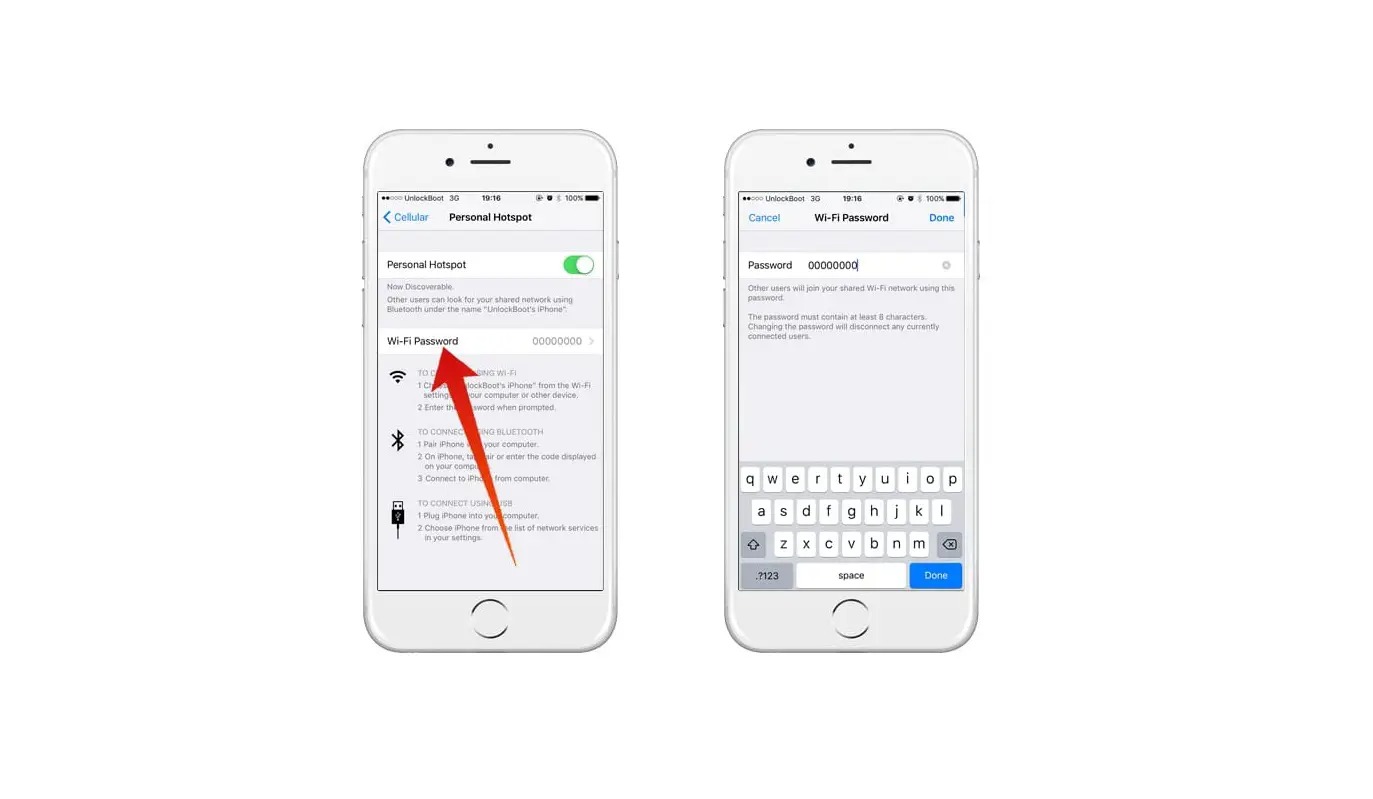
Go to Settings > Personal Hotspot and tap the Wi-Fi Password field to type a new one. The password must be at least eight characters long and uses WPA2 or WPA3 encryption depending on the iPhone model and whether Maximize Compatibility is enabled.
Can I use my Android hotspot while connected to Wi‑Fi?
On many Samsung and other Android phones you can share a Wi‑Fi connection through the hotspot feature, unlike iPhone which only shares cellular data. The option appears under Settings > Connections > Mobile Hotspot and Tethering > Wi‑Fi sharing on supported models.
How many devices can connect to my iPhone hotspot at once?
Apple does not publish a fixed device limit for Personal Hotspot in its support documentation. The practical number depends on your carrier plan, signal strength, and the iPhone model, with performance degrading as more devices share the same cellular link.
Why does my Android hotspot keep turning off by itself?
Android turns off the hotspot automatically when no devices are connected for a set period, typically five or ten minutes, to save battery. The exact timeout varies by manufacturer and Android version, and some phones let you adjust it under Hotspot settings > Advanced > Timeout settings.
Does T‑Mobile throttle hotspot data after a certain amount?
T‑Mobile reduces hotspot speeds to 3G levels after you use the high‑speed hotspot allowance included in your plan. The specific data cap depends on which plan you have, and once throttled, speeds stay reduced until your next billing cycle resets the allowance.