Getting started with your TikTok settings guide
This TikTok settings guide starts with a crucial first step: confirm which login methods still work before you do anything else. Many recovery attempts fail when TikTok sends a verification code to a phone or email you can no longer reach. Once you are safely in, take a moment to learn how to use TikTok app navigation. Tap the Profile icon at the bottom, then open the Menu at the top to reach Settings and privacy. From there you can manage everything from your password to your content feed. If you are weighing whether the platform fits your life, it helps to understand the debates around TikTok Chinese ownership. You should also review the list of countries that have banned TikTok on government devices or nationwide. Availability and data rules can shift. For families looking for a more focused experience, explore the available content and wellbeing settings under Settings and privacy. This feed appears at the top when it is turned on. Just keep in mind that TikTok's STEM feed doesn't address the app's biggest issues, which is why you should read the article explaining why TikTok's STEM feed doesn't address the app's biggest issues before relying on it as a safety measure. It works best as a discovery tool rather than a full parental control solution.
Managing your account access
Log into TikTok without phone number verification by tapping the “Use email or username” link on the login screen. Tap 'Email or username' on the login screen and enter the email or username you previously linked to your TikTok presence. If you never attached an email, go to your page, open the menu, and navigate to Settings and privacy. Tap Account, then update your credentials. If you ever need to log into TikTok without phone number, this method is your go-to for regaining access using just your email or username.
Change TikTok password without phone number or email access by tapping “Forgot password?” on the login screen. Look for a recovery option still tied to your TikTok presence. If none appears, you must use the in-app support form. Prepare a photo of a government ID to prove you own the page. This process is essential when you need to change TikTok password without phone number or email and have no other recovery methods available.
Change phone number on TikTok by opening your page and tapping the menu. Navigate to Settings and privacy. Tap Account, then find the option to change your phone number. Enter your new digits and confirm the code sent to that device. Complete the swap immediately. This is the straightforward way to change phone number on TikTok while keeping your account secure and up to date.
Remove a phone number from TikTok by replacing it with a new one you control. The platform does not offer a bare “remove” button. Go to your page, open the menu, and tap Settings and privacy. Tap Account, then find the phone number option. Enter a fresh number and verify the code. Your old digits disappear from the page. This method effectively lets you remove a phone number from TikTok by substituting it with a new one you own.
Unlink phone number from TikTok without old number access by starting a recovery flow. Tap “Forgot password?” on the login screen. Tap “Try another way” until you see an email option. Use that to get back into your page. Once inside, go to Settings and privacy, then Account. Replace the lost number with a new one you control. If no email is attached, open a support ticket. Upload a photo ID to prove ownership. A human agent can then detach the old digits from your page. This process is designed for when you need to unlink phone number from TikTok without old number and have lost access to your previous device.
- change TikTok password without phone number or email
- unlink phone number from TikTok without old number
- log into TikTok without phone number
- remove a phone number from TikTok
- change phone number on TikTok
Fixing common problems
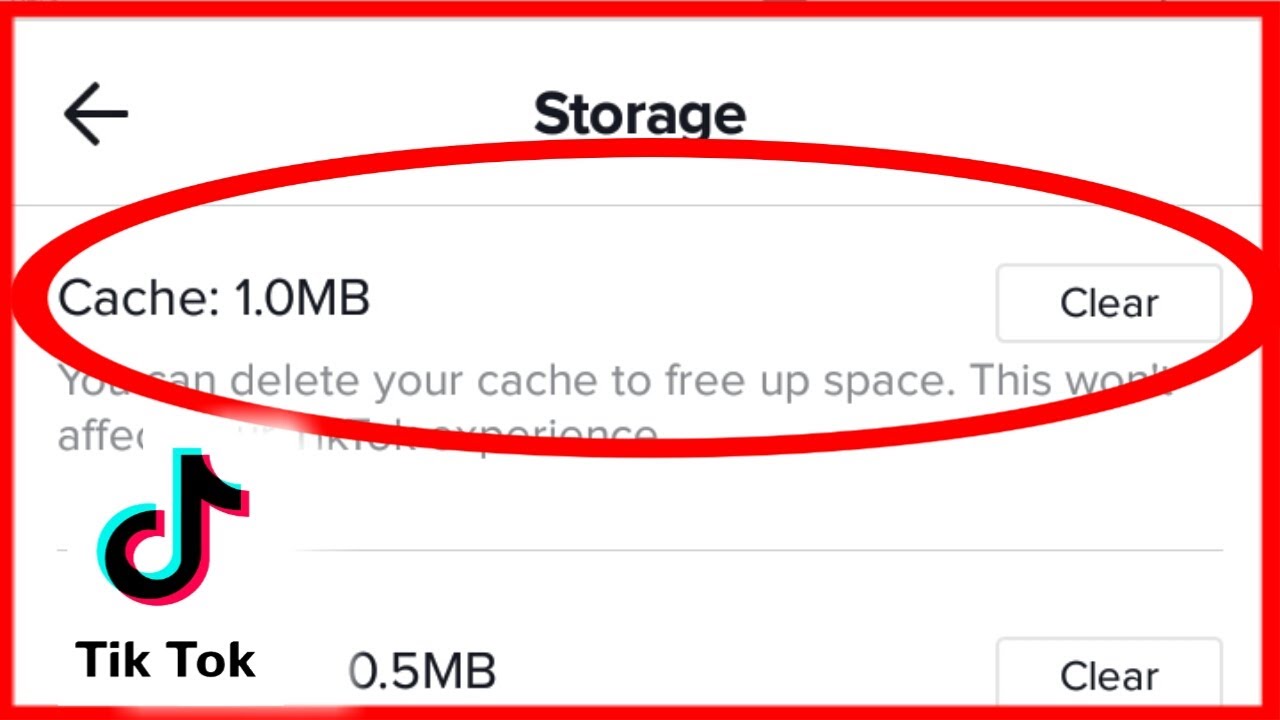
Open your TikTok and tap the profile icon in the bottom‑right corner. Tap the menu (three lines) at the top, choose Settings and privacy and then tap Free up space. Clear the cache with one tap. For downloads, tap Clear next to the item and confirm; for drafts, use the options provided to manage and delete them. This removes temporary clutter without deleting your drafts.
If the app still freezes or refuses to load, clear data from TikTok. This deeper reset often resolves stubborn crashes. Be aware that it will sign you out and wipe your saved drafts in the process.
When you face persistent loading failures or a blank screen, first confirm you are not dealing with a wider outage. Force‑stop the app and check your network. TikTok app not working fixes include force-stopping the app and checking your network. Before you reinstall, secure your content by learning why you would want to download TikTok data, which lets you keep a backup of your videos and settings. Head to Settings and privacy → Account and select Download your data. Request a copy of your videos, settings, and page details. Pick a file format. Return to the same tab later to retrieve the archive once TikTok prepares it.
If the app starts behaving oddly after you tapped a suspicious link inside the platform, treat it as a potential security issue. TikTok does not have a feature to detect data exfiltration. You can manually check for unauthorized access. Open the in‑app browser settings. Choose to clear cookies and cache. This option appears in your in-app browser settings depending on your version. Removing that stored data closes active sessions. It also prevents lingering scripts from tracking your next moves. You get a clean slate without waiting for a support ticket.
Saving and recovering your drafts
Before you switch phones, publish every draft privately to save TikTok drafts when getting a new phone. Open the draft, tap Next, set Who can watch this video to Only me, and under More options toggle on Save to device. Posting it sends a copy straight to your camera roll. TikTok stores drafts on the device itself rather than in the cloud, so once you log in on a different handset the old drafts simply do not appear.
If you have already moved devices and need to recover TikTok drafts on a new phone, grab your original handset immediately and use the same private-posting path to export each clip. There is no recovery menu or hidden backup to pull from, so this option requires that original phone to still be on hand.
To save a TikTok draft to phone without switching devices, follow that identical Only me posting method, since the draft screen itself lacks a direct download button. Treat every draft as temporary. A full data clear or uninstall wipes them for good.
Controlling your content and connections
Open your profile grid, tap the video you want to remove, tap the three-dot menu, choose Delete, and confirm your choice. You can delete a TikTok video in just a few taps.
Open Settings and privacy. There is no general search tool to find TikTok account by phone number for other users; the phone lookup appears inside the recovery flow and Search by phone number is available only if the number was already linked to your own presence on the platform.
Declutter your following list by going to your own page, tapping Following, finding the creator you want to drop, and tapping the Following button next to their name. You can unfollow on TikTok directly from their page or from your own following list.
Manage uncomfortable connections immediately by visiting the person's page, tapping the Share button at the top, selecting Block, and confirming your decision. You can block or unblock someone on TikTok through that same Share button. To review your full list later, open Settings and privacy, tap Privacy, tap Blocked accounts, and tap Unblock next to any entry you want to restore.
Understanding features and other platforms
When you are watching a creator and want to show appreciation beyond a comment, you can send TikTok gifts and how much are they worth depends entirely on the virtual Coins you purchase first. During a LIVE stream, look for the Gift button; if it is missing, that specific stream is simply not set up to receive them. The same rule applies during a LIVE stream, as the host must be eligible to receive them. Open your wallet under the Profile menu to top up your Coins ahead of time and confirm your balance is showing correctly, which saves you from a last-second recharge while the moment passes and lets you skip the in-stream purchase flow that loads too slowly when the chat is moving fast.
Moving outside of TikTok to fix a stale social connection, you can unblock someone on Instagram fast and easy from their profile by looking for the menu option, selecting the option to unblock them, and confirming the action when prompted.
A completely different corner of the app world, Cookpad is the social network for home chefs where sharing recipes takes priority over polished food photography. Download the app from your official store and create a login with a fresh email address, keeping this identity separate from your short-form video presence. Consider skipping the social media single sign-on option during setup, as it creates a link between platforms that is difficult to undo later. Set up your kitchen profile fully before browsing popular recipes to understand what the community values, then use the search feature to find specific ingredients you already have at home.
Frequently Asked Questions
How do I turn on the TikTok STEM feed?
Open your Profile, tap the Menu button at the top, select Settings and privacy, tap Content preferences, then tap STEM feed and turn it on. The feed appears at the top of your screen when enabled and is available to users in the US, UK, Ireland, and Canada.
Where do I clear TikTok cookies and cache in the in-app browser?
Open Profile, tap the Menu, select Settings and privacy, and look for the option to clear cookies and cache under either Activity or Security depending on your app version. This removes stored data, closes active sessions, and prevents lingering scripts from tracking your next moves.
How do I change my TikTok password while still logged in?
Tap Profile, then the Menu, select Settings and privacy, tap Account, and choose Password. Enter your current password and set a new one. This method works when you still have access to your account and want to update your credentials proactively.