Before you block phone calls: know the limits
When you block phone calls on your device, it acts more like a local mute button than a force field. On an iPhone, the blocked contact is stopped from reaching you through Phone, FaceTime, Messages, and Mail. That restriction syncs across any device signed into your Apple Account. On a Google Pixel or similar device using the Phone app, the call is simply declined automatically before it ever rings. Blocked callers on iPhone can still leave voicemails, but you will not receive a notification, and these messages are typically found in a 'Blocked Messages' section. You will still need to dig into your mailbox to delete it manually. To stop the call at the network level before it even hits your handset, you may need a carrier-level block, or you may need to turn off Wi-Fi calling on Android if the spam calls are routing through that connection instead of the cellular network.
Because the system is designed to give the blocked person no official notification, there is no reliable, built-in way to know if someone blocked your phone number. The recipient's phone silently does the work, so you are left looking for circumstantial clues. You might wonder if the call is ringing after being blocked. On the Google operating system, the documented behavior is an automatic decline. Apple documentation indicates that FaceTime calls from blocked numbers ring indefinitely on the caller's end without notification to the recipient. If you are trying to diagnose the situation, looking up how to know if an Android blocked you is not possible with these steps. Since the behavior can vary, you might also explore the signs when getting your mobile number blocked on different carriers.
Block on any Android phone
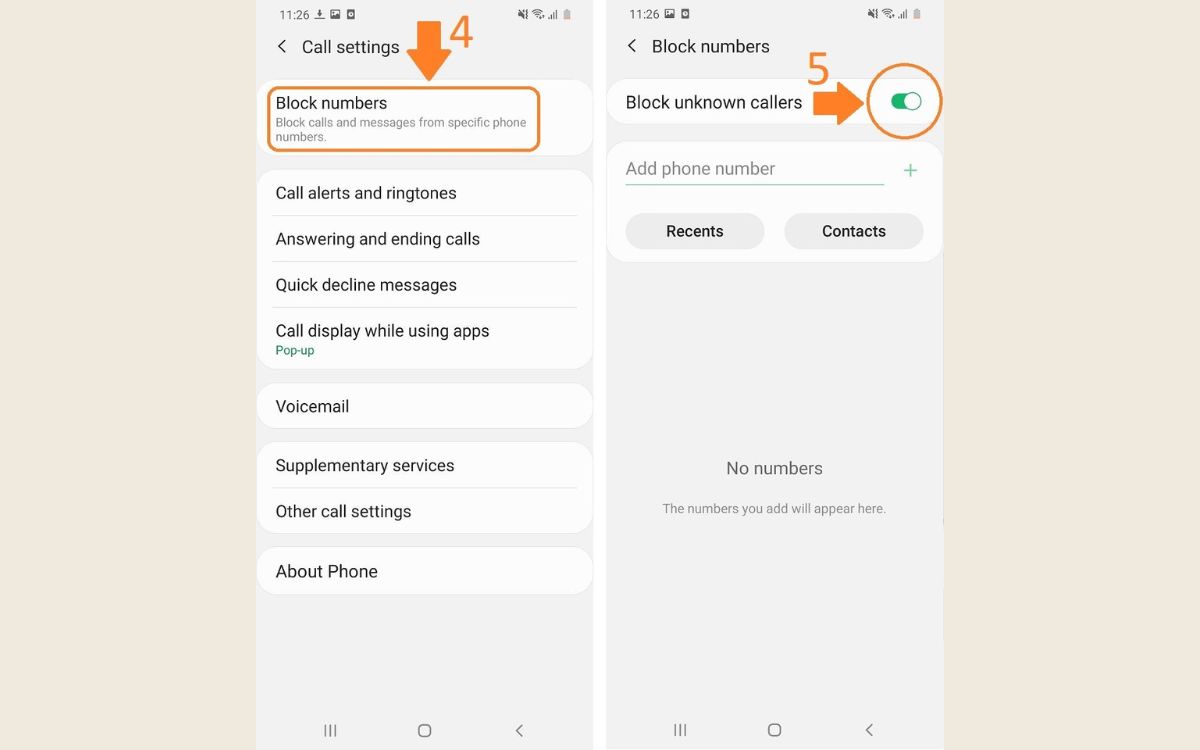
Open the Phone app, tap the three-dot menu in the corner to reach Settings, then look for Blocked numbers. You can also block a number directly from your Recents or Contacts. This is the standard path to block number on Android and it stops both calls and texts from that contact, meaning you can also bar telephone number from text without installing a separate messaging filter. If you only want to silence someone without sending them to voicemail, no mute a phone number option is documented for stock Android, so you would need to assign a silent ringtone to that contact or use a third-party dialer. When you are ready to reverse the restriction, the same Blocked numbers screen lets you unblock someone on my Android phone by removing their entry from the list. For those on regional carriers, the process to block numbers on US cellular starts in the Phone app’s three-dot menu under Settings and Blocked Numbers, where you can also turn on the toggle for unknown callers. Remember that even after you bar a number on the device, the caller can still leave a voicemail, though it may be stored in a separate blocked folder.
Block on any iPhone
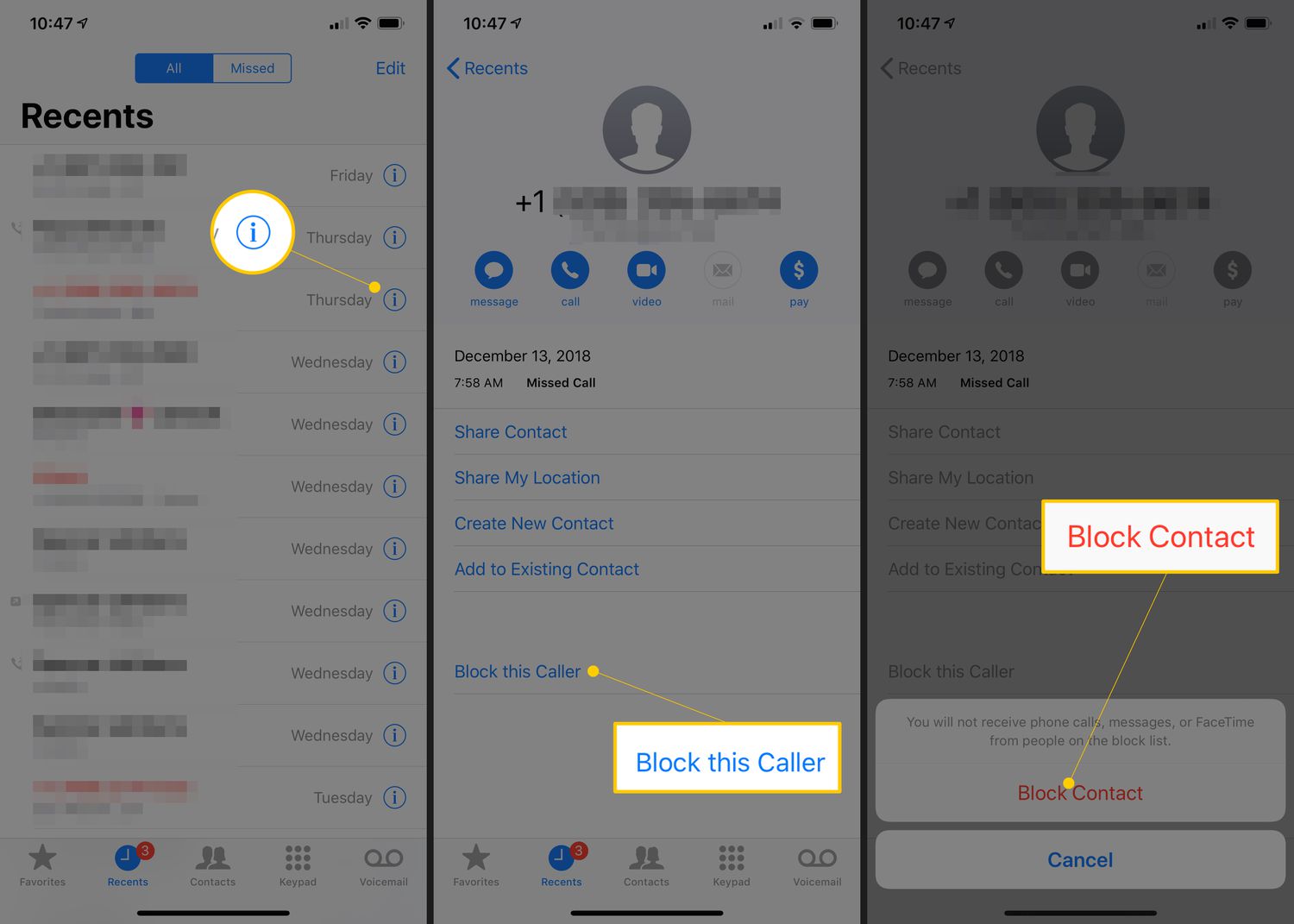
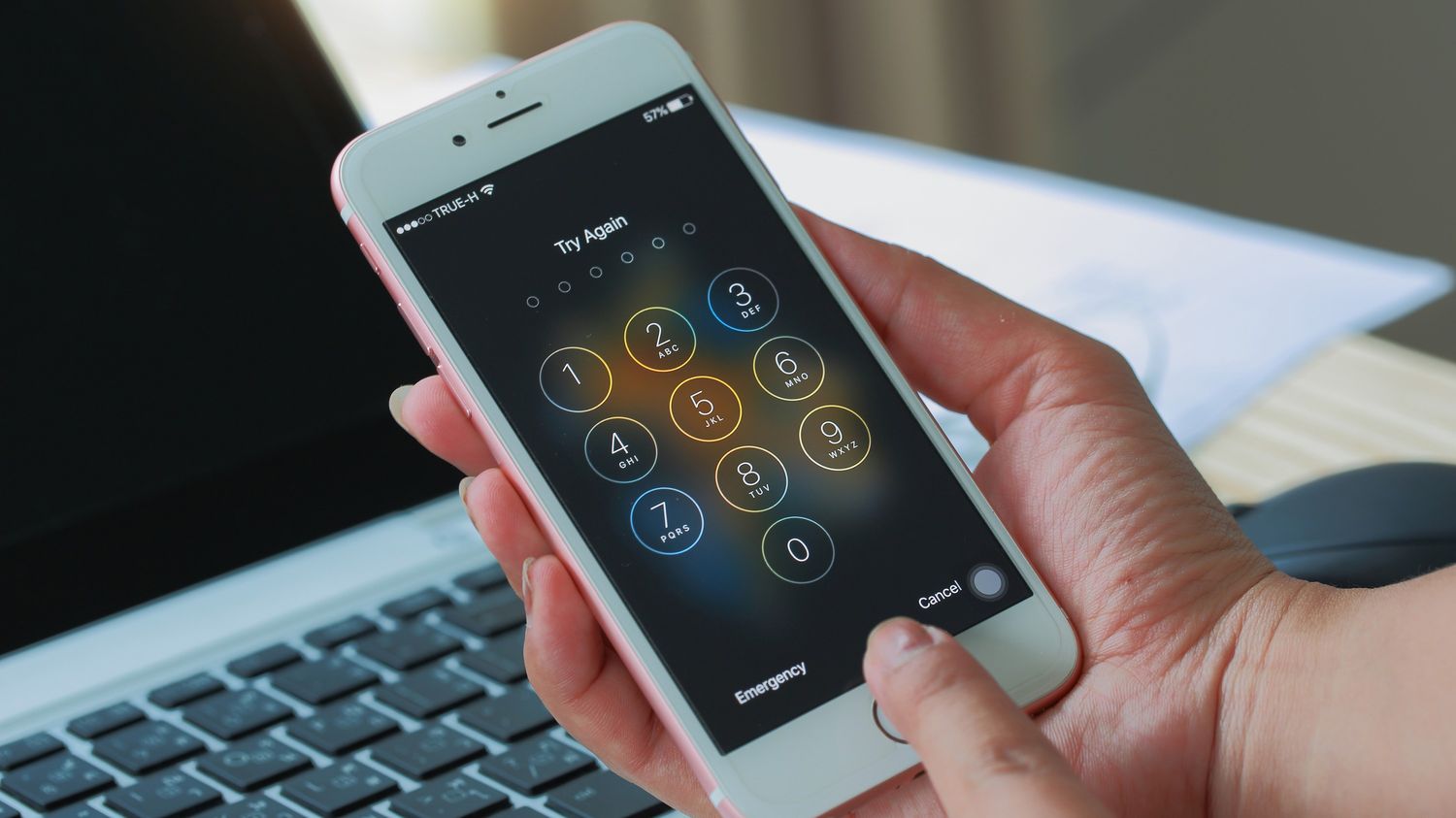
On an iPhone, the block you set up in the Phone app works across FaceTime and Messages, and it syncs to any other device signed into your Apple Account. You can add a number right from the Recents tab by tapping the contact and choosing Block Caller, and you can review or edit the list later by going to Settings > Phone > Blocked Contacts. Apple uses the same path whether you need to find blocked numbers on iPhone 11 or you need to find blocked numbers on iPhone 12, as there is no model-specific difference in where the list lives. Once a number is barred, the caller can still leave a voicemail, which is stored in a separate Blocked Messages folder unless your carrier stops the call at the network level. If you use that network, you can block calls with Consumer Cellular by tapping the number in your call log, selecting the info icon, and choosing Block this Caller. If you have been silencing unknown callers and want to reverse it, you can allow all calls on iPhone by going to Settings > Phone > Silence Unknown Callers and toggling it off, which lets every number ring through normally.
Block on flip phones and basic phones
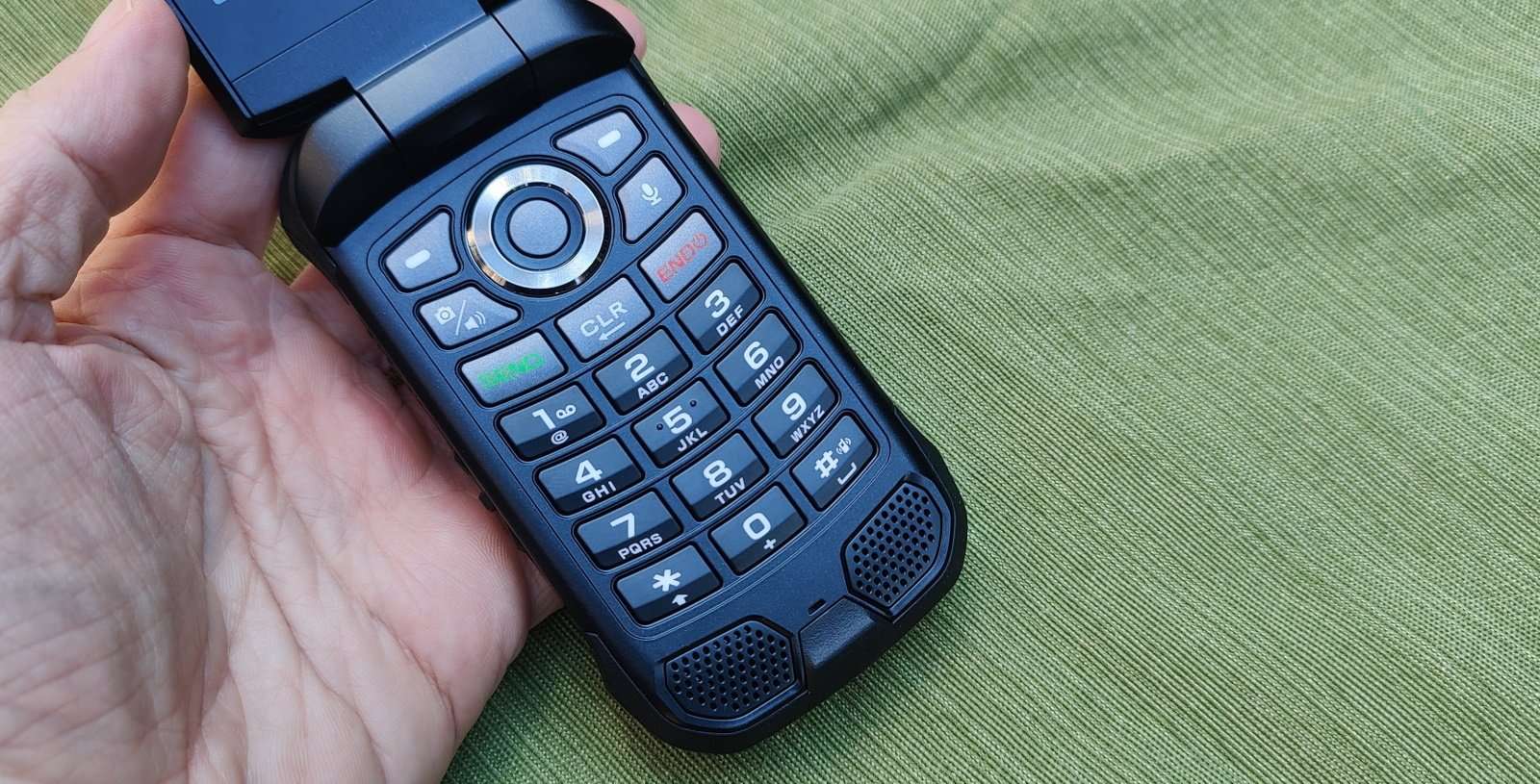
On many basic phones, the blocking feature is built right into the contacts or call log menu rather than a separate settings app. From the main screen, you can typically press the right soft key to open Contacts, highlight the entry you want to stop, and select Options to find a block or reject setting. Because these simpler operating systems do not sync with online accounts, the block only applies to that specific handset. The caller can still leave a voicemail, which may be filtered or placed in a separate blocked folder depending on your carrier and device. If you need to block a number on AT&T landline phone, you would follow a different process entirely, since landlines use a distinct system for call rejection.
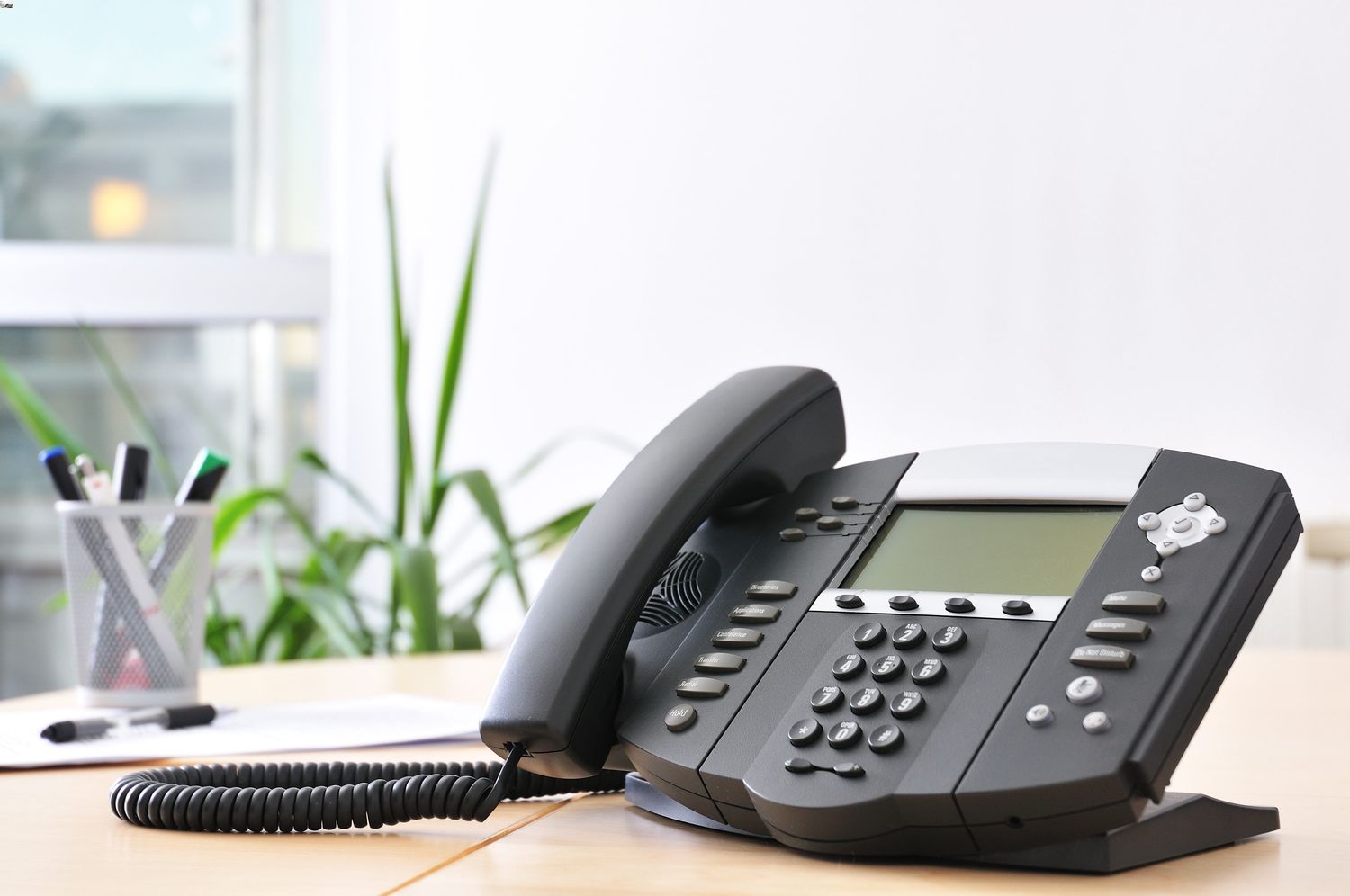
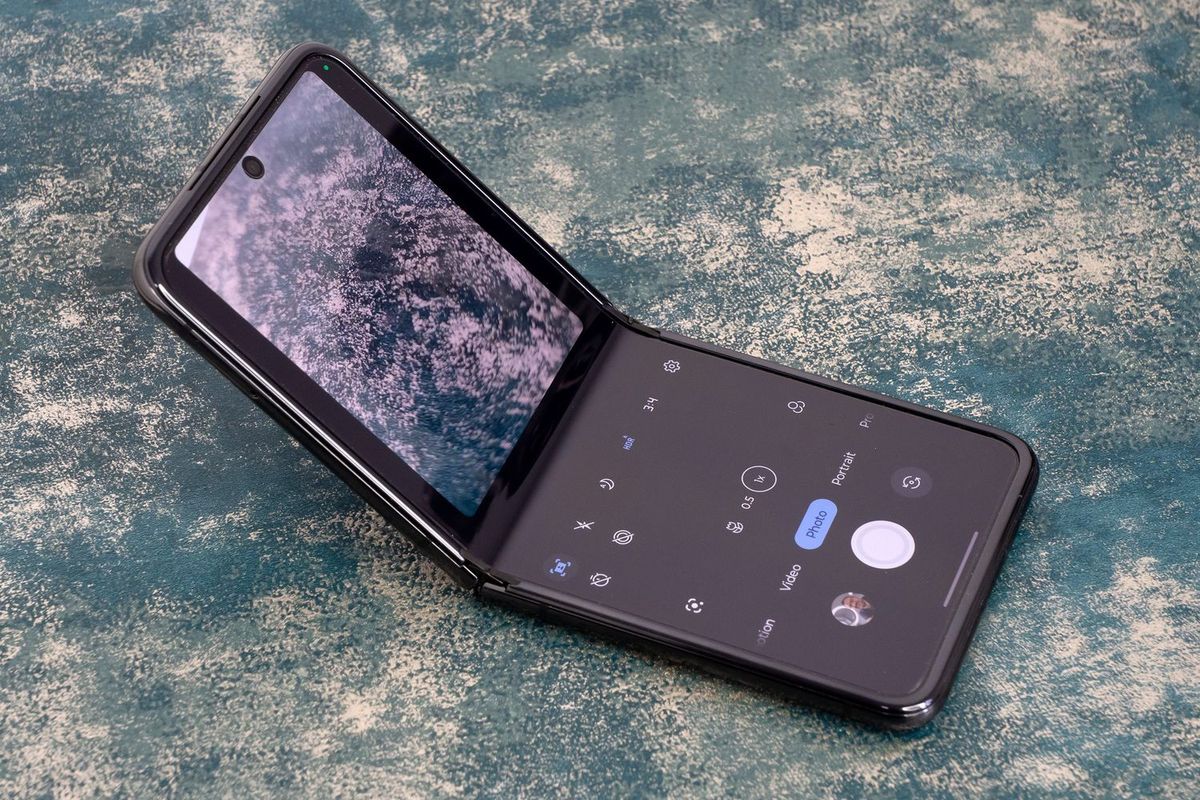
Here are the steps to block a number on Motorola Razr v3. The provided sources lack those instructions, so the precise process block calls on Motorola Razr remains unclear. For those using a simplified touchscreen, the interface changes slightly. The article lacks the steps to block calls on Jitterbug smartphone, so no precise sequence can be given. If you need to block a number on Kyocera flip phone, the procedure relies on the phone's basic contact list rather than a dedicated settings menu. Similarly, if you want to block a number on Alcatel phone, you will find the option tucked inside the call log or contact options. For those using a cordless home system, you may need to block a number on Vtech phone by accessing the call block list from the base unit. If your office uses a desk phone, you might need to block number on Polycom phone through the web interface rather than the handset itself. And if you have a compact device, you can block calls on flip phone by selecting the entry from your recent calls list.
While each of these devices puts the control in a slightly different spot, the principle is the same across the broader category of basic and flip handsets.
Block on Samsung Galaxy phones
On a recent Samsung Galaxy, the main controls live inside the Phone app under the three-dot menu and Settings, then Block numbers. From that screen you can add a specific contact or toggle the switch that silences unidentified callers. The label Samsung shows varies by software version. Some devices display “Block calls from unknown numbers” while others read “Block unknown/private numbers.” If you need to block spam calls on Galaxy S21, the same menu also powers Smart Call, which flags suspicious incoming numbers automatically. When your goal is to block private numbers on Samsung S20, flipping that toggle stops calls from hidden or unspecified digits. Remember the caller can still slide into your voicemail unless your carrier intercepts it first.
On older or carrier-branded handsets the steps shift slightly. To block a phone number on Samsung Galaxy core Prime Straight Talk, Straight Talk’s own help pages direct you to the Recents tab. Tapping the “i” icon on a number reveals the rejection option. The carrier also lets you text SPAM to 611611 to download its call-screening app. The same basic pattern appears across other manufacturers. If you need to block a phone number on Motorola droid, you would typically long-press the entry in your call log. Look for a reject command in the menu that pops up.
Block on landline and VoIP home phones
You can block calls on Motorola Razr by using the call-blocking features available in the Phone or Contacts app.
Managing unwanted calls on a home phone often requires a different approach than on a mobile device. For many Panasonic cordless systems, the block list is stored directly in the handset or base unit. Clearing an entry is a local action you perform on the hardware, which is why you would want to read the article on how to unblock a number on Panasonic phone to restore a mistakenly blocked contact. If you need to remove a restriction, you typically press the `CALL BLOCK` or `MENU` button on the handset. Then navigate to the blocked list and choose the erase option. The exact button labels will shift depending on your specific model.
Digital home phone services tie these controls to your online account instead of the physical phone, which is why you would want the guide on how to block a phone number on Spectrum landline to stop a persistent caller at the network level. When you apply this setting through the My Spectrum App or the provider's website, the change stops the caller before your handset even rings. This carrier-level method is often more thorough than a handset-only restriction. But it does mean you cannot manage the list by simply pressing a button on your Panasonic or Vtech base. To later restore a number, you would need the instructions on how to unblock a phone number on Spectrum landline by returning to the same app or web portal and removing the entry from your preferences. For a broader solution, you can also use the voice service options in your account to block phone calls on Spectrum by enabling features like anonymous call rejection, which filters out calls that hide their caller ID.
- unblock a phone number on Spectrum landline
- block a phone number on Spectrum landline
- unblock a number on Panasonic phone
- block phone calls on Spectrum
Block with your mobile carrier
Your carrier can stop unwanted calls before they ever reach your phone, which also prevents the caller from slipping into your voicemail. If you want to block calls with Verizon wireless, you can do so through the My Verizon app by tapping the Mobile tab, then Manage devices, selecting your mobile number, then choosing Settings & Preferences and Block calls & messages, or by visiting the My Verizon website and managing block settings there. Verizon limits these network-level blocks to five numbers per line, and each entry can last up to 90 days. On T-Mobile, you can block scam likely calls T-Mobile by dialing #662# from your device or by flipping the toggle inside the free Scam Shield app. When you need to block a number T-Mobile, you should visit the Devices page on the T-Mobile site, select your device, and check the steps to block calls. While you can block a number on T-Mobile app by managing your preferences there, blocking a number on the T-Mobile app often involves a different section than the Scam Block toggle. T-Mobile states it will automatically block text messages T-Mobile identifies as spam before they hit your inbox.
Block on cable and internet phone services
If your home phone service runs through your internet or cable provider, the most reliable blocking tools are usually found in your online account rather than on the handset itself. To block a phone number on Comcast or Xfinity Voice, you can sign into your online account and manage Spam Blocker settings. Then follow the voice prompts to add the last caller. You can also block a phone number on Comcast landline through your online Xfinity Voice Call Blocking settings. For a visual interface, signing into the Xfinity Voice Call Blocking Settings page lets you type in a number and click Add. You may need to block a phone number Xfinity voice routes to you directly from your call history or voicemail list by selecting Block Caller > Confirm, which is useful when you want to block a phone number Xfinity voice has already connected. If official sources lack current steps, you can still block a phone number on Cox landline using these alternatives. You will need to check your Cox account dashboard or contact the company for the latest menu path. AT&T home phone customers may use a similar star-code system. When you need to unblock a number on AT&T landline phone, check your AT&T account or contact the company for the current steps.
Unblock and manage blocked lists
Because there is no universal shortcut, you cannot simply dial a star command when you need to unblock a telephone number on a mobile device. On an iPhone, you manage this by going to Settings, then Phone, and opening the Blocked Contacts list, where you can swipe left on an entry or tap Edit to reveal the Unblock option. If you are trying to unblock phone number on landline service, you will typically need to log into your provider’s online portal or app to remove the entry from your call-blocking preferences. For those dealing with persistent spam, you can stop scam likely calls on Android by enabling the built-in caller ID and spam protection inside the Phone app’s configuration, which helps filter out suspicious numbers before they interrupt you.
Managing these lists gets more nuanced when you need to block a phone number on Hinge, since the dating app builds its own separate restricted list using a contact’s email or phone number. You can clear that list by tapping your profile icon, going to the app’s preferences, and selecting Block List. Since no carrier documents the code to unblock a phone number as a single keypad sequence that works everywhere, you will always need to navigate your specific device or account menus. The quickest way to block a telephone number on most smartphones remains going into your recent call history and tapping the Block or Report Spam command next to the unwanted entry. On some flip phones, you can stop calls by editing the individual contact details and toggling the call-rejection setting, or by long-pressing a recent entry in the call log to bring up the same rejection toggle.
Landline management often requires a different workflow than mobile devices. Most digital voice services let you log into a web dashboard to add numbers to an exclusion list, while traditional copper-line customers may need to contact their provider to activate anonymous call rejection. Once a number is on the list, your phone will not ring when that caller tries to reach you, and removing the restriction later usually involves the same portal or contacting your provider. Third-party applications offer another layer of protection by maintaining their own databases of reported spam numbers and intercepting calls before your phone even rings. You can whitelist important contacts so they never get caught in the filter and adjust the screening sensitivity in the app’s protection panel, which is especially useful for numbers that spoof local area codes.
Carrier-level controls provide a network-side solution that works before the call reaches your device. By logging into your wireless account to find the call-filtering features, you can add numbers to a permanent deny list, and some carriers also offer a premium service that identifies and auto-rejects high-risk spam. To reverse the action, you simply delete the entry from the deny list in your account profile, and the change syncs across all devices on your plan. Social and dating platforms handle communication restrictions differently from phone networks. When you block a phone number on Hinge, the action is tied to the profile rather than your device’s SIM card, meaning the restriction follows that user even if they change their number. You can review all restricted profiles in one dedicated section of the app, and removing someone from this list reverses the restriction.
Voice assistants now offer hands-free ways to manage incoming calls. You can tell your smart speaker to silence unknown callers, or on a handset you can say "reject that number" after a spam call comes in and the assistant will guide you through the steps or perform the action automatically. The command works with both the native dialer and some third-party apps, as long as the assistant has the necessary permissions. Business phone systems use a completely different architecture, where a VoIP administrator can blacklist numbers at the trunk level to stop the call from ever reaching any extension. Individual users can also manage their own lists through a softphone client, and some systems allow time-based rules that only reject calls during certain hours, which is ideal for blocking after-hours telemarketing while still accepting client calls during the workday.
- stop scam likely calls on Android
- unblock phone number on landline
- block a phone number on Hinge
- unblock a telephone number
- block a telephone number
Frequently Asked Questions
How do I block spam calls on Galaxy S21?
Open the Phone app, tap the three-dot menu, go to Settings then Block numbers. The same menu powers Smart Call, which flags suspicious incoming numbers automatically.
How do I block a phone number on Spectrum landline?
Use the My Spectrum App or the provider's website to apply the block at the network level. This stops the caller before your handset rings, unlike a handset-only restriction.
How do I turn off Silence Unknown Callers on iPhone?
Go to Settings, tap Phone, then Silence Unknown Callers and toggle it off. This lets every number ring through normally instead of sending unknown callers straight to voicemail.