Text messaging features and fundamentals
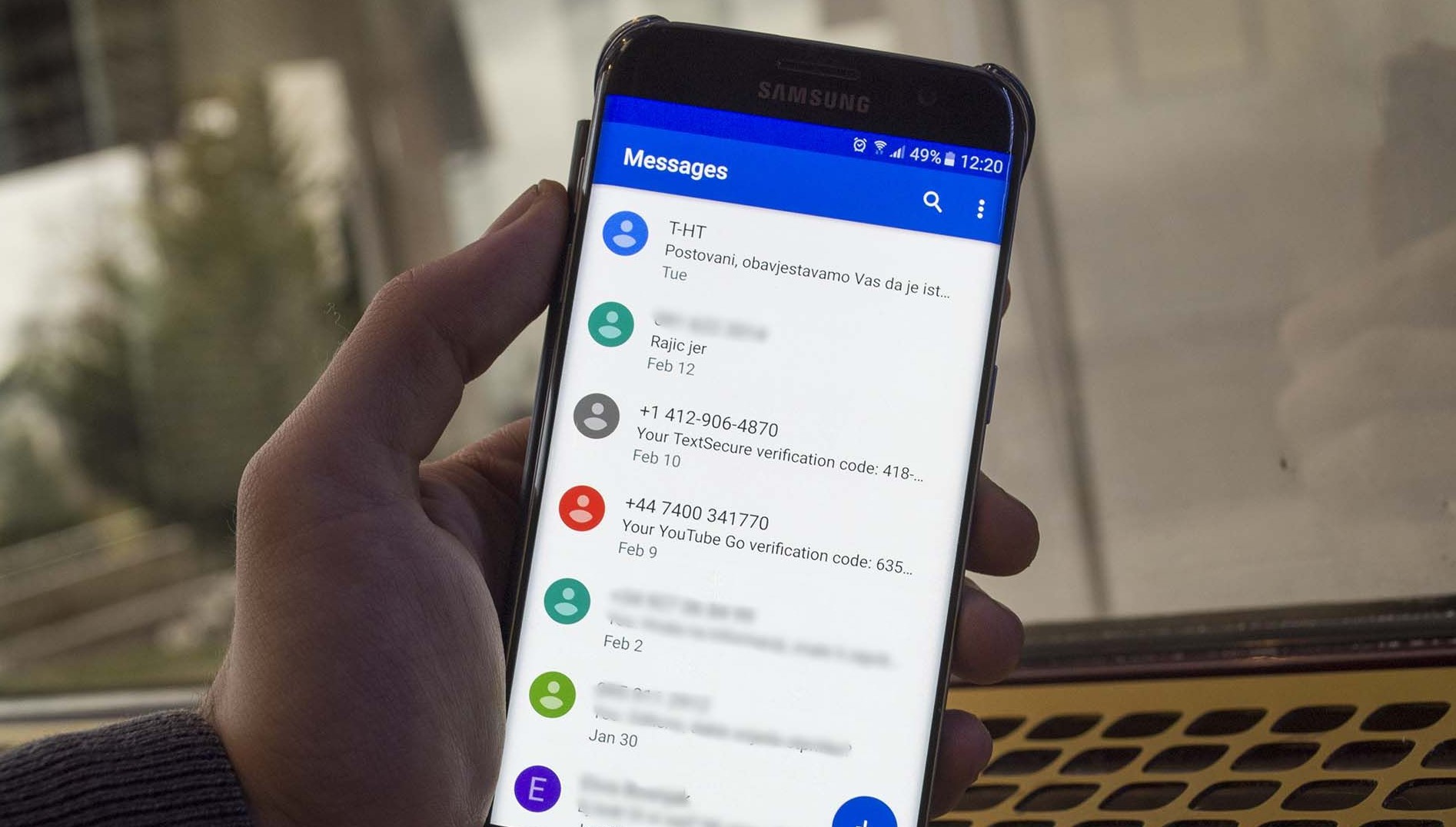
Before you change any text messaging features or settings, it helps to get the text messaging basics straight, so you understand the difference between SMS, MMS, and RCS before adjusting your phone. Texting is the general act, SMS is the carrier's basic service, and MMS adds photos or videos. On an iPhone, these texts appear as green bubbles and require a plan that supports them. When you look at SMS on Android phones, knowing how this core service works helps you troubleshoot why some messages send as plain text instead of rich chats. The core short message service functions the same way, but richer options become available once you step into the Google Messages app and open the RCS chats menu from your profile picture. To upgrade your conversations, you can enable RCS messaging on any Android phone and carriers by tapping your profile icon, entering Messages settings, and turning on RCS chats, though carrier and device support may vary. If someone in a group lacks support, the chat falls back to plain SMS and removes read receipts.
- enable RCS messaging on any Android phone and carriers
- Google'S RCS plan is too complicated to succeed
- text messaging basics
- RTT on my phone
- SMS on Android
Sending and managing everyday texts
Many people find, however, that when you get text message records from T-Mobile, the output shows only the phone numbers and timestamps for each SMS. The actual words are not included. The report simply logs the routing data.
When you need to send a text message on Android, the app handles the basics the same way SMS always has. The real organization power comes from features like starring and pinning. On an iPhone, you can pin conversations in the messages app to find them more easily by touching and holding a conversation in the Messages list and tapping Pin. This moves it to a larger icon at the top of your screen. Apple lets you pin up to nine conversations this way. You can also pin shared content in messages by opening the conversation and touching and holding the content. Just touch and hold a specific link or photo inside a chat and tap Pin. Find it later by tapping the contact’s icon at the top and looking under the Pins section.
If you are texting on my Motorola Moto G or trying to create a group text on Samsung phone, the exact menu paths vary. T-Mobile’s RCS Advanced Messaging includes starred texts and high-quality sharing up to 100 MB once you turn on chat features. When you need to draft a longer composition, you can type a letter on Android phone using any notes or word processing app. Then share the text into your messaging app.
These pins and stars help you surface conversations quickly. The actual content of your transmissions is typically deleted from T-Mobile’s servers within a few days. Your in-app organization is what preserves quick access to the items that matter.
Advanced messaging tricks
Beyond basic sending, a few built-in tools can make your conversations feel more immediate and organized. If you need a reminder to go out later, you can schedule a text message on Android and iPhone without installing anything extra. On an iPhone, just tap the + button in a conversation, choose Send Later, and pick a time up to 14 days ahead. For quick, silent acknowledgments, you can react to texts on Android in a chat that supports RCS, which lets you pin an emoji directly to that specific item. Similarly, when a thumbs-up is all that’s needed, you can like a text on an Android phone in a chat that supports RCS without cluttering the thread with a new reply. If you are on an Apple device, you can send timed messages on iPhone using the same Send Later schedule, holding your text until the exact moment you set. When your hands are busy, you can activate voice to text on Android using the microphone option on your keyboard to dictate your response and keep the conversation moving.
Sending texts via email
Your wireless statement provides a high-level summary of total sent and received texts without breaking down individual conversations or revealing content. On-device logging offers a more detailed view: the default texting app on a Samsung handset stores a local history of every exchange, the Google-made texting app found on Pixel devices and many other modern handsets does the same, and third-party SMS apps from the Play Store also maintain their own internal archives. Carrier cloud backup and sync tools create a separate copy of your texting history, and T-Mobile’s DIGITS platform allows you to access your entire conversation timeline across your tablet, computer, and web portal. Integrated cloud storage on Galaxy hardware can quietly preserve your texting data, as Samsung Cloud routinely saves call logs and SMS records bundled into your regular device backups, while Google One backups perform a similar function for the Pixel line and other devices that rely on the Google texting app, storing your encrypted SMS history in Google Drive against your storage quota. Third-party recovery software exists for deeper forensic needs, scanning a phone’s internal memory for database fragments and sometimes surfacing deleted texts that the operating system has not yet overwritten, though success is never guaranteed and the sooner you run the scan after deletion, the better your chances. If you need a permanent offline record, you can manually forward individual threads to your email inbox, capture scrolling screenshots of a conversation, or use a texting app to export a thread as a plain text file saved to a computer. Legal requests represent the most formal retrieval path: law enforcement can subpoena detailed records through a carrier’s legal compliance team, and civil litigation may involve a discovery motion, but these processes are slow and governed by strict data retention policies where carriers typically keep message content for only a few days while metadata may be retained much longer. The method you choose depends entirely on what you need, and understanding where your data lives helps you pick the right tool for the job. When you want to reach someone without picking up your phone, you can use email to send someone a text message by composing a new note in any standard email client and typing the recipient’s 10-digit phone number followed by the carrier’s specific gateway domain. The ability to send T-Mobile phones text from email has become uncertain because T-Mobile email-to-text was discontinued in December 2024, but the current support status is not consistently confirmed. If you are trying to text to AT&T phone from email. If you need to text Consumer Cellular from email. The servers that briefly hold these notes typically purge content within days, and a failed email-to-text attempt means the note is simply lost rather than stored for later retrieval.
Cross-device and cross-platform messaging
The content of your chats remains invisible. You see only the metadata that the network logs for billing and routing purposes.
Because an iPad cellular model cannot receive SMS on its own, the radio is strictly for data. SMS and MMS require an iPhone to relay texts through Continuity. Any setup to receive SMS on iPad cellular without iPhone is not supported; the iPad cellular radio is for data only, and SMS/MMS requires an iPhone to relay messages through Continuity. If you do have an iPhone, your tablet can mirror its texts. The standalone cellular iPad won’t pick up a text directly. On the Android side, you may have seen workarounds, but if you want to know here'S how you can use iMessage on Android phones. Any method you try relies on third-party tools that sit outside the standard carrier feature set. When you want a conversational assistant at your fingertips, you can use ChatGPT on your iPhone and Android phone by installing the dedicated app. The app lets you draft replies or ask questions without leaving your messaging workflow. While you are traveling, Delta rolls out free in-flight mobile messaging on Gogo-enabled Delta flights, including aircraft with two or more cabins. Once you connect to the Wi‑Fi portal at airborne.gogoinflight.com, you can send and receive text only; no photos, videos, or SMS are supported. No photos, videos, or SMS are supported at no cost during your flight.
Privacy and anonymous texting
Standard SMS does not hide your number, as caller‑ID settings apply to calls, not texts. The iPhone caller‑ID toggle at Settings > Apps > Phone > Show My Caller ID only masks your number for calls, and the option may be missing if your carrier does not allow caller‑ID blocking. Because normal texting does not hide your number, people who need a separate number for classifieds or short‑term deals often look for ways to make your phone a burner phone by pairing it with a secondary number app. When you are choosing a service, the 13 best apps for sending anonymous message or text include options that generate a disposable number you can discard later, though you still need to check whether a given app keeps logs that could be tied back to your device. For conversations where you want end‑to‑end encryption and disappearing texts on top of number privacy, the 17 best secret messaging apps for private conversations layer self‑destruct timers over their contact‑hiding design. You can start with the TextNow APK download and installation, which works on handsets running Android 9+ and iOS 15+ and gives you a free second number that lives entirely inside the app, keeping your SIM number off the thread.
Viewing texts on another phone or online
If you need to check communications remotely, the options vary dramatically by carrier and what you expect to see. On T‑Mobile, you can view my text messages online on T‑Mobile by logging into your profile, which is helpful if you want to review your own message history from a computer. The displayed log is strictly limited to phone numbers and timestamps. The carrier does not store the actual text content on its servers. This means that when you attempt to check text messages in T‑Mobile through the browser, you are seeing a record of activity rather than a readable conversation, which is useful for verifying that messages were sent or received. The same limitation applies if you hope to read text messages on another phone on your plan, as you might want to monitor a family member's communications. Unless you have set up DIGITS to sync a single number across multiple devices, the profile tools will not show you the body of anyone’s SMS. On the Verizon side, the situation is similar in practice. Many account holders look for ways to view text messages on Verizon wireless through their online portal, often to keep a backup of their own conversations. You will typically see only usage logs rather than the written exchanges.
- see texts from another phone on my plan Verizon
- view my text messages online on T-Mobile
- view text messages on Verizon wireless
- read text messages on another phone
- check text messages in T-Mobile
Getting T-Mobile text and phone records
If you need to document your line activity, the most direct way to get phone records from T-Mobile is through your online portal, provided you have a postpaid plan. Log in on a computer, go to Usage, select the line and usage type you want, and choose the download option to print up to one year of your phone records. However, when you get text message records from T-Mobile, the output shows only the phone numbers and timestamps for each SMS or MMS, not the words that were exchanged. That limitation is by design, as the carrier’s own support documentation does not describe any feature that stores or displays the body of a conversation. The gap becomes even more important when you try to get text message transcripts from T-Mobile for a specific thread, because message content is not available through usage records. In contrast, the metadata that appears in your usage history follows the longer T-Mobile phone record retention periods, though the usage records will not include the actual written dialogue.
Looking up records on other carriers
The process for looking up records on an AT&T wireless account is handled through the company’s own app or website, which is exactly why you would want to look up phone records on AT&T when you need to verify call and text activity. In the myAT&T app, you can find the log by opening the Home tab. Then tap See bill details. Next, select the option to check your data, call, and text activity before opening the detailed usage view. The resulting Text usage list will display the phone numbers involved. It also shows the type of communication sent and the time it was sent or received. This only applies if the communication traveled over the cellular network. One limitation that often surprises people is that Apple iMessages and Android Advanced Messaging rely on Wi‑Fi or mobile data instead of standard SMS. Those exchanges will not appear in the text logs at all. If you have an AT&T Prepaid line, you can sign into your profile and open the Account History. Choose a date range of up to 30 days at a time. Then select a History Type to submit or export the records as a PDF. What you will not find in any of these records is the actual written content of a conversation. The carrier’s documented tools are designed to surface timestamps and numbers rather than the bodies of those communications.
Fixing T-Mobile message blocking and MMS issues
When your phone suddenly stops sending or receiving texts, the cause is often a feature called Message Blocking. The Primary Account Holder can turn off message blocking on T-Mobile through T-Mobile.com or the T-Life app by disabling the option for chargeable texts and picture messages; one documented in-app path leads through the device status and scam block controls.
If you see a “Message Blocking active” error only when texting a specific contact, the restriction is likely on their line rather than yours. Understanding T-Mobile text message blocking reasons helps you avoid confusion. The service is a free, account-level filter designed to stop unwanted SMS and MMS, and it can also affect instant messages that ride over the text messaging network.
For picture messages that refuse to download, you will need to turn on MMS on Android by checking the phone’s internal spam or block list and ensuring it does not contain the recipient’s number. Test with a single small photo sent to one person. T-Mobile’s troubleshooting documentation does not specify a universal MMS toggle path for every model, but moving your SIM to another T-Mobile device is a way to determine whether the problem is network- or device-related.
Frequently Asked Questions
How do I schedule a text message on iPhone using Send Later?
Tap the + button in a conversation, choose Send Later, pick a time up to 14 days ahead, type your message, and tap send. This built-in feature holds your text until the exact moment you set.
Can an iPad with cellular receive SMS without an iPhone?
No, the iPad cellular radio is for data only. SMS and MMS require an iPhone to relay messages through Continuity, so a standalone cellular iPad will not pick up a text directly.
What does T-Mobile RCS Advanced Messaging include for media sharing?
T-Mobile's RCS Advanced Messaging includes high-quality media sharing up to 100 MB, along with starred messages, reactions, schedule send, typing indicators, and read receipts once you turn on chat features.